discover · compare · collections · requirements · contribute · feed · watching · stats · help with your tokens
wong2/chatgpt-google-extension · source
Snapshot 0 · 2026-11-04T12:47:27Z · TypeScript · GPL-3.0
Content fingerprint
b04fa1d4932f574a701e6466dfa5a9eefa773f9d487f2cdd3f7c20913eff8ea2GitHub description at capture
This project is deprecated. Check my new project ChatHub:
README at capture
# ChatGPT for Google  [](https://twitter.com/chatgpt4google)  ### Notice (2023-02-20) As this extension has been acquired, this code repository will no longer be updated from now on. # My new project: [ChatHub: All-in-one chatbot client](https://github.com/chathub-dev/chathub) --- A browser extension to display ChatGPT response alongside Google (and other search engines) results [Install from Chrome Web Store](https://chatgpt4google.com/chrome?utm_source=github) [Install from Mozilla Add-on Store](https://chatgpt4google.com/firefox?utm_source=github) ## Supported Search Engines Google, Baidu, Bing, DuckDuckGo, Brave, Yahoo, Naver, Yandex, Kagi, Searx ## Screenshot  ## Features - Supports all popular search engines - Supports the official OpenAI API - Supports ChatGPT Plus - Markdown rendering - Code highlights - Dark mode - Provide feedback to improve ChatGPT - Copy to clipboard - Custom trigger mode - Switch languages ## Troubleshooting ### How to make it work in Brave  Disable "Prevent sites from fingerprinting me based on my language preferences" in `brave://settings/shields` ### How to make it work in Opera  Enable "Allow access to search page results" in the extension management page ## Build from source 1. Clone the repo 2. Install dependencies with `npm` 3. `npm run build` 4. Load `build/chromium/` or `build/firefox/` directory to your browser ## Star History [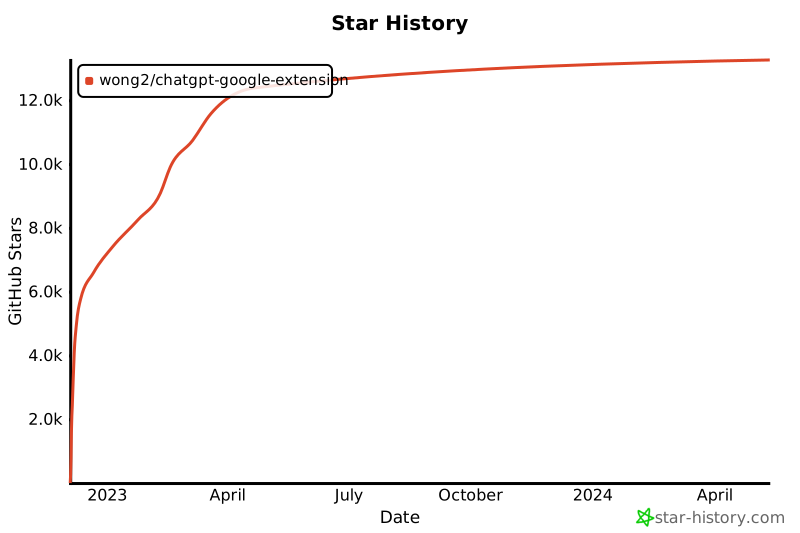](https://star-history.com/#wong2/chatgpt-google-extension&Date)