discover · compare · collections · requirements · contribute · feed · watching · stats · help with your tokens
unbug/codelf · source
Snapshot 0 · 2026-11-04T12:47:24Z · JavaScript ·
Content fingerprint
44f84dce7e2e5597ca4f4c6638a0b60dfc3c6c530cafc1e5cbd9c5cfdac6044eGitHub description at capture
A search tool helps dev to solve the naming things problem.
README at capture
<img src="https://user-images.githubusercontent.com/799578/50462941-8075fe80-09c3-11e9-89e7-af0cb7991406.png" width="80"> CODELF(变量命名神器) ================= A search tool helps dev to solve the naming things problem. Search over projects from Github, Bitbucket, Google Code, Codeplex, Sourceforge, Fedora Project, GitLab to find real-world usage variable names. Also a daily Algorithm Copybook. Also a GitHub stars, repositories tagger and organizer tool. >There are only two hard things in Computer Science: cache invalidation and naming things.-- Phil Karlton > >  WIKI ================= [简体中文](https://github.com/unbug/codelf/wiki) Plugins ================= ### Codelf for VS Code ##### Install Codelf is on VS Code Extension Marketplace. Just search "codelf" on VS Code EXTENSIONS pane and click install. ##### Usage 1. Select text, right-click and select "Codelf". <img width="521" alt="select" src="https://cloud.githubusercontent.com/assets/799578/26273099/199ab0b0-3d5b-11e7-9cb6-b48a035b0a1f.png"> ### Codelf for Atom ##### Install Codelf is [on Atom package](https://atom.io/packages/codelf). Search "codelf" on Atom setting pane and click install.Please see [Atom Packages in the Atom Flight Manual](http://flight-manual.atom.io/using-atom/sections/atom-packages/) ##### Usage 1. Select text, right-click and click "Codelf". 2. Open Packages menu select "Codelf" 3. Press CTRL+ALT+E to open Codelf <img src="https://cloud.githubusercontent.com/assets/799578/12577706/2b6d4970-c457-11e5-83d3-dba0ce2c867c.gif" width="600"> Also see [How to use Codelf on Atom](https://github.com/unbug/atom-codelf#usage) ### Codelf for Sublime Text ##### Install 1. [Download Codelf for Sublime](https://github.com/unbug/codelf/archive/st-0.0.5.zip) or [Select a "st-" version to download](https://github.com/unbug/codelf/tags) 2. Unzip and rename the folder to `Codelf` 3. Copy the folder into `Packages` directory, which you can find using the menu item `Sublime Text -> Preferences -> Browse Packages...` 4. Restart Sublime Text ##### Usage 1. Select text, right-click and click "Codelf".  2. Open Command Palette using menu item Tools -> Command Palette... --> Type "E" or "Codelf" -->Select "Search Selection" or "Search From Input"  Apps ================= [Codelf Chrome App](https://chrome.google.com/webstore/detail/codelf-best-github-stars/jnmjaglhmmcplekpfnblniiammmdpaan) Find me ================= * Twitter [@unbug](https://twitter.com/unbug) * 微博 [@听奏](http://weibo.com/unbug) Videos =============== [](https://youtu.be/Uqg8HWaa-2c) Screenshots ================ ### Search variable   ### Daily Algorithm Copybook  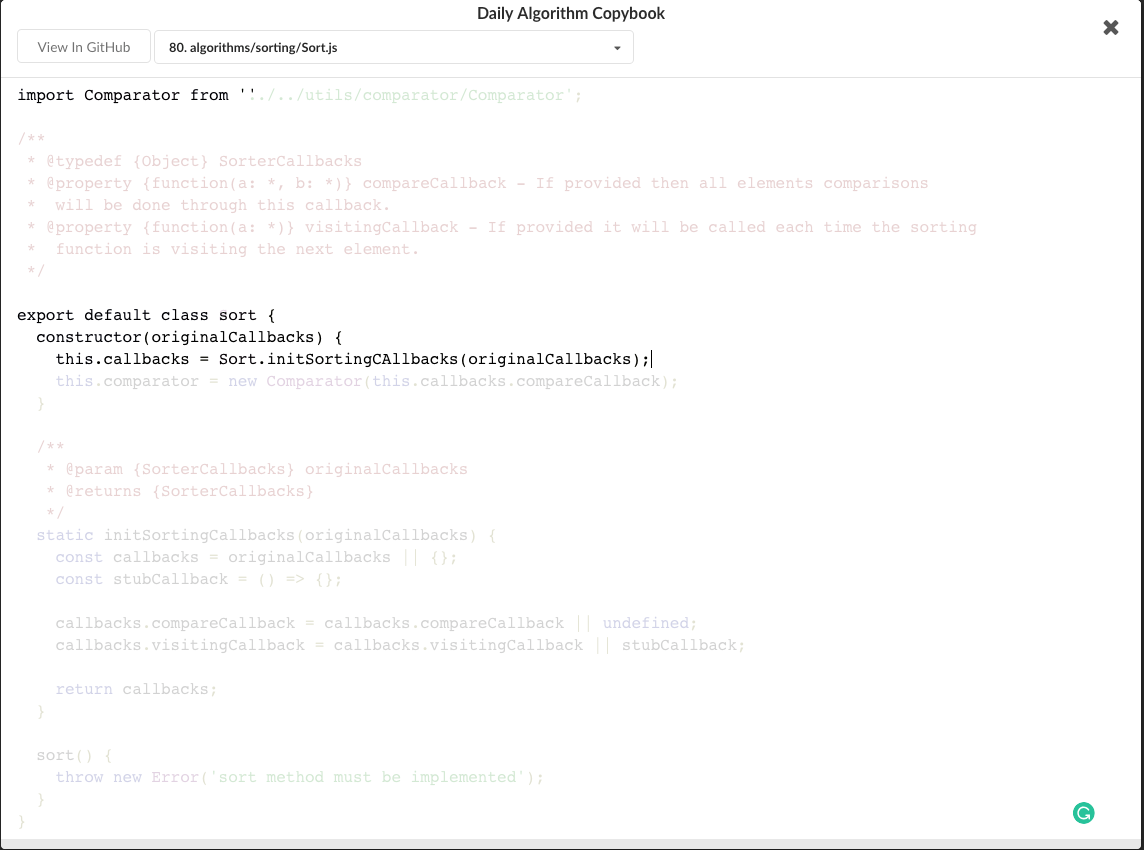 ### GitHub stars, repositories tagger and organizer tool  