discover · compare · collections · requirements · contribute · feed · watching · stats · help with your tokens
semaphoreui/semaphore · source
Snapshot 0 · 2026-11-04T12:47:23Z · Go · MIT
Content fingerprint
8459dd53516a4eeab133a212be54fe00ac04169162b28fb119415a9180fe662cGitHub description at capture
Modern UI and powerful API for Ansible, Terraform/OpenTofu/Terragrunt, PowerShell and other DevOps tools.
README at capture
# Semaphore UI Modern UI for Ansible, Terraform/OpenTofu/Terragrunt, PowerShell and other DevOps tools. <!-- [](LICENSE) --> [](https://github.com/semaphoreui/semaphore/actions/workflows/dev.yml) [](https://hub.docker.com/r/semaphoreui/semaphore) <!-- [](https://github.com/orgs/semaphoreui/projects/11) [](https://discord.gg/5R6k7hNGcH) [](https://www.youtube.com/@semaphoreui) [](https://semaphoreui.com/install/docker/) --> 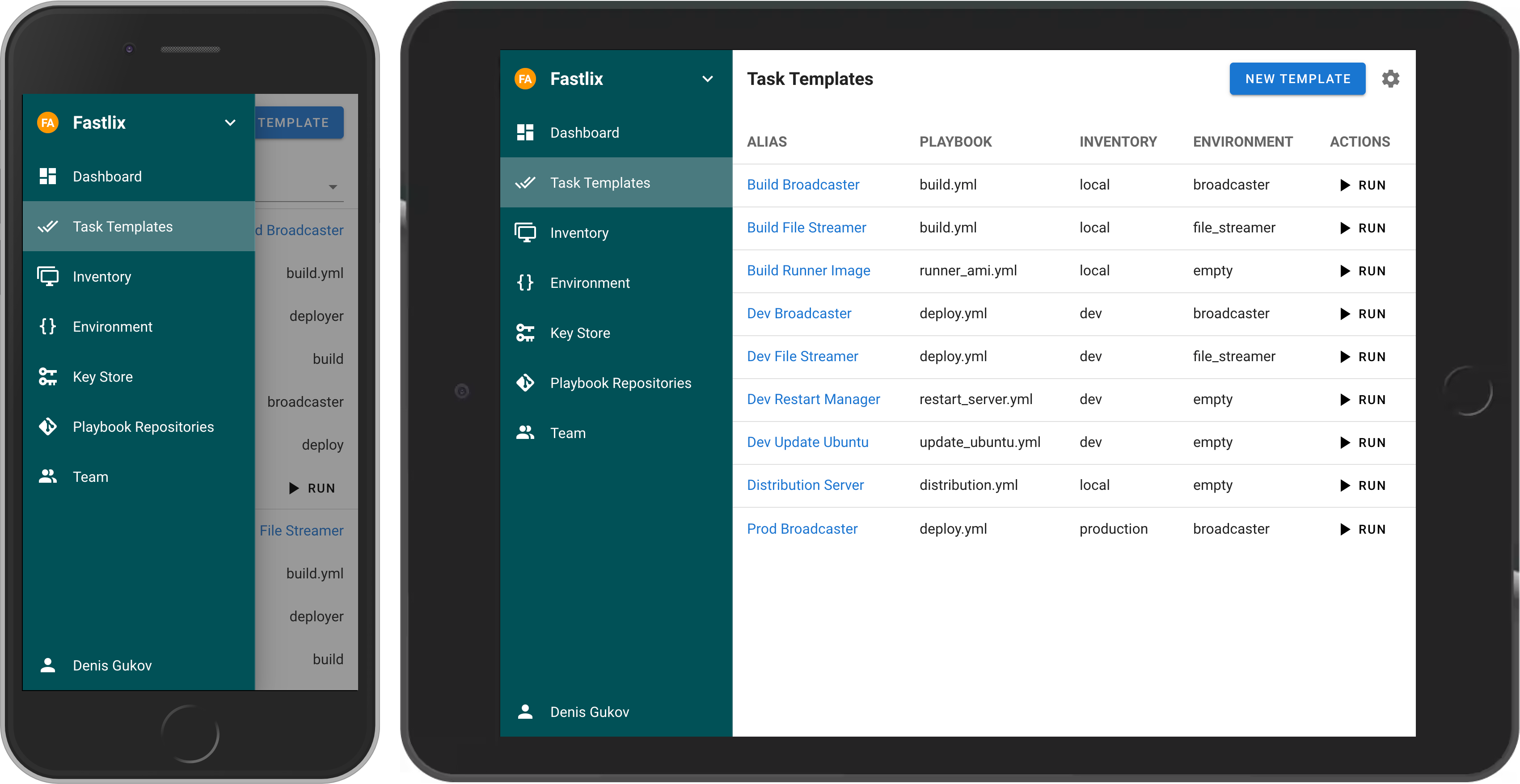 If your project has grown and deploying from the terminal is no longer feasible, then Semaphore UI is the tool you need. ## Demo [Try Semaphore UI online](https://portal.semaphoreui.com/demo) <!-- ## Live Demo Try the latest version of Semaphore at [https://portal.semaphoreui.com](https://portal.semaphoreui.com). --> ## What is Semaphore UI? Semaphore UI is a modern web interface for managing popular DevOps tools. Semaphore UI allows you to: * Easily run Ansible playbooks, Terraform and OpenTofu code, as well as Bash and PowerShell scripts. * Receive notifications about failed tasks. * Control access to your deployment system. ## Key Concepts 1. **Projects** is a collection of related resources, configurations, and tasks. 2. **Task Templates** are reusable definitions of tasks that can be executed on demand or scheduled. 3. **Task** is a specific instance of a job or operation executed by Semaphore. 4. **Schedules** allow you to automate task execution at specified times or intervals. 5. **Inventory** is a collection of target hosts (servers, virtual machines, containers, etc.) on which tasks will be executed. 6. **Variable Group** refers to a configuration context that holds sensitive information such as environment variables and secrets used by tasks during execution. ## Getting Started You can install Semaphore using the following methods: * [Docker](https://semaphoreui.com/install/docker) * Deploy a VM from a marketplace: * [AWS](https://aws.amazon.com/marketplace/pp/prodview-xavlsdkqybxtq) * [Cloudzy](https://cloudzy.com/marketplace/semaphore-ui) * [DigitalOcean](https://marketplace.digitalocean.com/apps/semaphore?refcode=b55d7c0077b8&action=deploy) * [Vultr](https://www.vultr.com/marketplace/apps/semaphore) * [Yandex Cloud](https://yandex.cloud/ru/marketplace/products/fastlix/semaphore) * [RepoCloud](https://repocloud.io/details/Semaphore/) * [Pethost](https://pethost.dev/templates/semaphore/) * [Snap](http://snapcraft.io/semaphore) * [Binary file](https://semaphoreui.com/install/binary) * [Debian or RPM package](https://semaphoreui.com/install/binary) ### Docker The most popular way to install Semaphore is via Docker. ``` docker run -p 3000:3000 --name semaphore \ -e SEMAPHORE_DB_DIALECT=sqlite \ -e SEMAPHORE_ADMIN=admin \ -e SEMAPHORE_ADMIN_PASSWORD=changeme \ -e SEMAPHORE_ADMIN_NAME=Admin \ -e SEMAPHORE_ADMIN_EMAIL=admin@localhost \ -d semaphoreui/semaphore:latest ``` We recommend using the [Container Configurator](https://semaphoreui.com/install/docker/) to get the ideal Docker configuration for Semaphore. <!-- ### SaaS We offer a SaaS solution for using Semaphore UI without installation. Check it out at [Semaphore Cloud](https://portal.semaphoreui.com). --> ### Other Installation Methods For more installation options, visit our [Installation page](https://semaphoreui.com/install). ## Documentation * [User Guide](https://docs.semaphoreui.com) * [API Reference](https://semaphoreui.com/api-docs) * [Postman Collection](https://www.postman.com/semaphoreui) ## Awesome Semaphore A curated list of awesome things related to Semaphore UI. * [Ebdruplab — Ansible Collections](https://github.com/Ebdruplab/ansible-collection_ebdruplab) — Ansible modules and a role for managing Semaphore. * [SemaphoreUI MCP Server](https://github.com/cloin/semaphore-mcp) — A Model Context Protocol (MCP) server that provides AI assistants with powerful automation capabilities for SemaphoreUI. * [Terraform SemaphoreUI Provider](https://github.com/CruGlobal/terraform-provider-semaphoreui) — Manage Semaphore UI resources using Terraform. * [PSSemaphore](https://github.com/robinmalik/PSSemaphore) — A PowerShell module designed to work against the Ansible Semaphore REST API. [//]: # (* [Ansible UI Semaphore](https://github.com/morbidick/ansible-role-semaphore) — Ansible role to install and configure the Ansible UI Semaphore.) ## Contribution * [Contribution Guide](https://github.com/semaphoreui/semaphore/blob/develop/CONTRIBUTING.md) * [Dev Container](https://codespaces.new/semaphoreui/semaphore) (default user `admin` / `changeme`) ## License MIT © [Denis Gukov](https://github.com/fiftin)