discover · compare · collections · requirements · contribute · feed · watching · stats · help with your tokens
schachmat/wego · source
Snapshot 0 · 2026-11-04T12:47:23Z · Go · ISC
Content fingerprint
b96c0c48b1b93f993643eab4ab967d7f536dc01c90d892118e4639184f6ad896GitHub description at capture
weather app for the terminal
README at capture
**wego** is a weather client for the terminal. 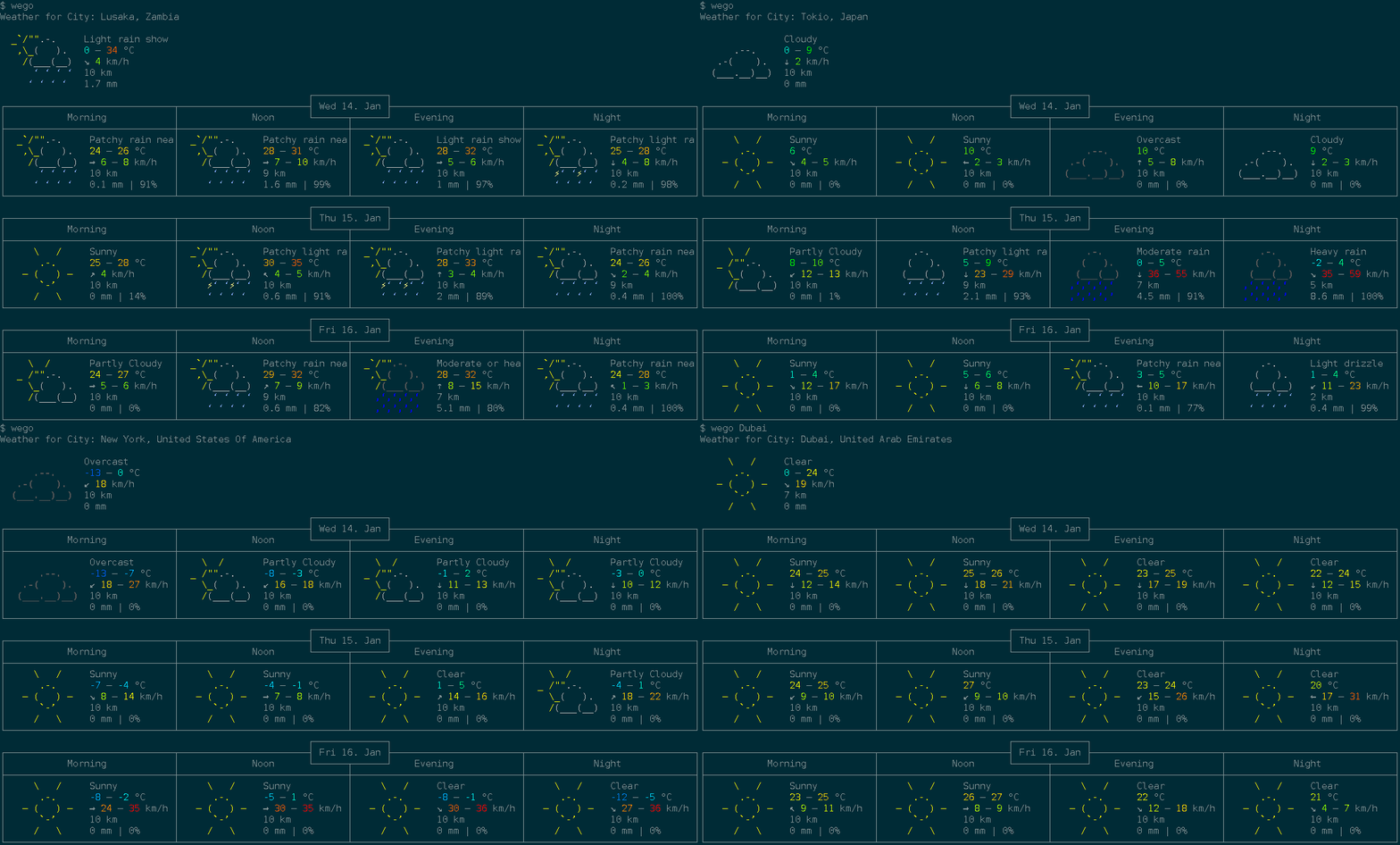 ## Features * show forecast for 1 to 7 days * multiple backends: `openweathermap`, `weatherapi`, `open-meteo`, `smhi`, `caiyun`, `worldweatheronline`, `pirateweather`, and `json` * multiple frontends: `ascii-art-table` (default), `emoji`, `markdown`, and `json` * displayed info: * temperature range ([felt](https://en.wikipedia.org/wiki/Wind_chill) and measured) * windspeed and direction * viewing distance * precipitation amount and probability * humidity * unit systems: `metric`, `imperial`, `si`, `metric-ms` * disk caching of weather data with configurable TTL (`--cache-ttl`) * multi language support * config file for default location which can be overridden by commandline * automatic config management with [ingo](https://github.com/schachmat/ingo) * built-in man page (`wego --man`) * composable via JSON: pipe data between the `json` backend and `json` frontend ## Dependencies * A [working](https://golang.org/doc/install#testing) [Go](https://golang.org/) [1.20](https://golang.org/doc/go1.20) environment * utf-8 terminal with 256 colors (for `ascii-art-table` and `emoji` frontends) * A monospaced font containing all the required runes (e.g. `dejavu sans mono`) * An API key for most backends (see Setup below; `open-meteo` and `smhi` are free and keyless) ## Installation Check your distribution for packaging: [](https://repology.org/project/wego/versions) To directly install or update the wego binary from Github into your `$GOPATH` as usual, run: ```shell go install github.com/schachmat/wego@latest ``` ## Setup 0. Run `wego` once. You will get an error message, but the `wegorc` config file will be generated in your `$XDG_CONFIG_HOME/wego/` directory (or the OS-equivalent location returned by [`os.UserConfigDir()`](https://pkg.go.dev/os#UserConfigDir), e.g. `~/.config/wego/wegorc` on Linux). 0. Choose a backend and configure it (see below). Then run `wego` again. 0. You may want to adjust other preferences like `days`, `units` and `…-lang` as well. Save the file. 0. Run `wego` once again and you should get the weather forecast for the current and next few days for your chosen location. 0. If you're visiting someone in e.g. London over the weekend, just run `wego 4 London` or `wego London 4` (the ordering of arguments makes no difference) to get the forecast for the current and the next 3 days. The config file is resolved in the following order: 1. `$WEGORC` environment variable (highest precedence). 2. `$XDG_CONFIG_HOME/wego/wegorc` (or OS equivalent via `os.UserConfigDir()`), if it exists. 3. `$HOME/.wegorc` (legacy location, for backward compatibility), if it exists. 4. If none of the above exist, a new config file is created at `$XDG_CONFIG_HOME/wego/wegorc`. ### Backends __[Open-Meteo](https://open-meteo.com/)__ — free, no API key required: ``` backend=openmeteo location=New York ``` __[SMHI](https://www.smhi.se/)__ — free, no API key required (Sweden and surrounding areas): ``` backend=smhi location=59.33,18.07 ``` __[Openweathermap](https://home.openweathermap.org/)__ — free API key available: * [Sign up](https://home.openweathermap.org/users/sign_up) for a free API key. ``` backend=openweathermap location=New York owm-api-key=YOUR_OPENWEATHERMAP_API_KEY_HERE ``` __[WeatherAPI](https://www.weatherapi.com/)__ — free API key available: * [Sign up](https://www.weatherapi.com/signup.aspx) for a free API key. ``` backend=weatherapi location=New York weather-api-key=YOUR_WEATHERAPI_API_KEY_HERE ``` __[Caiyun](https://caiyunapp.com/)__ — API key required (China-focused, supports Chinese): ``` backend=caiyun location=121.47,31.23 caiyun-api-key=YOUR_CAIYUN_API_KEY_HERE ``` __[Worldweatheronline](http://www.worldweatheronline.com/)__ — no longer offers free API keys ([#83](https://github.com/schachmat/wego/issues/83)): ``` backend=worldweatheronline location=New York wwo-api-key=YOUR_WORLDWEATHERONLINE_API_KEY_HERE ``` __[Pirateweather](https://pirateweather.net/)__ — free API key available (requires lat,lon location): * [Sign up](https://pirateweather.net/getting-started) for a free API key. ``` backend=pirateweather.net location=40.71,-74.01 pirateweather-api-key=YOUR_PIRATEWEATHER_API_KEY_HERE ``` __JSON file__ — read weather data from a local JSON file (useful for testing or offline use): ``` backend=json location=/path/to/weather.json ``` ## Frontends Select a frontend with the `--frontend` flag or by setting `frontend=…` in `.wegorc`. | Frontend | Description | |---|---| | `ascii-art-table` | Default. Classic colored ASCII art table. | | `emoji` | Compact emoji-based display. | | `markdown` | Markdown table output. | | `json` | JSON output, suitable for piping to other tools. | Example: `wego --frontend emoji London` ### Color Configuration Both `ascii-art-table` and `emoji` frontends display temperatures and wind speeds in color by default. To disable colors: * Pass `--monochrome` as a flag, or add it to `.wegorc` to make it permanent: ``` monochrome=true ``` * Set the `NO_COLOR` environment variable (see [no-color.org](https://no-color.org/)) to disable colors without changing the config: ```shell NO_COLOR=1 wego ```