discover · compare · collections · requirements · contribute · feed · watching · stats · help with your tokens
rzashakeri/beautify-github-profile · source
Snapshot 0 · 2026-11-04T12:47:27Z · · CC0-1.0
Content fingerprint
270950a5bedc39ca64e04c756f6cfb7142655a20857100e54a4afaeebecbc1a6GitHub description at capture
This repository will assist you in creating a more beautiful and appealing github profile, and you will have access to a comprehensive range of tools and tutorials for beautifying your github profile. 🪄 ⭐
README at capture
<img src="https://raw.githubusercontent.com/rzashakeri/beautifygithubprofile/master/cover-repo.jpg">
<p align="center">
<a href="https://www.producthunt.com/posts/beautify-github-profile?utm_source=badge-featured&utm_medium=badge&utm_souce=badge-beautify-github-profile" target="_blank">
<img src="https://api.producthunt.com/widgets/embed-image/v1/featured.svg?post_id=346331&theme=light" alt="Beautify Github Profile - Create a beautiful and attractive github profile very easy | Product Hunt" style="width: 250px; height: 54px;" width="250" height="54" />
</a>
<a href="https://www.producthunt.com/posts/beautify-github-profile?utm_source=badge-top-post-badge&utm_medium=badge&utm_souce=badge-beautify-github-profile" target="_blank">
<img src="https://api.producthunt.com/widgets/embed-image/v1/top-post-badge.svg?post_id=346331&theme=light&period=daily" alt="Beautify Github Profile - Create a beautiful and attractive github profile very easy | Product Hunt" style="width: 250px; height: 54px;" width="250" height="54" />
</a>
<a href="https://www.producthunt.com/posts/beautify-github-profile?utm_source=badge-review&utm_medium=badge&utm_souce=badge-beautify-github-profile#discussion-body" target="_blank">
<img src="https://api.producthunt.com/widgets/embed-image/v1/review.svg?post_id=346331&theme=light" alt="Beautify Github Profile - Create a beautiful and attractive github profile very easy | Product Hunt" style="width: 250px; height: 54px;" width="250" height="54" />
</a>
</p>
<p align="center">
<img alt="GitHub Repo stars" src="https://img.shields.io/github/stars/rzashakeri/beautify-github-profile?style=flat-square">
<img alt="GitHub forks" src="https://img.shields.io/github/forks/rzashakeri/beautify-github-profile?style=flat-square">
<img alt="GitHub watchers" src="https://img.shields.io/github/watchers/rzashakeri/beautify-github-profile?style=flat-square">
<img alt="GitHub contributors" src="https://img.shields.io/github/contributors/rzashakeri/beautify-github-profile?color=blue&style=flat-square">
<img alt="GitHub last commit" src="https://img.shields.io/github/last-commit/rzashakeri/beautify-github-profile?color=blue&style=flat-square">
<img alt="GitHub" src="https://img.shields.io/github/license/rzashakeri/beautify-github-profile?color=blue&style=flat-square">
<img alt="GitHub closed issues" src="https://img.shields.io/github/issues-closed/rzashakeri/beautify-github-profile?color=blue&style=flat-square">
<img alt="GitHub closed pull requests" src="https://img.shields.io/github/issues-pr-closed/rzashakeri/beautify-github-profile?color=blue&style=flat-square">
<a href="readme-fa.md"><img alt="Static Badge" src="https://img.shields.io/badge/translation-farsi-blue?style=flat-square"></a>
</p>
---
# Hello friends 🖐️
How are you? If you want to make the look of your github profile more beautiful, you have come to the right place.
# 📖 Table of Contents
- [📌 The first step : Set up the GitHub Repository](#-the-first-step--set-up-the-github-repository)
- [💡 Where do we get ideas ?](#-where-do-we-get-ideas-)
- [🚩 What do we do after seeing these profiles ?](#-what-do-we-do-after-seeing-these-profiles-)
- [🧩 Badges ](#-badges-)
- [🛠️ Widgets ](#%EF%B8%8F-widgets-)
- [✅ Icons ](#-icons-)
- [⚙️ Profile Generator ](#%EF%B8%8F-profile-generator-)
- [😉 Emojis ](#-emojis)
- [Give A Star ⭐](#give-a-star-)
# 📌 The first step : Set up the GitHub Repository
Create a repository with your GitHub username 👇
<img src="name.png">
Template : 👇
```
https://github.com/username/username
```
Example : 👇
```
https://github.com/rzashakeri/rzashakeri
```
### After Create Repository, **Create a README.md** in Repository and Done ✅
Now that we have built the repository, we come to the interesting part: **designing our README.md.**
> Persian guide for first step 👉 [Link 🔗](https://www.instagram.com/p/CQlxnAnHId0/)
# 💡 Where do we get ideas ?
You must have been asked which profiles to get ideas from? You can see the profile of different people through the site below the gateway profile and get ideas from them 👇
### [🔗 Awesome Github Profile ](https://zzetao.github.io/awesome-github-profile/)
# 🚩 What do we do after seeing these profiles ?
Well, so far you have been able to find cool ideas from the profiles of different people. Now it's time to use different tools to beautify your github profile, which you can access from the list below.
## 🧩 Badges 👇
<details>
<summary><strong>Click to expand list</strong></summary>
### 1 . [shields](https://shields.io/)
Concise, consistent, and legible badges in SVG and raster format and Make tokens with custom values
📍 For example :
<p align="center">
<img src="https://img.shields.io/badge/reza-shakeri-%20" alt="Reza Shakeri">
<img src="https://img.shields.io/badge/tests-477%20passed%2C%202%20failed-red" alt="AppVeyor tests badge">
<img src="https://img.shields.io/badge/rating-%E2%98%85%E2%98%85%E2%98%85%E2%98%85%E2%98%85-brightgreen" alt="Open VSX Rating (Stars) badge">
</p>
### 2 . [Markdown badges in many different categories ](https://github.com/Ileriayo/markdown-badges)
Badges for your personal developer branding, profile, and projects.
📍 For example :
<p align="center">
<img src="https://img.shields.io/badge/Bitcoin-000?style=for-the-badge&logo=bitcoin&logoColor=white" alt="Bitcoin">
<img src="https://img.shields.io/badge/mysql-%2300f.svg?style=for-the-badge&logo=mysql&logoColor=white" alt="Mysql">
<img src="https://img.shields.io/badge/react-%2320232a.svg?style=for-the-badge&logo=react&logoColor=%2361DAFB" alt="React">
<img src="https://img.shields.io/badge/python-3670A0?style=for-the-badge&logo=python&logoColor=ffdd54" alt="Python">
</p>
### 3 . [Badges 4 README.md Profile](https://github.com/alexandresanlim/Badges4-README.md-Profile)
Improve your README.md profile with these amazing badges.
📍 For example :
<p align="center">
<img src="https://img.shields.io/badge/dev.to-0A0A0A?style=for-the-badge&logo=devdotto&logoColor=white" alt="dev">
<img src="https://img.shields.io/badge/Xcode-007ACC?style=for-the-badge&logo=Xcode&logoColor=white" alt="Xcode">
<img src="https://img.shields.io/badge/R-276DC3?style=for-the-badge&logo=r&logoColor=white" alt="R">
</p>
### 4 . [Github Profile Views Counter](https://github.com/antonkomarev/github-profile-views-counter)
It counts how many times your GitHub profile has been viewed. Free cloud micro-service.
📍 For example :
<p align="center">
<img src="https://komarev.com/ghpvc/?username=rzashakeri&style=for-the-badge" alt="Profile views for the badge">
<img src="https://komarev.com/ghpvc/?username=rzashakeri" alt="Profile views for flat style">
</p>
### 5 . [List of Badges, in Markdown](https://github.com/Naereen/badges)
A list of badges and cards, with their Markdown code, that can be included in a README.md file for a GitHub
📍 For example :
<p align="center">
<a href="https://GitHub.com/Naereen/ama">
<img src="https://img.shields.io/badge/Ask%20me-anything-1abc9c.svg" alt="Ask Me Anything">
</a>
<a href="https://pypi.python.org/pypi/ansicolortags/">
<img src="https://img.shields.io/pypi/dd/ansicolortags.svg" alt="PyPI download day">
</a>
<a href="https://GitHub.com/Naereen/StrapDown.js/network/">
<img src="https://badgen.net/github/forks/Naereen/Strapdown.js/" alt="GitHub forks">
</a>
<a href="https://GitHub.com/Naereen/StrapDown.js/stargazers/">
<img src="https://img.shields.io/github/stars/Naereen/StrapDown.js.svg?style=social&label=Star&maxAge=2592000" alt="GitHub stars">
</a>
</p>
### 6 . [For The Badge](https://github.com/BraveUX/for-the-badge)
Badges for badges' sake.
📍 For example :
<p align="center">
<img src="https://forthebadge.com/images/badges/built-with-love.svg" alt="Grunt status">
<img src="https://forthebadge.com/images/badges/built-for-android.svg" alt="Grunt status">
</p>
### 7 . [Badgen](https://github.com/badgen/badgen.net)
Fast badge generating service
📍 For example :
<p align="center">
<img src="https://badgen.net/crates/v/regex" alt="Demo1">
<img src="https://badgen.net/crates/d/regex" alt="Demo2">
<img src="https://badgen.net/crates/dl/regex" alt="Demo3">
</p>
### 8 . [Badges for GitHub](https://github.com/envoy1084/awesome-badges)
A Curated list of Badges used in GitHub
📍 For example :
<p align="center">
<img src="https://img.shields.io/badge/Gmail-D14836?style=for-the-badge&logo=gmail&logoColor=white" alt="Gmail">
<img src="https://img.shields.io/badge/Telegram-2CA5E0?style=for-the-badge&logo=telegram&logoColor=white" alt="Telegram">
<img src="https://img.shields.io/badge/Linux-FCC624?style=for-the-badge&logo=linux&logoColor=black" alt="Linux">
</p>
### 9 . [Custom Icon Badges](https://github.com/DenverCoder1/custom-icon-badges)
Allows users to more easily use Octicons and their own icons and logos in shields.io badges
📍 For example :
<p align="center">
<img src="https://custom-icon-badges.demolab.com/github/stars/DenverCoder1/custom-icon-badges?logo=star" alt="GitHub stars" />
<img src="https://custom-icon-badges.demolab.com/github/issues-raw/DenverCoder1/custom-icon-badges?logo=issue" alt="GitHub open issues" />
<img src="https://custom-icon-badges.demolab.com/github/license/denvercoder1/custom-icon-badges?logo=law" alt="GitHub license" />
<img src="https://custom-icon-badges.demolab.com/github/actions/workflow/status/DenverCoder1/custom-icon-badges/ci.yml?branch=main&logo=check-circle-fill&logoColor=white" alt="GitHub build status" />
<img src="https://custom-icon-badges.demolab.com/github/last-commit/DenverCoder1/custom-icon-badges?logo=history&logoColor=white" alt="GitHub last commit" />
<img src="https://custom-icon-badges.demolab.com/badge/dynamic/json?logo=graph&logoColor=fff&color=blue&label=total%20contributions&query=%24.totalContributions&url=https%3A%2F%2Fstreak-stats.demolab.com%2F%3Fuser%3DDenverCoder1%26type%3Djson" alt="Total contributions" />
</p>
### 10 . [GitHub Profile Views Counter](https://github.com/u8views/go-u8views/)
Track your GitHub profile views and analyze statistics.
📍 For example :
<p align="center">
<img src="https://u8views.com/api/v1/github/profiles/159557098/views/day-week-month-total-count.svg" alt="Demo"><br>
<a href="https://u8views.com/github/YaroslavPodorvanov">
<img width=720 src="https://github.com/u8views/go-u8views/blob/main/public/assets/images/yaroslav-podorvanov-developer.jpg?raw=true" alt="YaroslavPodorvanov">
</a>
</p>
### 11 . [pepy](https://github.com/psincraian/pepy)
pepy is a site to get statistics information about any Python package
📍 For example :
<p align="center">
<a href="https://pepy.tech/project/django-audio-validator">
<img src="https://pepy.tech/badge/django-audio-validator" alt="Downloads">
</a>
</p>
### 12 . [ColoredBadges](https://github.com/MikeCodesDotNET/ColoredBadges)
Some badges I created for my GitHub profile readme.
📍 For example :
<p align="center">
<img src="https://raw.githubusercontent.com/MikeCodesDotNET/ColoredBadges/master/svg/dev/languages/csharp.svg" alt="csharp">
<img src="https://raw.githubusercontent.com/MikeCodesDotNET/ColoredBadges/master/svg/dev/languages/php.svg" alt="php">
</p>
### 13 . [m3-Markdown-Badges ](https://github.com/ziadOUA/m3-Markdown-Badges)
🏅 A Material You inspired markdown badge collection.
📍 For example :
<p align="center">
<img src="https://ziadoua.github.io/m3-Markdown-Badges/badges/CSS/css2.svg" alt="Demo1">
<img src="https://m3-markdown-badges.vercel.app/stars/1/3/rzashakeri/beautify-github-profile" alt="Demo2">
</p>
### 14 . [Discord Md Badge](https://github.com/ashmonty/discord-md-badge)
Add to your GitHub readme a badge that shows your Discord username and presence!
📍 For example :
<p align="center">
<img src="https://dcbadge.limes.pink/api/shield/852977967776399400?bot=true" style="max-width: 100%;">
</p>
### 15 . [GitHub Profile Badges](https://github.com/Aveek-Saha/GitHub-Profile-Badges)
Clean badges for your GitHub Profile Readme
📍 For example :
<p align="center">
<img src="https://img.shields.io/badge/GitHub%20Actions-2088FF.svg?style=for-the-badge&logo=GitHub-Actions&logoColor=white">
<img src="https://img.shields.io/badge/GitHub-181717.svg?style=for-the-badge&logo=GitHub&logoColor=white">
</p>
### 16 . [simple badges](https://github.com/developStorm/simple-badges)
Awesome Simple Icons on your favorite Shields.io Badges. Try out on your profile today!
📍 For example :
<p align="center">
<img src="https://img.shields.io/badge/Python-3776AB?logo=python&logoColor=fff&style=for-the-badge" alt="Python Badge">
<img src="https://img.shields.io/badge/Iconify-1769AA?logo=iconify&logoColor=fff&style=flat-square" alt="Iconify Badge">
<img src="https://img.shields.io/badge/FIFA-326295?logo=fifa&logoColor=fff&style=plastic" alt="FIFA Badge">
</p>
### 17 . [hits](https://github.com/silentsoft/hits)
📈 Hit Counter for Your GitHub or Any Kind of Websites You Want.
📍 For example :
<p align="center">
<img src="https://hits.sh/github.com/rzashakeri/beautify-github-profile.svg" alt="Hits">
</p>
### 18 . [gradient badge](https://github.com/bokub/gradient-badge)
*The demo page doesn't work anymore. But you can still use the service via a url like this: `https://gradgen.bokub.workers.dev/npm/v/gradient-badge?gradient=b65cff,11cbfa`.*
🍭 Badge generator with color gradient support
📍 For example :
<p align="center">
<img src="https://gradgen.bokub.workers.dev/npm/v/gradient-badge?gradient=b65cff,11cbfa" alt="npm">
<img src="https://gradgen.bokub.workers.dev/badge/demo/available?gradient=ffb836,fc6d60" alt="demo">
<img src="https://gradgen.bokub.workers.dev/badge/code%20style/prettier?gradient=ff94c8,cacfda,61eddb" alt="prettier">
<img src="https://gradgen.bokub.workers.dev/github/checks/bokub/gradient-badge?gradient=ff9eec,d0a1fc" alt="build">
</p>
### 19 . [Aoc Badges Action](https://github.com/J0B10/aoc-badges-action)
Github Action to update the badges of your Readme to show your current Advent of Code stats
📍 For example :
<p align="center">
<img src="https://img.shields.io/badge/day%20📅-22-blue" style="max-width: 100%;">
<img src="https://img.shields.io/badge/stars%20⭐-34-yellow" style="max-width: 100%;">
<img src="https://img.shields.io/badge/days%20completed-17-red" style="max-width: 100%;">
</p>
### 20 . [Github Badges](https://github.com/eugustavo/github-badges)
Application made to create badges for your readme 📑
📍 For example :
<p align="center">
<img width=720 alt="GithubBadges" src="https://i.imgur.com/iVHflLU.gif" style="max-width: 100%;">
</p>
### 21 . [laravel github profile view counter](https://github.com/caneco/laravel-github-profile-view-counter)
This package will allows you to track Github profile views and display them in your profile readme, for free.
📍 For example :
<p align="center">
<img width=400 src="https://raw.githubusercontent.com/caneco/laravel-github-profile-view-counter/master/art/socialcard.png" alt="laravel github profile view counter">
</p>
### 22 . [Stackoverflow Badge](https://github.com/claytonjhamilton/stackoverflow-badge)
Display your stats with this unique StackOverflow Badge
📍 For example :
<p align="center">
<img src="https://stackoverflow-badge.onrender.com/api/StackOverflowBadge/14122375" alt="Stackoverflow Badge">
</p>
### 23 . [AppVeyor](https://www.appveyor.com/docs/status-badges/)
A Project status badge is a dynamically generated image displaying the status of the last build. You can put a status badge on the home page of your GitHub project or intranet portal:
📍 For example :
<p align="center">
<img src="https://ci.appveyor.com/api/projects/status/32r7s2skrgm9ubva?svg=true" alt="Grunt status">
<img src="https://ci.appveyor.com/api/projects/status/32r7s2skrgm9ubva?svg=true&passingText=master%20-%20OK" alt="Project Badge">
</p>
### 24 . [Grunt Badge](https://gruntjs.com/built-with-grunt-badge)
Do you use Grunt in a project and want to proudly display that in your project README or on your project website? Now you can with the "Built with Grunt" badge!
📍 For example :
<p align="center">
<img src="https://cdn.gruntjs.com/builtwith.svg" alt="Built with Grunt">
<img src="https://s3.amazonaws.com/assets.coveralls.io/badges/coveralls_100.svg" alt="Coverage Status">
</p>
### 25 . [semaphoreci Status Badges](https://docs.semaphoreci.com/essentials/status-badges/)
Create a badge that displays your project's current build status. The build status is determined by the status of the first pipeline in your newest workflow. You can use this badge in your project's README file or any web page.
📍 For example :
<p align="center">
<img alt="semaphore docs" src="https://semaphore.semaphoreci.com/badges/docs/branches/master.svg">
</p>
### 26 . [Version Badge](https://badge.fury.io/)
Once the package owner adds this badge to their README file, it will inform and link all visitors to the latest version of that package.
📍 For example :
<p align="center">
<a href="https://badge.fury.io/py/django-audio-validator">
<img src="https://badge.fury.io/py/django-audio-validator.svg" alt="PyPI version">
</a>
</p>
### 27 . [Stardev](https://stardev.io/)
Stardev ranks every GitHub user and repository by language and location. You can get a HTML or Markdown badge that shows your global rank across all languages and your top languages by star count.
📍 For example :
<p align="center">
<a href="https://stardev.io/developers/oliyh">
<img src="https://stardev.io/developers/oliyh/badge/languages/global.svg" alt="Check out oliyh's profile on stardev.io">
</a>
</p>
### Outdated
<details>
<summary><strong>Click to expand list</strong></summary>
The servers of these projects are down. But they are still interesting for inspiration or forking.
### 28 . [View Count Badge](https://github.com/dwyl/hits)
A badge generator service that counts views on your markdown file.
📍 For example :
<p align="center">
<img width=100 src="https://raw.githubusercontent.com/gist/FuseFairy/08a84ab3f44987ccf222c5d5844be075/raw/103de3c64da63c684caa2a931d415d2240ea421a/hits.svg" alt="View Count Badge">
</p>
### 29 . [Peerlist Profile Badge](https://github.com/vinitshahdeo/peerlist-readme-badge)
[Peerlist](https://peerlist.io/) is a community of working professionals focused on building a personal brand, sharing professional content, and finding peers to collaborate with. A [Peerlist profile](https://peerlist.io/vinitshahdeo) can be used as a simple resume or a complete portfolio to showcase your work. You can style your profile `README.md` with an awesome Peerlist markdown badge.
📍 For example :
<p align="center">
<img src="https://raw.githubusercontent.com/gist/FuseFairy/1ac5accf1eb6e6e60db4208b6ed321ac/raw/3d2656abe18b0265ccc5f3fdef40b0f79b17b539/Peerlist.svg" alt="Peerlist">
</p>
### 30 . [Topmate Profile Badge](https://github.com/vinitshahdeo/topmate-readme-badge)
Topmate is a platform to connect 1:1 with your audience & monetise your time better. Basically, [one link](https://topmate.io/vinitshahdeo) to do it all. Even better, you can now add a markdown badge in your GitHub profile README to connect with your community! Try it out here: [topmate-readme-badge.netlify.app](https://topmate-readme-badge.netlify.app/)
### 31 . [terminal-shields](https://github.com/seuthootDev/terminal-shields)
Shields-style badges drawn as compact neon terminal one-liners. Same URL idea as Shields.io, with themes, Simple Icons logos, and live GitHub/npm badges.
📍 For example :
<p align="center">
<img src="https://terminal-shields.vercel.app/badge/build-passing-brightgreen" alt="build">
<img src="https://terminal-shields.vercel.app/badge/qml-41CD52?logo=qt&theme=amber" alt="qt">
<img src="https://terminal-shields.vercel.app/github/stars/seuthootDev/terminal-shields" alt="stars">
</p>
</details>
### 32 . [b59.link view counter badge](https://github.com/icedsg/b59-view-counter-badge)
A profile views counter that needs no sign-up: add `count=1` to the badge address and each load of the image counts as a view, so it works in a profile README where no script can run. Snippets for Markdown, HTML, React, Astro, Hugo and Jekyll.
📍 For example :
<p align="center">
<img src="https://b59.link/badge.svg?id=09f2e391-6eb5-4b9c-ab92-86cd4cd65adb" alt="views">
</p>
---
</details>
## 🛠️ Widgets 👇
<details>
<summary><strong>Click to expand list (1~50)</strong></summary>
### 1 . [GitHub Stats Extended](https://github.com/stats-organization/github-stats-extended)
Dynamically generate GitHub stats for your READMEs.
📍 For example :
<p align="center">
<picture>
<source
srcset="https://github-stats-extended.vercel.app/api?username=anuraghazra&show=issues_commented%2Ccontributions%2Call_time_contribs&show_icons=true&include_all_commits=true&hide=contribs&theme=dark_github"
media="(prefers-color-scheme: dark)"
/>
<img src="https://github-stats-extended.vercel.app/api?username=anuraghazra&show=issues_commented%2Ccontributions%2Call_time_contribs&show_icons=true&include_all_commits=true&hide=contribs&theme=light_github" />
</picture>
<picture>
<source
srcset="https://github-stats-extended.vercel.app/api/top-langs?username=anuraghazra&langs_count=4&theme=dark_github"
media="(prefers-color-scheme: dark)"
/>
<img src="https://github-stats-extended.vercel.app/api/top-langs?username=anuraghazra&langs_count=4&theme=light_github" />
</picture>
</p>
### 2 . [Profile Summary For Github](https://github.com/tipsy/profile-summary-for-github)
Tool for visualizing GitHub profiles
📍 For example :
<p align="center">
<img src="https://user-images.githubusercontent.com/1521451/34072014-4451dbf6-e280-11e7-90a7-32ad1f313541.PNG" alt="screenshot" width=720>
</p>
### 3 . [metrics](https://github.com/lowlighter/metrics)
An infographics generator with 30+ plugins and 200+ options to display stats about your GitHub account and render them as SVG, Markdown, PDF or JSON!
📍 For example :
<table>
<tbody><tr>
<th align="center">For user accounts</th>
<th align="center">For organization accounts</th>
</tr>
<tr>
<td align="center">
<a target="_blank" rel="noopener noreferrer" href="https://github.com/lowlighter/metrics/blob/examples/metrics.classic.svg"><img alt="" src="https://github.com/lowlighter/metrics/raw/examples/metrics.classic.svg" style="max-width: 100%;" width="400"></a>
</td>
<td align="center">
<a target="_blank" rel="noopener noreferrer" href="https://github.com/lowlighter/metrics/blob/examples/metrics.organization.svg"><img alt="" src="https://github.com/lowlighter/metrics/raw/examples/metrics.organization.svg" style="max-width: 100%;" width="400"></a>
</td>
</tr>
<tr>
<th colspan="2" align="center">
<a id="user-content--customizable-with-40-plugins-and-258-options" class="anchor" aria-hidden="true" href="#-customizable-with-40-plugins-and-258-options"><svg class="octicon octicon-link" viewBox="0 0 16 16" version="1.1" width="16" height="16" aria-hidden="true"><path fill-rule="evenodd" d="M7.775 3.275a.75.75 0 001.06 1.06l1.25-1.25a2 2 0 112.83 2.83l-2.5 2.5a2 2 0 01-2.83 0 .75.75 0 00-1.06 1.06 3.5 3.5 0 004.95 0l2.5-2.5a3.5 3.5 0 00-4.95-4.95l-1.25 1.25zm-4.69 9.64a2 2 0 010-2.83l2.5-2.5a2 2 0 012.83 0 .75.75 0 001.06-1.06 3.5 3.5 0 00-4.95 0l-2.5 2.5a3.5 3.5 0 004.95 4.95l1.25-1.25a.75.75 0 00-1.06-1.06l-1.25 1.25a2 2 0 01-2.83 0z"></path></svg></a><a href="https://github.com/lowlighter/metrics/blob/master/README.md#-plugins"><g-emoji class="g-emoji" alias="jigsaw" fallback-src="https://github.githubassets.com/images/icons/emoji/unicode/1f9e9.png">🧩</g-emoji> Customizable with 40 plugins and 258 options!</a>
</th>
</tr>
<tr>
<th><a href="https://github.com/lowlighter/metrics/blob/master/source/plugins/isocalendar/README.md"><g-emoji class="g-emoji" alias="date" fallback-src="https://github.githubassets.com/images/icons/emoji/unicode/1f4c5.png">📅</g-emoji> Isometric commit calendar</a></th>
<th><a href="https://github.com/lowlighter/metrics/blob/master/source/plugins/languages/README.md"><g-emoji class="g-emoji" alias="u6708" fallback-src="https://github.githubassets.com/images/icons/emoji/unicode/1f237.png">🈷️</g-emoji> Most used languages</a></th>
</tr>
<tr>
<td align="center">
<details open=""><summary>Full year calendar</summary><a target="_blank" rel="noopener noreferrer" href="https://github.com/lowlighter/metrics/blob/examples/metrics.plugin.isocalendar.fullyear.svg"><img alt="" src="https://github.com/lowlighter/metrics/raw/examples/metrics.plugin.isocalendar.fullyear.svg" style="max-width: 100%;" width="400"></a></details>
<details><summary>Half year calendar</summary><a target="_blank" rel="noopener noreferrer" href="https://github.com/lowlighter/metrics/blob/examples/metrics.plugin.isocalendar.svg"><img alt="" src="https://github.com/lowlighter/metrics/raw/examples/metrics.plugin.isocalendar.svg" style="max-width: 100%;" width="400"></a></details>
<a target="_blank" rel="noopener noreferrer" href=""><img alt="" style="max-width: 100%;" width="900" height="1"></a>
</td>
<td align="center">
<details open=""><summary>Indepth analysis (clone and analyze repositories)</summary><a target="_blank" rel="noopener noreferrer" href="https://github.com/lowlighter/metrics/blob/examples/metrics.plugin.languages.indepth.svg"><img alt="" src="https://github.com/lowlighter/metrics/raw/examples/metrics.plugin.languages.indepth.svg" style="max-width: 100%;" width="400"></a></details>
<details open=""><summary>Recently used (analyze recent activity events)</summary><a target="_blank" rel="noopener noreferrer" href="https://github.com/lowlighter/metrics/blob/examples/metrics.plugin.languages.recent.svg"><img alt="" src="https://github.com/lowlighter/metrics/raw/examples/metrics.plugin.languages.recent.svg" style="max-width: 100%;" width="400"></a></details>
<details><summary>Default algorithm</summary><a target="_blank" rel="noopener noreferrer" href="https://github.com/lowlighter/metrics/blob/examples/metrics.plugin.languages.svg"><img alt="" src="https://github.com/lowlighter/metrics/raw/examples/metrics.plugin.languages.svg" style="max-width: 100%;" width="400"></a></details>
<details><summary>Default algorithm (with details)</summary><a target="_blank" rel="noopener noreferrer" href="https://github.com/lowlighter/metrics/blob/examples/metrics.plugin.languages.details.svg"><img alt="" src="https://github.com/lowlighter/metrics/raw/examples/metrics.plugin.languages.details.svg" style="max-width: 100%;" width="400"></a></details>
<a target="_blank" rel="noopener noreferrer" href=""><img alt="" style="max-width: 100%;" width="900" height="1"></a>
</td>
</tr>
<tr>
<th><a href="https://github.com/lowlighter/metrics/blob/master/source/plugins/topics/README.md"><g-emoji class="g-emoji" alias="pushpin" fallback-src="https://github.githubassets.com/images/icons/emoji/unicode/1f4cc.png">📌</g-emoji> Starred topics</a></th>
<th><a href="https://github.com/lowlighter/metrics/blob/master/source/plugins/stars/README.md"><g-emoji class="g-emoji" alias="star2" fallback-src="https://github.githubassets.com/images/icons/emoji/unicode/1f31f.png">🌟</g-emoji> Recently starred repositories</a></th>
</tr>
<tr>
<td align="center">
<details open=""><summary>With icons</summary><a target="_blank" rel="noopener noreferrer" href="https://github.com/lowlighter/metrics/blob/examples/metrics.plugin.topics.icons.svg"><img alt="" src="https://github.com/lowlighter/metrics/raw/examples/metrics.plugin.topics.icons.svg" style="max-width: 100%;" width="400"></a></details>
<details open=""><summary>With labels</summary><a target="_blank" rel="noopener noreferrer" href="https://github.com/lowlighter/metrics/blob/examples/metrics.plugin.topics.svg"><img alt="" src="https://github.com/lowlighter/metrics/raw/examples/metrics.plugin.topics.svg" style="max-width: 100%;" width="400"></a></details>
<a target="_blank" rel="noopener noreferrer" href=""><img alt="" style="max-width: 100%;" width="900" height="1"></a>
</td>
<td align="center">
<a target="_blank" rel="noopener noreferrer" href="https://github.com/lowlighter/metrics/blob/examples/metrics.plugin.stars.svg"><img alt="" src="https://github.com/lowlighter/metrics/raw/examples/metrics.plugin.stars.svg" style="max-width: 100%;" width="400"></a>
<a target="_blank" rel="noopener noreferrer" href=""><img alt="" style="max-width: 100%;" width="900" height="1"></a>
</td>
</tr>
<tr>
<th><a href="https://github.com/lowlighter/metrics/blob/master/source/plugins/licenses/README.md"><g-emoji class="g-emoji" alias="scroll" fallback-src="https://github.githubassets.com/images/icons/emoji/unicode/1f4dc.png">📜</g-emoji> Repository licenses</a></th>
<th><a href="https://github.com/lowlighter/metrics/blob/master/source/plugins/habits/README.md"><g-emoji class="g-emoji" alias="bulb" fallback-src="https://github.githubassets.com/images/icons/emoji/unicode/1f4a1.png">💡</g-emoji> Coding habits</a></th>
</tr>
<tr>
<td align="center">
<details open=""><summary>Permissions, limitations and conditions</summary><a target="_blank" rel="noopener noreferrer" href="https://github.com/lowlighter/metrics/blob/examples/metrics.plugin.licenses.svg"><img alt="" src="https://github.com/lowlighter/metrics/raw/examples/metrics.plugin.licenses.svg" style="max-width: 100%;" width="400"></a></details>
<details open=""><summary>Licenses overview</summary><a target="_blank" rel="noopener noreferrer" href="https://github.com/lowlighter/metrics/blob/examples/metrics.plugin.licenses.ratio.svg"><img alt="" src="https://github.com/lowlighter/metrics/raw/examples/metrics.plugin.licenses.ratio.svg" style="max-width: 100%;" width="400"></a></details>
<a target="_blank" rel="noopener noreferrer" href=""><img alt="" style="max-width: 100%;" width="900" height="1"></a>
</td>
<td align="center">
<details open=""><summary>Recent activity charts</summary><a target="_blank" rel="noopener noreferrer" href="https://github.com/lowlighter/metrics/blob/examples/metrics.plugin.habits.charts.svg"><img alt="" src="https://github.com/lowlighter/metrics/raw/examples/metrics.plugin.habits.charts.svg" style="max-width: 100%;" width="400"></a></details>
<details open=""><summary>Midly interesting facts</summary><a target="_blank" rel="noopener noreferrer" href="https://github.com/lowlighter/metrics/blob/examples/metrics.plugin.habits.facts.svg"><img alt="" src="https://github.com/lowlighter/metrics/raw/examples/metrics.plugin.habits.facts.svg" style="max-width: 100%;" width="400"></a></details>
<a target="_blank" rel="noopener noreferrer" href=""><img alt="" style="max-width: 100%;" width="900" height="1"></a>
</td>
</tr>
<tr>
<th><a href="https://github.com/lowlighter/metrics/blob/master/source/plugins/contributors/README.md"><g-emoji class="g-emoji" alias="medal_sports" fallback-src="https://github.githubassets.com/images/icons/emoji/unicode/1f3c5.png">🏅</g-emoji> Repository contributors</a></th>
<th><a href="https://github.com/lowlighter/metrics/blob/master/source/plugins/followup/README.md"><g-emoji class="g-emoji" alias="tickets" fallback-src="https://github.githubassets.com/images/icons/emoji/unicode/1f39f.png">🎟️</g-emoji> Follow-up of issues and pull requests</a></th>
</tr>
<tr>
<td align="center">
<details open=""><summary>By contribution types</summary><a target="_blank" rel="noopener noreferrer" href="https://github.com/lowlighter/metrics/blob/examples/metrics.plugin.contributors.categories.svg"><img alt="" src="https://github.com/lowlighter/metrics/raw/examples/metrics.plugin.contributors.categories.svg" style="max-width: 100%;" width="400"></a></details>
<details><summary>By number of contributions</summary><a target="_blank" rel="noopener noreferrer" href="https://github.com/lowlighter/metrics/blob/examples/metrics.plugin.contributors.contributions.svg"><img alt="" src="https://github.com/lowlighter/metrics/raw/examples/metrics.plugin.contributors.contributions.svg" style="max-width: 100%;" width="400"></a></details>
<a target="_blank" rel="noopener noreferrer" href=""><img alt="" style="max-width: 100%;" width="900" height="1"></a>
</td>
<td align="center">
<details open=""><summary>Indepth analysis</summary><a target="_blank" rel="noopener noreferrer" href="https://github.com/lowlighter/metrics/blob/examples/metrics.plugin.followup.indepth.svg"><img alt="" src="https://github.com/lowlighter/metrics/raw/examples/metrics.plugin.followup.indepth.svg" style="max-width: 100%;" width="400"></a></details>
<details><summary>Created on a user's repositories</summary><a target="_blank" rel="noopener noreferrer" href="https://github.com/lowlighter/metrics/blob/examples/metrics.plugin.followup.svg"><img alt="" src="https://github.com/lowlighter/metrics/raw/examples/metrics.plugin.followup.svg" style="max-width: 100%;" width="400"></a></details>
<details><summary>Created by a user</summary><a target="_blank" rel="noopener noreferrer" href="https://github.com/lowlighter/metrics/blob/examples/metrics.plugin.followup.user.svg"><img alt="" src="https://github.com/lowlighter/metrics/raw/examples/metrics.plugin.followup.user.svg" style="max-width: 100%;" width="400"></a></details>
<a target="_blank" rel="noopener noreferrer" href=""><img alt="" style="max-width: 100%;" width="900" height="1"></a>
</td>
</tr>
<tr>
<th><a href="https://github.com/lowlighter/metrics/blob/master/source/plugins/reactions/README.md"><g-emoji class="g-emoji" alias="performing_arts" fallback-src="https://github.githubassets.com/images/icons/emoji/unicode/1f3ad.png">🎭</g-emoji> Comment reactions</a></th>
<th><a href="https://github.com/lowlighter/metrics/blob/master/source/plugins/people/README.md"><g-emoji class="g-emoji" alias="people_holding_hands" fallback-src="https://github.githubassets.com/images/icons/emoji/unicode/1f9d1-1f91d-1f9d1.png">🧑🤝🧑</g-emoji> People plugin</a></th>
</tr>
<tr>
<td align="center">
<a target="_blank" rel="noopener noreferrer" href="https://github.com/lowlighter/metrics/blob/examples/metrics.plugin.reactions.svg"><img alt="" src="https://github.com/lowlighter/metrics/raw/examples/metrics.plugin.reactions.svg" style="max-width: 100%;" width="400"></a>
<a target="_blank" rel="noopener noreferrer" href=""><img alt="" style="max-width: 100%;" width="900" height="1"></a>
</td>
<td align="center">
<details open=""><summary>Related to a user</summary><a target="_blank" rel="noopener noreferrer" href="https://github.com/lowlighter/metrics/blob/examples/metrics.plugin.people.followers.svg"><img alt="" src="https://github.com/lowlighter/metrics/raw/examples/metrics.plugin.people.followers.svg" style="max-width: 100%;" width="400"></a></details>
<details><summary>Related to a repository</summary><a target="_blank" rel="noopener noreferrer" href="https://github.com/lowlighter/metrics/blob/examples/metrics.plugin.people.repository.svg"><img alt="" src="https://github.com/lowlighter/metrics/raw/examples/metrics.plugin.people.repository.svg" style="max-width: 100%;" width="400"></a></details>
<a target="_blank" rel="noopener noreferrer" href=""><img alt="" style="max-width: 100%;" width="900" height="1"></a>
</td>
</tr>
<tr>
<th><a href="https://github.com/lowlighter/metrics/blob/master/source/plugins/stargazers/README.md"><g-emoji class="g-emoji" alias="sparkles" fallback-src="https://github.githubassets.com/images/icons/emoji/unicode/2728.png">✨</g-emoji> Stargazers over last weeks</a></th>
<th><a href="https://github.com/lowlighter/metrics/blob/master/source/plugins/projects/README.md"><g-emoji class="g-emoji" alias="card_index_dividers" fallback-src="https://github.githubassets.com/images/icons/emoji/unicode/1f5c2.png">🗂️</g-emoji> Active projects</a></th>
</tr>
<tr>
<td align="center">
<details open=""><summary>Classic charts</summary><a target="_blank" rel="noopener noreferrer" href="https://github.com/lowlighter/metrics/blob/examples/metrics.plugin.stargazers.svg"><img alt="" src="https://github.com/lowlighter/metrics/raw/examples/metrics.plugin.stargazers.svg" style="max-width: 100%;" width="400"></a></details>
<details><summary>Chartist charts</summary><a target="_blank" rel="noopener noreferrer" href="https://github.com/lowlighter/metrics/blob/examples/metrics.plugin.stargazers.chartist.svg"><img alt="" src="https://github.com/lowlighter/metrics/raw/examples/metrics.plugin.stargazers.chartist.svg" style="max-width: 100%;" width="400"></a></details>
<a target="_blank" rel="noopener noreferrer" href=""><img alt="" style="max-width: 100%;" width="900" height="1"></a>
</td>
<td align="center">
<a target="_blank" rel="noopener noreferrer" href="https://github.com/lowlighter/metrics/blob/examples/metrics.plugin.projects.svg"><img alt="" src="https://github.com/lowlighter/metrics/raw/examples/metrics.plugin.projects.svg" style="max-width: 100%;" width="400"></a>
<a target="_blank" rel="noopener noreferrer" href=""><img alt="" style="max-width: 100%;" width="900" height="1"></a>
</td>
</tr>
<tr>
<th><a href="https://github.com/lowlighter/metrics/blob/master/source/plugins/code/README.md"><g-emoji class="g-emoji" alias="sagittarius" fallback-src="https://github.githubassets.com/images/icons/emoji/unicode/2650.png">♐</g-emoji> Code snippet of the day</a></th>
<th><a href="https://github.com/lowlighter/metrics/blob/master/source/plugins/activity/README.md"><g-emoji class="g-emoji" alias="newspaper" fallback-src="https://github.githubassets.com/images/icons/emoji/unicode/1f4f0.png">📰</g-emoji> Recent activity</a></th>
</tr>
<tr>
<td align="center">
<a target="_blank" rel="noopener noreferrer" href="https://github.com/lowlighter/metrics/blob/examples/metrics.plugin.code.svg"><img alt="" src="https://github.com/lowlighter/metrics/raw/examples/metrics.plugin.code.svg" style="max-width: 100%;" width="400"></a>
<a target="_blank" rel="noopener noreferrer" href=""><img alt="" style="max-width: 100%;" width="900" height="1"></a>
</td>
<td align="center">
<a target="_blank" rel="noopener noreferrer" href="https://github.com/lowlighter/metrics/blob/examples/metrics.plugin.activity.svg"><img alt="" src="https://github.com/lowlighter/metrics/raw/examples/metrics.plugin.activity.svg" style="max-width: 100%;" width="400"></a>
<a target="_blank" rel="noopener noreferrer" href=""><img alt="" style="max-width: 100%;" width="900" height="1"></a>
</td>
</tr>
<tr>
<th><a href="https://github.com/lowlighter/metrics/blob/master/source/plugins/achievements/README.md"><g-emoji class="g-emoji" alias="trophy" fallback-src="https://github.githubassets.com/images/icons/emoji/unicode/1f3c6.png">🏆</g-emoji> Achievements</a></th>
<th><a href="https://github.com/lowlighter/metrics/blob/master/source/plugins/notable/README.md"><g-emoji class="g-emoji" alias="tophat" fallback-src="https://github.githubassets.com/images/icons/emoji/unicode/1f3a9.png">🎩</g-emoji> Notable contributions</a></th>
</tr>
<tr>
<td align="center">
<details open=""><summary>Compact display</summary><a target="_blank" rel="noopener noreferrer" href="https://github.com/lowlighter/metrics/blob/examples/metrics.plugin.achievements.compact.svg"><img alt="" src="https://github.com/lowlighter/metrics/raw/examples/metrics.plugin.achievements.compact.svg" style="max-width: 100%;" width="400"></a></details>
<details><summary>Detailed display</summary><a target="_blank" rel="noopener noreferrer" href="https://github.com/lowlighter/metrics/blob/examples/metrics.plugin.achievements.svg"><img alt="" src="https://github.com/lowlighter/metrics/raw/examples/metrics.plugin.achievements.svg" style="max-width: 100%;" width="400"></a></details>
<a target="_blank" rel="noopener noreferrer" href=""><img alt="" style="max-width: 100%;" width="900" height="1"></a>
</td>
<td align="center">
<details open=""><summary>Indepth analysis</summary><a target="_blank" rel="noopener noreferrer" href="https://github.com/lowlighter/metrics/blob/examples/metrics.plugin.notable.indepth.svg"><img alt="" src="https://github.com/lowlighter/metrics/raw/examples/metrics.plugin.notable.indepth.svg" style="max-width: 100%;" width="400"></a></details>
<details><summary>Contributions in organizations only</summary><a target="_blank" rel="noopener noreferrer" href="https://github.com/lowlighter/metrics/blob/examples/metrics.plugin.notable.svg"><img alt="" src="https://github.com/lowlighter/metrics/raw/examples/metrics.plugin.notable.svg" style="max-width: 100%;" width="400"></a></details>
<a target="_blank" rel="noopener noreferrer" href=""><img alt="" style="max-width: 100%;" width="900" height="1"></a>
</td>
</tr>
<tr>
<th><a href="https://github.com/lowlighter/metrics/blob/master/source/plugins/discussions/README.md"><g-emoji class="g-emoji" alias="speech_balloon" fallback-src="https://github.githubassets.com/images/icons/emoji/unicode/1f4ac.png">💬</g-emoji> Discussions</a></th>
<th><a href="https://github.com/lowlighter/metrics/blob/master/source/plugins/support/README.md"><g-emoji class="g-emoji" alias="thought_balloon" fallback-src="https://github.githubassets.com/images/icons/emoji/unicode/1f4ad.png">💭</g-emoji> GitHub Community Support</a></th>
</tr>
<tr>
<td align="center">
<a target="_blank" rel="noopener noreferrer" href="https://github.com/lowlighter/metrics/blob/examples/metrics.plugin.discussions.svg"><img alt="" src="https://github.com/lowlighter/metrics/raw/examples/metrics.plugin.discussions.svg" style="max-width: 100%;" width="400"></a>
<a target="_blank" rel="noopener noreferrer" href=""><img alt="" style="max-width: 100%;" width="900" height="1"></a>
</td>
<td align="center">
<a target="_blank" rel="noopener noreferrer" href="https://github.com/lowlighter/metrics/blob/examples/metrics.plugin.support.svg"><img alt="" src="https://github.com/lowlighter/metrics/raw/examples/metrics.plugin.support.svg" style="max-width: 100%;" width="400"></a>
<a target="_blank" rel="noopener noreferrer" href=""><img alt="" style="max-width: 100%;" width="900" height="1"></a>
</td>
</tr>
<tr>
<th><a href="https://github.com/lowlighter/metrics/blob/master/source/plugins/lines/README.md"><g-emoji class="g-emoji" alias="man_technologist" fallback-src="https://github.githubassets.com/images/icons/emoji/unicode/1f468-1f4bb.png">👨💻</g-emoji> Lines of code changed</a></th>
<th><a href="https://github.com/lowlighter/metrics/blob/master/source/plugins/traffic/README.md"><g-emoji class="g-emoji" alias="abacus" fallback-src="https://github.githubassets.com/images/icons/emoji/unicode/1f9ee.png">🧮</g-emoji> Repositories traffic</a></th>
</tr>
<tr>
<td align="center">
<a target="_blank" rel="noopener noreferrer" href="https://github.com/lowlighter/metrics/blob/examples/metrics.plugin.lines.svg"><img alt="" src="https://github.com/lowlighter/metrics/raw/examples/metrics.plugin.lines.svg" style="max-width: 100%;" width="400"></a>
<a target="_blank" rel="noopener noreferrer" href=""><img alt="" style="max-width: 100%;" width="900" height="1"></a>
</td>
<td align="center">
<a target="_blank" rel="noopener noreferrer" href="https://github.com/lowlighter/metrics/blob/examples/metrics.plugin.traffic.svg"><img alt="" src="https://github.com/lowlighter/metrics/raw/examples/metrics.plugin.traffic.svg" style="max-width: 100%;" width="400"></a>
<a target="_blank" rel="noopener noreferrer" href=""><img alt="" style="max-width: 100%;" width="900" height="1"></a>
</td>
</tr>
<tr>
<th><a href="https://github.com/lowlighter/metrics/blob/master/source/plugins/repositories/README.md"><g-emoji class="g-emoji" alias="notebook" fallback-src="https://github.githubassets.com/images/icons/emoji/unicode/1f4d3.png">📓</g-emoji> Repositories</a></th>
<th><a href="https://github.com/lowlighter/metrics/blob/master/source/plugins/gists/README.md"><g-emoji class="g-emoji" alias="ticket" fallback-src="https://github.githubassets.com/images/icons/emoji/unicode/1f3ab.png">🎫</g-emoji> Gists</a></th>
</tr>
<tr>
<td align="center">
<a target="_blank" rel="noopener noreferrer" href="https://github.com/lowlighter/metrics/blob/examples/metrics.plugin.repositories.svg"><img alt="" src="https://github.com/lowlighter/metrics/raw/examples/metrics.plugin.repositories.svg" style="max-width: 100%;" width="400"></a>
<a target="_blank" rel="noopener noreferrer" href=""><img alt="" style="max-width: 100%;" width="900" height="1"></a>
</td>
<td align="center">
<a target="_blank" rel="noopener noreferrer" href="https://github.com/lowlighter/metrics/blob/examples/metrics.plugin.gists.svg"><img alt="" src="https://github.com/lowlighter/metrics/raw/examples/metrics.plugin.gists.svg" style="max-width: 100%;" width="400"></a>
<a target="_blank" rel="noopener noreferrer" href=""><img alt="" style="max-width: 100%;" width="900" height="1"></a>
</td>
</tr>
<tr>
<th><a href="https://github.com/lowlighter/metrics/blob/master/source/plugins/introduction/README.md"><g-emoji class="g-emoji" alias="raising_hand" fallback-src="https://github.githubassets.com/images/icons/emoji/unicode/1f64b.png">🙋</g-emoji> Introduction</a></th>
<th><a href="https://github.com/lowlighter/metrics/blob/master/source/plugins/sponsors/README.md"><g-emoji class="g-emoji" alias="two_hearts" fallback-src="https://github.githubassets.com/images/icons/emoji/unicode/1f495.png">💕</g-emoji> GitHub Sponsors</a></th>
</tr>
<tr>
<td align="center">
<details open=""><summary>For a user or an organization</summary><a target="_blank" rel="noopener noreferrer" href="https://github.com/lowlighter/metrics/blob/examples/metrics.plugin.introduction.svg"><img alt="" src="https://github.com/lowlighter/metrics/raw/examples/metrics.plugin.introduction.svg" style="max-width: 100%;" width="400"></a></details>
<details><summary>For a repository</summary><a target="_blank" rel="noopener noreferrer" href="https://github.com/lowlighter/metrics/blob/examples/metrics.plugin.introduction.repository.svg"><img alt="" src="https://github.com/lowlighter/metrics/raw/examples/metrics.plugin.introduction.repository.svg" style="max-width: 100%;" width="400"></a></details>
<a target="_blank" rel="noopener noreferrer" href=""><img alt="" style="max-width: 100%;" width="900" height="1"></a>
</td>
<td align="center">
<details open=""><summary>GitHub sponsors card</summary><a target="_blank" rel="noopener noreferrer" href="https://github.com/lowlighter/metrics/blob/examples/metrics.plugin.sponsors.svg"><img alt="" src="https://github.com/lowlighter/metrics/raw/examples/metrics.plugin.sponsors.svg" style="max-width: 100%;" width="400"></a></details>
<details><summary>GitHub sponsors full introduction</summary><a target="_blank" rel="noopener noreferrer" href="https://github.com/lowlighter/metrics/blob/examples/metrics.plugin.sponsors.full.svg"><img alt="" src="https://github.com/lowlighter/metrics/raw/examples/metrics.plugin.sponsors.full.svg" style="max-width: 100%;" width="400"></a></details>
<a target="_blank" rel="noopener noreferrer" href=""><img alt="" style="max-width: 100%;" width="900" height="1"></a>
</td>
</tr>
<tr>
<th><a href="https://github.com/lowlighter/metrics/blob/master/source/plugins/starlists/README.md"><g-emoji class="g-emoji" alias="dizzy" fallback-src="https://github.githubassets.com/images/icons/emoji/unicode/1f4ab.png">💫</g-emoji> Starlists</a></th>
<th><a href="https://github.com/lowlighter/metrics/blob/master/source/plugins/calendar/README.md"><g-emoji class="g-emoji" alias="calendar" fallback-src="https://github.githubassets.com/images/icons/emoji/unicode/1f4c6.png">📆</g-emoji> Calendar</a></th>
</tr>
<tr>
<td align="center">
<details open=""><summary>Repositories from star lists</summary><a target="_blank" rel="noopener noreferrer" href="https://github.com/lowlighter/metrics/blob/examples/metrics.plugin.starlists.svg"><img alt="" src="https://github.com/lowlighter/metrics/raw/examples/metrics.plugin.starlists.svg" style="max-width: 100%;" width="400"></a></details>
<details open=""><summary>Languages from star lists</summary><a target="_blank" rel="noopener noreferrer" href="https://github.com/lowlighter/metrics/blob/examples/metrics.plugin.starlists.languages.svg"><img alt="" src="https://github.com/lowlighter/metrics/raw/examples/metrics.plugin.starlists.languages.svg" style="max-width: 100%;" width="400"></a></details>
<a target="_blank" rel="noopener noreferrer" href=""><img alt="" style="max-width: 100%;" width="900" height="1"></a>
</td>
<td align="center">
<details><summary>Current year</summary><a target="_blank" rel="noopener noreferrer" href="https://github.com/lowlighter/metrics/blob/examples/metrics.plugin.calendar.svg"><img alt="" src="https://github.com/lowlighter/metrics/raw/examples/metrics.plugin.calendar.svg" style="max-width: 100%;" width="400"></a></details>
<details open=""><summary>Full history</summary><a target="_blank" rel="noopener noreferrer" href="https://github.com/lowlighter/metrics/blob/examples/metrics.plugin.calendar.full.svg"><img alt="" src="https://github.com/lowlighter/metrics/raw/examples/metrics.plugin.calendar.full.svg" style="max-width: 100%;" width="400"></a></details>
<a target="_blank" rel="noopener noreferrer" href=""><img alt="" style="max-width: 100%;" width="900" height="1"></a>
</td>
</tr>
<tr>
<th><a href="https://github.com/lowlighter/metrics/blob/master/source/plugins/skyline/README.md"><g-emoji class="g-emoji" alias="city_sunrise" fallback-src="https://github.githubassets.com/images/icons/emoji/unicode/1f307.png">🌇</g-emoji> GitHub Skyline 3D calendar</a></th>
<th><a href="https://github.com/lowlighter/metrics/blob/master/source/plugins/pagespeed/README.md"><g-emoji class="g-emoji" alias="stopwatch" fallback-src="https://github.githubassets.com/images/icons/emoji/unicode/23f1.png">⏱️</g-emoji> Website performances</a></th>
</tr>
<tr>
<td align="center">
<a target="_blank" rel="noopener noreferrer" href="https://github.com/lowlighter/metrics/blob/examples/metrics.plugin.skyline.svg"><img alt="" src="https://github.com/lowlighter/metrics/raw/examples/metrics.plugin.skyline.svg" style="max-width: 100%;" width="400"></a>
<a target="_blank" rel="noopener noreferrer" href=""><img alt="" style="max-width: 100%;" width="900" height="1"></a>
</td>
<td align="center">
<details open=""><summary>PageSpeed scores</summary><a target="_blank" rel="noopener noreferrer" href="https://github.com/lowlighter/metrics/blob/examples/metrics.plugin.pagespeed.svg"><img alt="" src="https://github.com/lowlighter/metrics/raw/examples/metrics.plugin.pagespeed.svg" style="max-width: 100%;" width="400"></a></details>
<details><summary>PageSpeed scores with detailed report</summary><a target="_blank" rel="noopener noreferrer" href="https://github.com/lowlighter/metrics/blob/examples/metrics.plugin.pagespeed.detailed.svg"><img alt="" src="https://github.com/lowlighter/metrics/raw/examples/metrics.plugin.pagespeed.detailed.svg" style="max-width: 100%;" width="400"></a></details>
<details><summary>PageSpeed scores with a website screenshot</summary><a target="_blank" rel="noopener noreferrer" href="https://github.com/lowlighter/metrics/blob/examples/metrics.plugin.pagespeed.screenshot.svg"><img alt="" src="https://github.com/lowlighter/metrics/raw/examples/metrics.plugin.pagespeed.screenshot.svg" style="max-width: 100%;" width="400"></a></details>
<a target="_blank" rel="noopener noreferrer" href=""><img alt="" style="max-width: 100%;" width="900" height="1"></a>
</td>
</tr>
<tr>
<th><a href="https://github.com/lowlighter/metrics/blob/master/source/plugins/stackoverflow/README.md"><g-emoji class="g-emoji" alias="left_speech_bubble" fallback-src="https://github.githubassets.com/images/icons/emoji/unicode/1f5e8.png">🗨️</g-emoji> StackOverflow plugin</a></th>
<th><a href="https://github.com/lowlighter/metrics/blob/master/source/plugins/anilist/README.md"><g-emoji class="g-emoji" alias="cherry_blossom" fallback-src="https://github.githubassets.com/images/icons/emoji/unicode/1f338.png">🌸</g-emoji> Anilist watch list and reading list</a></th>
</tr>
<tr>
<td align="center">
<a target="_blank" rel="noopener noreferrer" href="https://github.com/lowlighter/metrics/blob/examples/metrics.plugin.stackoverflow.svg"><img alt="" src="https://github.com/lowlighter/metrics/raw/examples/metrics.plugin.stackoverflow.svg" style="max-width: 100%;" width="400"></a>
<a target="_blank" rel="noopener noreferrer" href=""><img alt="" style="max-width: 100%;" width="900" height="1"></a>
</td>
<td align="center">
<details open=""><summary>For anime watchers</summary><a target="_blank" rel="noopener noreferrer" href="https://github.com/lowlighter/metrics/blob/examples/metrics.plugin.anilist.svg"><img alt="" src="https://github.com/lowlighter/metrics/raw/examples/metrics.plugin.anilist.svg" style="max-width: 100%;" width="400"></a></details>
<details><summary>For manga readers</summary><a target="_blank" rel="noopener noreferrer" href="https://github.com/lowlighter/metrics/blob/examples/metrics.plugin.anilist.manga.svg"><img alt="" src="https://github.com/lowlighter/metrics/raw/examples/metrics.plugin.anilist.manga.svg" style="max-width: 100%;" width="400"></a></details>
<details open=""><summary>For waifus simp</summary><a target="_blank" rel="noopener noreferrer" href="https://github.com/lowlighter/metrics/blob/examples/metrics.plugin.anilist.characters.svg"><img alt="" src="https://github.com/lowlighter/metrics/raw/examples/metrics.plugin.anilist.characters.svg" style="max-width: 100%;" width="400"></a></details>
<a target="_blank" rel="noopener noreferrer" href=""><img alt="" style="max-width: 100%;" width="900" height="1"></a>
</td>
</tr>
<tr>
<th><a href="https://github.com/lowlighter/metrics/blob/master/source/plugins/tweets/README.md"><g-emoji class="g-emoji" alias="baby_chick" fallback-src="https://github.githubassets.com/images/icons/emoji/unicode/1f424.png">🐤</g-emoji> Latest tweets</a></th>
<th><a href="https://github.com/lowlighter/metrics/blob/master/source/plugins/posts/README.md"><g-emoji class="g-emoji" alias="black_nib" fallback-src="https://github.githubassets.com/images/icons/emoji/unicode/2712.png">✒️</g-emoji> Recent posts</a></th>
</tr>
<tr>
<td align="center">
<details open=""><summary>Latest tweets with attachments</summary><a target="_blank" rel="noopener noreferrer" href="https://github.com/lowlighter/metrics/blob/examples/metrics.plugin.tweets.attachments.svg"><img alt="" src="https://github.com/lowlighter/metrics/raw/examples/metrics.plugin.tweets.attachments.svg" style="max-width: 100%;" width="400"></a></details>
<details><summary>Latest tweets</summary><a target="_blank" rel="noopener noreferrer" href="https://github.com/lowlighter/metrics/blob/examples/metrics.plugin.tweets.svg"><img alt="" src="https://github.com/lowlighter/metrics/raw/examples/metrics.plugin.tweets.svg" style="max-width: 100%;" width="400"></a></details>
<a target="_blank" rel="noopener noreferrer" href=""><img alt="" style="max-width: 100%;" width="900" height="1"></a>
</td>
<td align="center">
<details open=""><summary>Latest posts width description and cover image</summary><a target="_blank" rel="noopener noreferrer" href="https://github.com/lowlighter/metrics/blob/examples/metrics.plugin.posts.full.svg"><img alt="" src="https://github.com/lowlighter/metrics/raw/examples/metrics.plugin.posts.full.svg" style="max-width: 100%;" width="400"></a></details>
<details><summary>Latest posts</summary><a target="_blank" rel="noopener noreferrer" href="https://github.com/lowlighter/metrics/blob/examples/metrics.plugin.posts.svg"><img alt="" src="https://github.com/lowlighter/metrics/raw/examples/metrics.plugin.posts.svg" style="max-width: 100%;" width="400"></a></details>
<a target="_blank" rel="noopener noreferrer" href=""><img alt="" style="max-width: 100%;" width="900" height="1"></a>
</td>
</tr>
<tr>
<th><a href="https://github.com/lowlighter/metrics/blob/master/source/plugins/music/README.md"><g-emoji class="g-emoji" alias="musical_score" fallback-src="https://github.githubassets.com/images/icons/emoji/unicode/1f3bc.png">🎼</g-emoji> Music plugin</a></th>
<th><a href="https://github.com/lowlighter/metrics/blob/master/source/plugins/rss/README.md"><g-emoji class="g-emoji" alias="tokyo_tower" fallback-src="https://github.githubassets.com/images/icons/emoji/unicode/1f5fc.png">🗼</g-emoji> Rss feed</a></th>
</tr>
<tr>
<td align="center">
<details open=""><summary>Random tracks from a playlist</summary><a target="_blank" rel="noopener noreferrer" href="https://github.com/lowlighter/metrics/blob/examples/metrics.plugin.music.playlist.svg"><img alt="" src="https://github.com/lowlighter/metrics/raw/examples/metrics.plugin.music.playlist.svg" style="max-width: 100%;" width="400"></a></details>
<details open=""><summary>Recently listened</summary><a target="_blank" rel="noopener noreferrer" href="https://github.com/lowlighter/metrics/blob/examples/metrics.plugin.music.recent.svg"><img alt="" src="https://github.com/lowlighter/metrics/raw/examples/metrics.plugin.music.recent.svg" style="max-width: 100%;" width="400"></a></details>
<a target="_blank" rel="noopener noreferrer" href=""><img alt="" style="max-width: 100%;" width="900" height="1"></a>
</td>
<td align="center">
<a target="_blank" rel="noopener noreferrer" href="https://github.com/lowlighter/metrics/blob/examples/metrics.plugin.rss.svg"><img alt="" src="https://github.com/lowlighter/metrics/raw/examples/metrics.plugin.rss.svg" style="max-width: 100%;" width="400"></a>
<a target="_blank" rel="noopener noreferrer" href=""><img alt="" style="max-width: 100%;" width="900" height="1"></a>
</td>
</tr>
<tr>
<th><a href="https://github.com/lowlighter/metrics/blob/master/source/plugins/wakatime/README.md"><g-emoji class="g-emoji" alias="alarm_clock" fallback-src="https://github.githubassets.com/images/icons/emoji/unicode/23f0.png">⏰</g-emoji> WakaTime plugin</a></th>
<th></th>
</tr>
<tr>
<td align="center">
<a target="_blank" rel="noopener noreferrer" href="https://github.com/lowlighter/metrics/blob/examples/metrics.plugin.wakatime.svg"><img alt="" src="https://github.com/lowlighter/metrics/raw/examples/metrics.plugin.wakatime.svg" style="max-width: 100%;" width="400"></a>
<a target="_blank" rel="noopener noreferrer" href=""><img alt="" style="max-width: 100%;" width="900" height="1"></a>
</td>
<td align="center"><a target="_blank" rel="noopener noreferrer" href=""><img alt="" style="max-width: 100%;" width="900" height="1"></a></td>
</tr>
<tr>
<th colspan="2" align="center">
<a href="https://github.com/lowlighter/metrics/blob/master/source/plugins/community/README.md"><g-emoji class="g-emoji" alias="game_die" fallback-src="https://github.githubassets.com/images/icons/emoji/unicode/1f3b2.png">🎲</g-emoji> See also community plugins</a>
</th>
</tr>
<tr>
<th colspan="2" align="center">
<a id="user-content-️-and-even-more-with-4-templates" class="anchor" aria-hidden="true" href="#️-and-even-more-with-4-templates"><svg class="octicon octicon-link" viewBox="0 0 16 16" version="1.1" width="16" height="16" aria-hidden="true"><path fill-rule="evenodd" d="M7.775 3.275a.75.75 0 001.06 1.06l1.25-1.25a2 2 0 112.83 2.83l-2.5 2.5a2 2 0 01-2.83 0 .75.75 0 00-1.06 1.06 3.5 3.5 0 004.95 0l2.5-2.5a3.5 3.5 0 00-4.95-4.95l-1.25 1.25zm-4.69 9.64a2 2 0 010-2.83l2.5-2.5a2 2 0 012.83 0 .75.75 0 001.06-1.06 3.5 3.5 0 00-4.95 0l-2.5 2.5a3.5 3.5 0 004.95 4.95l1.25-1.25a.75.75 0 00-1.06-1.06l-1.25 1.25a2 2 0 01-2.83 0z"></path></svg></a><a href="https://github.com/lowlighter/metrics/blob/master/README.md#%EF%B8%8F-templates"><g-emoji class="g-emoji" alias="framed_picture" fallback-src="https://github.githubassets.com/images/icons/emoji/unicode/1f5bc.png">🖼️</g-emoji> And even more with 4+ templates!</a>
</th>
</tr>
<tr>
<th><a href="https://github.com/lowlighter/metrics/blob/master/source/templates/classic/README.md"><g-emoji class="g-emoji" alias="green_book" fallback-src="https://github.githubassets.com/images/icons/emoji/unicode/1f4d7.png">📗</g-emoji> Classic template</a></th>
<th><a href="https://github.com/lowlighter/metrics/blob/master/source/templates/repository/README.md"><g-emoji class="g-emoji" alias="blue_book" fallback-src="https://github.githubassets.com/images/icons/emoji/unicode/1f4d8.png">📘</g-emoji> Repository template</a></th>
</tr>
<tr>
<td align="center">
<a target="_blank" rel="noopener noreferrer" href="https://github.com/lowlighter/metrics/blob/examples/metrics.classic.svg"><img alt="" src="https://github.com/lowlighter/metrics/raw/examples/metrics.classic.svg" style="max-width: 100%;" width="400"></a>
<a target="_blank" rel="noopener noreferrer" href=""><img alt="" style="max-width: 100%;" width="900" height="1"></a>
</td>
<td align="center">
<a target="_blank" rel="noopener noreferrer" href="https://github.com/lowlighter/metrics/blob/examples/metrics.repository.svg"><img alt="" src="https://github.com/lowlighter/metrics/raw/examples/metrics.repository.svg" style="max-width: 100%;" width="400"></a>
<a target="_blank" rel="noopener noreferrer" href=""><img alt="" style="max-width: 100%;" width="900" height="1"></a>
</td>
</tr>
<tr>
<th><a href="https://github.com/lowlighter/metrics/blob/master/source/templates/terminal/README.md"><g-emoji class="g-emoji" alias="orange_book" fallback-src="https://github.githubassets.com/images/icons/emoji/unicode/1f4d9.png">📙</g-emoji> Terminal template</a></th>
<th><a href="https://github.com/lowlighter/metrics/blob/master/source/templates/markdown/README.md"><g-emoji class="g-emoji" alias="ledger" fallback-src="https://github.githubassets.com/images/icons/emoji/unicode/1f4d2.png">📒</g-emoji> Markdown template</a></th>
</tr>
<tr>
<td align="center">
<a target="_blank" rel="noopener noreferrer" href="https://github.com/lowlighter/metrics/blob/examples/metrics.terminal.svg"><img alt="" src="https://github.com/lowlighter/metrics/raw/examples/metrics.terminal.svg" style="max-width: 100%;" width="400"></a>
<a target="_blank" rel="noopener noreferrer" href=""><img alt="" style="max-width: 100%;" width="900" height="1"></a>
</td>
<td align="center">
<a target="_blank" rel="noopener noreferrer" href="https://github.com/lowlighter/metrics/blob/examples/metrics.markdown.png"><img alt="" src="https://github.com/lowlighter/metrics/raw/examples/metrics.markdown.png" style="max-width: 100%;" width="400"></a>
<a target="_blank" rel="noopener noreferrer" href=""><img alt="" style="max-width: 100%;" width="900" height="1"></a>
</td>
</tr>
<tr>
<th colspan="2"><a href="https://github.com/lowlighter/metrics/blob/master/source/templates/community/README.md"><g-emoji class="g-emoji" alias="closed_book" fallback-src="https://github.githubassets.com/images/icons/emoji/unicode/1f4d5.png">📕</g-emoji> See also community templates</a></th>
</tr>
</tbody></table>
### 4 . [Github Star History](https://github.com/bytebase/star-history)
Dynamically generated GitHub repository star chart. 📈 ⭐️
📍 For example :
<p align="center">
<a href="https://star-history.com/#rzashakeri/beautify-github-profile&Date">
<img src="https://api.star-history.com/svg?repos=rzashakeri/beautify-github-profile&type=Date" alt="Star History Chart">
</a>
</p>
### 5 . [Readme Typing svg](https://github.com/DenverCoder1/readme-typing-svg)
Dynamically generated, customizable SVG that gives the appearance of typing and deleting text. Typing SVGs can be used as a bio on your Github profile readme or repository.
📍 For example :
<p align="center">
<img src="https://readme-typing-svg.demolab.com/?lines=Type+messages+everywhere!;Add+a+bio+to+your+profile!;Add+a+description+to+your+repo!;Make+your+readme+stand+out!&font=Fira%20Code&center=true&width=380&height=50" style="max-width: 100%;" alt="Readme Typing svg">
</p>
### 6 . [GitHub Readme Streak Stats](https://github.com/DenverCoder1/github-readme-streak-stats)
Stay motivated and show off your contribution streak! 🌟 Display your total contributions, current streak, and longest streak on your GitHub profile README
📍 For example :
<p align="center">
<img src="https://i.imgur.com/IaTuYdS.png" style="max-width: 100%;" width=400>
</p>
### 7 . [Github Profile Trophy](https://github.com/ryo-ma/github-profile-trophy)
Add dynamically generated GitHub Stat Trophies on your readme
<br/>
📍 For example :
<p align="center">
<img src="https://user-images.githubusercontent.com/6661165/92325601-039b9300-f087-11ea-983a-fce8133549ee.png" style="max-width: 100%;" alt="Github Profile Trophy">
</p>
### 8 . [Generate Snake Game From Github Contribution Grid](https://github.com/marketplace/actions/generate-snake-game-from-github-contribution-grid)
Generates a snake game from a github user contributions graph
📍 For example :
<p align="center">
<img src="https://github.com/Platane/snk/raw/output/github-contribution-grid-snake.svg" alt="Demo" style="max-width: 100%;">
</p>
### 9 . [GitHub Contribution Chart Generator](https://github.com/sallar/github-contributions-chart)
Generate an image of all your Github contributions
📍 For example :
<p align="center">
<img src="https://raw.githubusercontent.com/sallar/github-contributions-chart/master/screenshot.png" style="max-width: 100%;" width="676" alt="GitHub Contribution Chart Generato">
</p>
### 10 . [upptime](https://github.com/upptime/upptime)
GitHub Actions uptime monitor & status page
📍 For example :
🟩 Up <img alt="Response time graph" src="https://raw.githubusercontent.com/upptime/upptime/master/graphs/google/response-time-week.png" height="20"> 79ms
### 11 . [Awesome Github Profile Readme Templates](https://github.com/durgeshsamariya/awesome-github-profile-readme-templates)
This repository contains best profile readme's for your reference.
### 12 . [waka readme stats](https://github.com/anmol098/waka-readme-stats)
This GitHub action helps to add cool dev metrics to your github profile Readme
📍 For example :
<p align="center">
<img src="https://user-images.githubusercontent.com/25841814/79395484-5081ae80-7fac-11ea-9e27-ac91472e31dd.png" alt="Project Preview" width=720>
</p>
### 13 . [Github Profile Summary Cards](https://github.com/vn7n24fzkq/github-profile-summary-cards)
A tool to generate your github summary card for profile README
📍 For example :
<p align="center">
<a target="_blank" rel="noopener noreferrer" href="https://raw.githubusercontent.com/vn7n24fzkq/vn7n24fzkq/master/profile-summary-card-output/solarized/0-profile-details.svg"><img src="https://raw.githubusercontent.com/vn7n24fzkq/vn7n24fzkq/master/profile-summary-card-output/solarized/0-profile-details.svg" alt="Demo1" style="max-width: 100%;"></a>
<a target="_blank" rel="noopener noreferrer" href="https://raw.githubusercontent.com/vn7n24fzkq/vn7n24fzkq/master/profile-summary-card-output/solarized/1-repos-per-language.svg"><img src="https://raw.githubusercontent.com/vn7n24fzkq/vn7n24fzkq/master/profile-summary-card-output/solarized/1-repos-per-language.svg" alt="Demo2" style="max-width: 100%;"></a>
<a target="_blank" rel="noopener noreferrer" href="https://raw.githubusercontent.com/vn7n24fzkq/vn7n24fzkq/master/profile-summary-card-output/solarized/2-most-commit-language.svg"><img src="https://raw.githubusercontent.com/vn7n24fzkq/vn7n24fzkq/master/profile-summary-card-output/solarized/2-most-commit-language.svg" alt="Demo3" style="max-width: 100%;"></a>
<a target="_blank" rel="noopener noreferrer" href="https://raw.githubusercontent.com/vn7n24fzkq/vn7n24fzkq/master/profile-summary-card-output/solarized/3-stats.svg"><img src="https://raw.githubusercontent.com/vn7n24fzkq/vn7n24fzkq/master/profile-summary-card-output/solarized/3-stats.svg" alt="Demo4" style="max-width: 100%;"></a>
<a target="_blank" rel="noopener noreferrer" href="https://raw.githubusercontent.com/vn7n24fzkq/vn7n24fzkq/master/profile-summary-card-output/solarized/4-productive-time.svg"><img src="https://raw.githubusercontent.com/vn7n24fzkq/vn7n24fzkq/master/profile-summary-card-output/solarized/4-productive-time.svg" alt="Demo5" style="max-width: 100%;"></a>
</p>
### 14 . [Blog Post Workflow](https://github.com/gautamkrishnar/blog-post-workflow)
Show your latest blog posts from any sources or StackOverflow activity or Youtube Videos on your GitHub profile/project readme automatically using the RSS feed
📍 For example :
<p align="center">
<img src="https://user-images.githubusercontent.com/8397274/88047382-29b8b280-cb6f-11ea-9efb-2af2b10f3e0c.png" alt="preview" width=720>
</p>
### 15 . [Moe Counter](https://github.com/journey-ad/Moe-Counter)
Another Cute View Counter.
📍 For example :
<p align="center">
<img src="https://count.getloli.com/get/@index" alt="Moe Counter">
</p>
### 16 . [GitHub Stats Visualization](https://github.com/jstrieb/github-stats)
Generate visualizations of GitHub user and repository statistics with GitHub Actions. Visualizations can include data from private repositories, and from repositories you have contributed to, but do not own.
📍 For example :
<img src="https://github.com/jstrieb/github-stats/blob/generated/overview.svg#gh-dark-mode-only" />
<img src="https://github.com/jstrieb/github-stats/blob/generated/languages.svg#gh-dark-mode-only" />
<img src="https://github.com/jstrieb/github-stats/blob/generated/overview.svg#gh-light-mode-only" />
<img src="https://github.com/jstrieb/github-stats/blob/generated/languages.svg#gh-light-mode-only" />
### 17 . [Github Readme Activity Graph](https://github.com/Ashutosh00710/github-readme-activity-graph)
A dynamically generated activity graph to show your GitHub activities of last 31 days.
📍 For example :
<p align="center">
<img src="https://raw.githubusercontent.com/Ashutosh00710/github-readme-activity-graph/main/asset/high-contrast.png" alt="graph" style="max-width: 100%;" height="250">
</p>
### 18 . [socialify](https://github.com/wei/socialify)
💞 Socialify your project. 🌐 Share with the world!
📍 For example :
<p align="center">
<img width=720 src="https://socialify.git.ci/rzashakeri/beautify-github-profile/image?description=1&font=Inter&forks=1&issues=1&language=1&name=1&owner=1&pattern=Circuit%20Board&pulls=1&stargazers=1&theme=Light" alt="socialify">
</p>
### 19 . [Spotify Github Profile](https://github.com/kittinan/spotify-github-profile)
Show your Spotify playing on your Github profile
📍 For example :
<p align="center">
<img src="https://raw.githubusercontent.com/kittinan/spotify-github-profile/master/img/novatorem.svg" style="max-width: 100%;" alt="novatorem.svg"><br>
<img src="https://raw.githubusercontent.com/kittinan/spotify-github-profile/master/img/default.svg" style="max-width: 100%;" alt="spotify-github-profile">
</p>
### 20 . [Github Profile 3d Contrib](https://github.com/yoshi389111/github-profile-3d-contrib)
This GitHub Action creates a GitHub contribution calendar on a 3D profile image.
📍 For example :
<p align="center">
<img src="https://raw.githubusercontent.com/yoshi389111/github-profile-3d-contrib/main/docs/demo/profile-green-animate.svg" alt="svg" width=720>
</p>
### 21 . [waka readme](https://github.com/athul/waka-readme)
Wakatime Weekly Metrics on your Profile Readme.
📍 For example :
<p align="center">
<img src="https://user-images.githubusercontent.com/8397274/87243943-e6b45c00-c457-11ea-94c9-2aa0bf241be8.png" alt="Project Preview" width=720>
</p>
### 22 . [GIFs For GitHub](https://github.com/Anmol-Baranwal/Cool-GIFs-For-Readme)
Awesome List of GIFs & avatars to use in GitHub markdown
📍 For example :
<p align="center">
<img src="https://user-images.githubusercontent.com/74038190/212750672-2f3f2b50-c84f-4ed8-a60a-849ae69ff9df.gif" width="500" alt="GIFs For GitHub">
</p>
### 23 . [Capsule Render](https://github.com/kyechan99/capsule-render)
Dynamic Coloful Image Render
📍 For example :
<p align="center">
<img src="https://capsule-render.vercel.app/api?type=waving&color=auto&height=300§ion=header&text=capsule%20render&fontSize=90&animation=fadeIn&fontAlignY=38&desc=Decorate%20GitHub%20Profile%20or%20any%20Repo%20like%20me!&descAlignY=51&descAlign=62" style="max-width: 100%;">
</p>
### 24 . [github-unwrapped](https://github.com/remotion-dev/github-unwrapped-2022)
A platform that generates a year in review video for each GitHub user
📍 For example :
<p align="center">
<img src="https://user-images.githubusercontent.com/18756975/209833236-65227d5b-51a2-47d3-ad43-d32e1ae82a71.gif" width="50%" alt="github-unwrapped">
</p>
### 25 . [GitHub Spray](https://github.com/Annihil/github-spray)
Draw on your GitHub contribution graph ░▒▓█
📍 For example :
<p align="center">
<img height="200" alt="GitHub Spray logo" src="https://i.imgur.com/nPZyGNo.gif" style="max-width: 100%; display: inline-block;" data-target="animated-image.originalImage">
</p>
### 26 . [Github Profile Header Generator](https://github.com/leviarista/github-profile-header-generator)
A header image generator for your Github profile Readme
📍 For example :
<p align="center">
<img src="https://raw.githubusercontent.com/leviarista/github-profile-header-generator/main/social/examples/example-1.png" alt="Example 1" style="max-width: 100%;">
</p>
### 27 . [LeetCode-Stats-Card](https://github.com/JacobLinCool/LeetCode-Stats-Card)
Show your dynamically generated LeetCode stats on your GitHub profile or your website!
📍 For example :
<p align="center">
<img src="https://leetcard.jacoblin.cool/JacobLinCool?theme=unicorn&extension=activity" alt="LeetCode Stats">
</p>
### 28 . [Readme Jokes](https://github.com/ABSphreak/readme-jokes)
😄 Jokes for your GitHub READMEs
📍 For example :
<p align="center">
<img alt="Jokes Card" src="https://readme-jokes.vercel.app/api?hideBorder" style="max-width: 100%;">
</p>
### 29 . [GitHub Achievements](https://github.com/drknzz/GitHub-Achievements)
🔥 A Complete List of GitHub Profile Badges and Achievements 🔥
📍 For example :
<td align="center"><table> <thead> <tr> <th>DEFAULT</th> <th>BRONZE</th> <th>SILVER</th> <th>GOLD</th> </tr> </thead> <tbody> <tr> <td><a target="_blank" rel="noopener noreferrer" href="https://github.com/drknzz/GitHub-Achievements/blob/main/Media/Badges/Galaxy-Brain/PNG/GalaxyBrain.png"><img src="https://github.com/drknzz/GitHub-Achievements/raw/main/Media/Badges/Galaxy-Brain/PNG/GalaxyBrain.png" width="60px" style="max-width: 100%;"></a></td> <td><a target="_blank" rel="noopener noreferrer" href="https://github.com/drknzz/GitHub-Achievements/blob/main/Media/Badges/Galaxy-Brain/PNG/GalaxyBrain_Bronze.png"><img src="https://github.com/drknzz/GitHub-Achievements/raw/main/Media/Badges/Galaxy-Brain/PNG/GalaxyBrain_Bronze.png" width="60px" align="middle" style="max-width: 100%;"></a></td> <td><a target="_blank" rel="noopener noreferrer" href="https://github.com/drknzz/GitHub-Achievements/blob/main/Media/Badges/Galaxy-Brain/PNG/GalaxyBrain_Silver.png"><img src="https://github.com/drknzz/GitHub-Achievements/raw/main/Media/Badges/Galaxy-Brain/PNG/GalaxyBrain_Silver.png" width="60px" style="max-width: 100%;"></a></td> <td><a target="_blank" rel="noopener noreferrer" href="https://github.com/drknzz/GitHub-Achievements/blob/main/Media/Badges/Galaxy-Brain/PNG/GalaxyBrain_Gold.png"><img src="https://github.com/drknzz/GitHub-Achievements/raw/main/Media/Badges/Galaxy-Brain/PNG/GalaxyBrain_Gold.png" width="60px" style="max-width: 100%;"></a></td> </tr> <tr> <td align="center">2</td> <td align="center">8</td> <td align="center">16</td> <td align="center">32</td> </tr> </tbody> </table></td>
### 30 . [Github Activity Readme](https://github.com/jamesgeorge007/github-activity-readme)
Updates README with the recent GitHub activity of a user
📍 For example :
<p align="center">
<img alt="profile-repo" src="https://user-images.githubusercontent.com/25279263/87703301-3aa4a500-c7b8-11ea-8eb6-245121997a7b.png" width=720>
</p>
### 31 . [Spotify Recently Played Readme](https://github.com/JeffreyCA/spotify-recently-played-readme)
Display your recently played Spotify tracks on your GitHub profile README.
📍 For example :
<p align="center">
<img alt="Spotify recently played" src="https://spotify-recently-played-readme.vercel.app/api?user=jeffreyca16" style="max-width: 100%;">
</p>
### 32 . [Github Readme Programming Quotes](https://github.com/PiyushSuthar/github-readme-quotes)
Add Programming Quotes To Your GitHub Readme
📍 For example :
<p align="center">
<a href="https://github.com/piyushsuthar/github-readme-quotes">
<img src="https://quotes-github-readme.vercel.app/api?type=horizontal&theme=dark" alt="Readme Quotes">
</a>
</p>
### 33 . [lanyard-profile-readme](https://github.com/cnrad/lanyard-profile-readme)
🏷️ Utilize Lanyard to display your Discord Presence in your GitHub Profile.
📍 For example :
<p align="center">
<img src="https://lanyard.cnrad.dev/api/705665813994012695" alt="lanyard-profile-readme">
</p>
### 34 . [Github Stats Transparent](https://github.com/rahul-jha98/github-stats-transparent)
Automatically generate summary GitHub statistics images for your profile using Actions, no server required
📍 For example :
<p align="center">
<img src="https://raw.githubusercontent.com/rahul-jha98/github-stats-transparent/output/generated/overview.svg" alt="Demo1" style="max-width: 100%;">
<img src="https://raw.githubusercontent.com/rahul-jha98/github-stats-transparent/output/generated/languages.svg" alt="Demo2" style="max-width: 100%;">
</p>
### 35 . [contributors img](https://github.com/lacolaco/contributors-img)
show all profile images contributors
📍 For example :
<p align="center">
<a href="https://github.com/lacolaco/contributors-img/graphs/contributors">
<img src="https://stg.contrib.rocks/image?repo=lacolaco/contributors-img" alt="contributors img" />
</a>
</p>
### 36 . [Github Contribution Stats](https://github.com/LordDashMe/github-contribution-stats)
Dynamically generated Github Contribution Stats. 📈 📆
📍 For example :
<p align="center">
<img alt="Contribution Stats" src="https://github-contribution-stats.vercel.app/api/?username=gvanrossum" style="max-width: 100%;">
</p>
### 37 . [Github Action Dynamic Profile Page](https://github.com/umutphp/github-action-dynamic-profile-page/)
GitHub Action to push updates to your special profile repository.
📍 For example :
<p align="center">
<img src="https://raw.githubusercontent.com/umutphp/github-action-dynamic-profile-page/master/assets/github_profile_sample.png" alt="Github Action Dynamic Profile Page">
</p>
### 38 . [Profile Readme](https://github.com/actions-js/profile-readme)
Display profile activity and other cool widgets in your profile README.md
📍 For example :
```
💪 Opened PR #43 in webview/webview_deno
❗️ Closed issue #32 in denosaurs/denon
🗣 Commented on #6 in nestdotland/hatcher
❗️ Closed issue #22 in nestdotland/eggs
🗣 Commented on #15 in nestdotland/eggs
```
### 39 . [Github Readme Medium](https://github.com/omidnikrah/github-readme-medium)
Dynamically generated your latest Medium article on your GitHub readmes!
📍 For example :
<p align="center">
<img src="https://github-readme-medium.vercel.app/?username=omidnikrah" style="max-width: 100%;">
</p>
### 40 . [Profile Activity Generator](https://github.com/omidnikrah/profile-activity-generator)
Generate custom profile activity for your profile README
📍 For example :
<p align="center">
<img src="https://raw.githubusercontent.com/omidnikrah/profile-activity-generator/master/demo.png" style="max-width: 100%;" alt="Profile Activity Generator">
</p>
### 41 . [Github Readme Stackoverflow](https://github.com/omidnikrah/github-readme-stackoverflow)
Dynamically generated your StackOverflow status on your GitHub READMEs!
📍 For example :
<p align="center">
<img alt="Omid Nikrah StackOverflow" src="https://github-readme-stackoverflow.vercel.app/?userID=6558042" style="max-width: 100%;"><br>
<img alt="Omid Nikrah StackOverflow" src="https://github-readme-stackoverflow.vercel.app/?userID=6558042&layout=compact" style="max-width: 100%;">
</p>
### 42 . [REHeader](https://github.com/khalby786/REHeader)
Generate beautiful header images for your GitHub profile READMEs.
📍 For example :
<p align="center">
<img alt="Another image which is a use case of this generator - again you shouldn't be seeing this" src="https://cdn.glitch.com/0a4f672e-7d5c-4254-8f5a-847c2924bdf6%2FScreen%20Shot%202020-07-17%20at%205.19.18%20PM.png?v=1594991994508" width=720>
</p>
### 43 . [Github Profile Name Writer](https://github.com/ironmaniiith/Github-profile-name-writer)
Write your name using the github commits and make your profile awesome
📍 For example :
<p align="center">
<img src="https://github.com/ironmaniiith/Github-profile-name-writer/raw/master/extras/ironmanGithub.jpg" alt="Image of Ironman on github Profile" style="max-width: 100%;">
</p>
### 44 . [Github Profile Languages](https://github.com/IonicaBizau/github-profile-languages)
Create a nice pie chart with the user's programming languages from their GitHub profile.
📍 For example :
<p align="center">
<img alt="github-profile-languages" src="http://i.imgur.com/QG6Gh5I.png" width=720>
</p>
### 45 . [Action Devcard](https://github.com/dailydotdev/action-devcard)
GitHub Action to download the devcard from https://daily.dev
### 46 . [Todoist Readme](https://github.com/abhisheknaiidu/todoist-readme)
Updates README with Todoist Stats of a user
📍 For example :
<p align="center">
<img src="todoist-stat.png/" width=400 alt="Todoist Readme">
</p>
### 47 . [Github Readme Quotes](https://github.com/shravan20/github-readme-quotes)
Dynamic quote generator for your GitHub readmes | Give a poetic touch to readmes
📍 For example :
<p align="center">
<img alt="Quote" src="https://github-readme-quotes-bay.vercel.app/quote" style="max-width: 100%;">
</p>
### 48 . [Github Readme Info](https://github.com/th3c0d3br34ker/github-readme-info)
This GitHub action helps to add cool Stats to your GitHub profile README.
📍 For example :
<pre class="notranslate" style="position: relative;" lang="text"><code class="notranslate">I'm a night 🦉
🌞 Morning 57 commits ████░░░░░░░░░░░░░░░░░░░░░ 16.76%
🌆 Daytime 85 commits ██████░░░░░░░░░░░░░░░░░░░ 25.0%
🌃 Evening 128 commits █████████░░░░░░░░░░░░░░░░ 37.65%
🌙 Night 70 commits █████░░░░░░░░░░░░░░░░░░░░ 20.59%
</code><div class="open_grepper_editor" title="Edit & Save To Grepper"></div></pre>
### 49 . [Github Readme Medium Recent Article](https://github.com/bxcodec/github-readme-medium-recent-article)
Add Your Recently Published Medium Articles to Your GitHub Readme
📍 For example :
<p align="center">
<img alt="Recent Article 0" src="https://github-readme-medium-recent-article.vercel.app/medium/@imantumorang/0" style="max-width: 100%;">
</p>
---
</details>
<details>
<summary><strong>Click to expand list (51~)</strong></summary>
### 50 . [Awesome GitHub Stats](https://github.com/brunobritodev/awesome-github-stats)
Get an accurate data from your contributions and transform into a card to show at your GitHub profile README.
📍 For example :

### 51 . [svg banners](https://github.com/Akshay090/svg-banners)
Styled banners for your Readme made with html/css in SVG !!
📍 For example :
<p align="center">
<a href="https://github.com/Akshay090/svg-banners">
<img src="https://svg-banners.vercel.app/api?type=typeWriter&text1=beautify+github+profile&width=800&height=400" alt="SVG Banners">
</a>
</p>
### 52 . [Github Widgetbox](https://github.com/Jurredr/github-widgetbox)
Beautiful, dynamic widgets for GitHub Readme pages. (Statistics, Skills, etc.)
📍 For example :
<p align="center">
<img alt="GitHub WidgetBox" src="https://github-widgetbox.vercel.app/api/profile?username=Jurredr&data=followers,repositories,stars,commits" style="max-width: 100%;">
</p>
### 53 . [lastfm Recently Played Readme](https://github.com/JeffreyCA/lastfm-recently-played-readme)
Display your recent Last.fm scrobbles on your GitHub profile README.
📍 For example :
<p align="center">
<img alt="My scrobbles" src="https://lastfm-recently-played.vercel.app/api?user=JeffreyCA01" style="max-width: 100%;">
</p>
### 54 . [Github Stats Terminal Style](https://github.com/yogeshwaran01/github-stats-terminal-style)
Generate :octocat: Stats as like Terminal Interface with typing effects dynamically for your profile Readme
📍 For example :
<p align="center">
<img src="https://raw.githubusercontent.com/yogeshwaran01/github-stats-terminal-style/master/github_stats.svg" style="max-width: 100%;" align="middle" alt="Github Stats Terminal Style">
</p>
### 55 . [Badge-It](https://github.com/pujux/badge-it)
An API serving useful badges for your GitHub Profile README
📍 For example :
> Last Stars Display

> Contributors

### 56 . [Quote Readme](https://github.com/siddharth2016/quote-readme)
A GitHub Action that allows you to place a random quote/fun-fact on your README file, from a collection of famous computer science quotes/facts !
📍 For example :
<p align="center">
<img src="https://raw.githubusercontent.com/siddharth2016/quote-readme/main/images/result.png" alt="Random Quote On Readme Result" style="max-width: 100%;">
</p>
### 57 . [Pull Request Stats](https://github.com/flowwer-dev/pull-request-stats)
Github action to print relevant stats about Pull Request reviewers
📍 For example :
<img src="https://raw.githubusercontent.com/flowwer-dev/pull-request-stats/refs/heads/dev/assets/historical.png" width="700">
### 58 . [Readme Ascii](https://github.com/ajmeese7/readme-ascii)
Turns text into images of ASCII art for GitHub README files.
📍 For example :
<p align="center">
<img src="https://user-images.githubusercontent.com/17814535/88974985-14ced400-d27f-11ea-83a8-065d86dd8d26.png" alt="readme-ascii" style="max-width: 100%;">
</p>
### 59 . [Cool Readme profile items](https://github.com/mayankchaudhary26/Cool-Readme-ideas)
Some cool ideas for your readme profile, enjoy :) and You can access cool gifs through this repository
📍 For example :
<p align="center">
<img width="100" src="https://media3.giphy.com/media/ln7z2eWriiQAllfVcn/200w.webp" style="max-width: 100%;"><img width="100" src="https://i.giphy.com/media/LMt9638dO8dftAjtco/200.webp" style="max-width: 100%;"><img width="100" src="https://i.giphy.com/media/eNAsjO55tPbgaor7ma/200w.webp" style="max-width: 100%;"><img width="100" src="https://i.giphy.com/media/VgGthkhUvGgOit7Y9i/200.webp" style="max-width: 100%;"><img width="100" src="https://media3.giphy.com/media/kdFc8fubgS31b8DsVu/giphy.webp" style="max-width: 100%;"><img width="100" src="https://i.giphy.com/media/KzJkzjggfGN5Py6nkT/200.webp" style="max-width: 100%;"><img width="100" src="https://i.giphy.com/media/IdyAQJVN2kVPNUrojM/200.webp" style="max-width: 100%;"></a>
</p>
### 60 . [Moon.svg](https://github.com/hmu332233/moon.svg)
Add real-time moon on your github profile!<br>
Moon.svg shows the current moon phase in real time!
📍 For example :
<p align="center">
<a href="https://moon-svg.minung.dev">
<img src="https://moon-svg.minung.dev/moon.svg?theme=basic" alt="moon1.svg" />
</a>
<a href="https://moon-svg.minung.dev">
<img src="https://moon-svg.minung.dev/moon.svg?theme=ray" alt="moon2.svg" />
</a>
</p>
### 61 . [Stackoverflow Readme Profile](https://github.com/johannchopin/stackoverflow-readme-profile)
Easily share your Stackoverflow's profile on your README
📍 For example :
<p align="center">
<img src="https://raw.githubusercontent.com/johannchopin/stackoverflow-readme-profile/main/docs/profile/themes/dark.svg" alt="profile" style="max-width: 100%;">
</p>
### 62 . [Chess.com Games and Stats](https://github.com/Balastrong/chess-stats-action)
Automatically update your README.md with Chess.com games and stats - fully customizable
📍 For example :
| White ⚪ | Black ⚫ | Result 🏆 | Date 📅 | Position 🗺️ |
| :------------: | :------------: | :-----------: | :-------: | :------------------------------------------------------------------------------------------------------------------------------: |
| **Hikaru** | mauricioflores | win 🥇 | 31/7/2022 | <a href="http://www.ee.unb.ca/cgi-bin/tervo/fen.pl?select=8/8/4K3/7k/8/2R5/8/8 b - -">Link</a> |
| mauricioflores | **Hikaru** | win 🥇 | 31/7/2022 | <a href="http://www.ee.unb.ca/cgi-bin/tervo/fen.pl?select=8/p5k1/2P5/3P2KR/3nr2P/P4r2/8/2B5 w - -">Link</a> |
| **Hikaru** | mauricioflores | win 🥇 | 31/7/2022 | <a href="http://www.ee.unb.ca/cgi-bin/tervo/fen.pl?select=8/2k5/p4K2/4N2p/pn1PP2P/6R1/8/8 b - -">Link</a> |
| mauricioflores | **Hikaru** | agreed ⏸️ | 31/7/2022 | <a href="http://www.ee.unb.ca/cgi-bin/tervo/fen.pl?select=r6k/1pp1q2p/3p1rb1/p1nPp1NQ/1nP1p1BP/2N5/PP3P2/1K1R2R1 w - -">Link</a> |
| **Hikaru** | Jospem | win 🥇 | 31/7/2022 | <a href="http://www.ee.unb.ca/cgi-bin/tervo/fen.pl?select=5k2/1R3n2/3p4/2p1pPp1/2P1P1N1/3P4/8/3K4 b - -">Link</a> |
| Jospem | **Hikaru** | timeout ❌ | 30/7/2022 | <a href="http://www.ee.unb.ca/cgi-bin/tervo/fen.pl?select=1r2r3/2q1bbpk/5p2/4p1pP/p2pPnP1/B2P1QN1/2P2PK1/R2B3R w - -">Link</a> |
| **Hikaru** | Jospem | win 🥇 | 30/7/2022 | <a href="http://www.ee.unb.ca/cgi-bin/tervo/fen.pl?select=r3k3/3b3p/1P1B2p1/4N3/2B5/6P1/5K1P/8 b - -">Link</a> |
| Jospem | **Hikaru** | win 🥇 | 30/7/2022 | <a href="http://www.ee.unb.ca/cgi-bin/tervo/fen.pl?select=8/6p1/6p1/8/2k4P/4p3/1bp1Kp2/5R2 w - -">Link</a> |
| **Hikaru** | Jospem | repetition ⏸️ | 29/7/2022 | <a href="http://www.ee.unb.ca/cgi-bin/tervo/fen.pl?select=8/5Q2/6pk/2P2n2/7p/3K2bP/6P1/8 b - -">Link</a> |
| Jospem | **Hikaru** | checkmated ❌ | 28/7/2022 | <a href="http://www.ee.unb.ca/cgi-bin/tervo/fen.pl?select=8/8/2k2np1/p1p1p2p/4P3/1P1Pr3/6K1/3R4 w - -">Link</a> |
### 63 . [Terminal Gif Maker](https://www.terminalgif.com/)
Terminal Gif Maker is a tool for creating code samples in the terminal interface. You can create gifs for your projects and you can show that in the README of your project. You can use the GIF in git providers like Github and Gitlab.
📍 For example :
<p align="center">
<img src="./terminal.gif" alt="terminal gif">
</p>
### 64 . [Spotify Data Card](https://github.com/magic-ike/spotify-data-card)
Show your Spotify activity on your GitHub profile README.
📍 For example :
<p align="center">
<img src="spotify-data-card.svg" alt="Spotify Data Card" width=720>
</p>
### 65 . [techstack generator](https://github.com/qkrdmstlr3/techstack-generator)
🕹Techstack generator that can show dynamic technology stack.
📍 For example :
<div align="center">
<div dir="auto"><img alt="icon" width="65" height="65" src="https://techstack-generator.vercel.app/js-icon.svg" style="max-width: 100%;"><img alt="icon" width="65" height="65" src="https://techstack-generator.vercel.app/ts-icon.svg" style="max-width: 100%;"><img alt="icon" width="65" height="65" src="https://techstack-generator.vercel.app/rescript-icon.svg" style="max-width: 100%;"><img alt="icon" width="65" height="65" src="https://techstack-generator.vercel.app/cpp-icon.svg" style="max-width: 100%;"><img alt="icon" width="65" height="65" src="https://techstack-generator.vercel.app/csharp-icon.svg" style="max-width: 100%;"><img alt="icon" width="65" height="65" src="https://techstack-generator.vercel.app/swift-icon.svg" style="max-width: 100%;"><img alt="icon" width="65" height="65" src="https://techstack-generator.vercel.app/react-icon.svg" style="max-width: 100%;"></a></div><div dir="auto"><a target="_blank" rel="noopener noreferrer nofollow" href="https://camo.githubusercontent.com/2b1a917053c2f8cee1fa3ee932d0fb87f4911cfad49de340a5238e9c6a0ab8a5/68747470733a2f2f74656368737461636b2d67656e657261746f722e76657263656c2e6170702f72656475782d69636f6e2e737667"><img alt="icon" width="65" height="65" src="https://techstack-generator.vercel.app/redux-icon.svg" style="max-width: 100%;"><img alt="icon" width="65" height="65" src="https://techstack-generator.vercel.app/gatsby-icon.svg" style="max-width: 100%;"><img alt="icon" width="65" height="65" src="https://techstack-generator.vercel.app/sass-icon.svg" style="max-width: 100%;"><img alt="icon" width="65" height="65" src="https://techstack-generator.vercel.app/storybook-icon.svg" style="max-width: 100%;"><img alt="icon" width="65" height="65" src="https://techstack-generator.vercel.app/webpack-icon.svg" style="max-width: 100%;"><img alt="icon" width="65" height="65" src="https://techstack-generator.vercel.app/eslint-icon.svg" style="max-width: 100%;"><img alt="icon" width="65" height="65" src="https://techstack-generator.vercel.app/prettier-icon.svg" style="max-width: 100%;"></a></div><div dir="auto"><a target="_blank" rel="noopener noreferrer nofollow" href="https://camo.githubusercontent.com/8cdbcf003a7bdae052baec154c06620bba9bfd89f6fbfc2a4aea3bace8594658/68747470733a2f2f74656368737461636b2d67656e657261746f722e76657263656c2e6170702f6a6573742d69636f6e2e737667"><img alt="icon" width="65" height="65" src="https://techstack-generator.vercel.app/jest-icon.svg" style="max-width: 100%;"><img alt="icon" width="65" height="65" src="https://techstack-generator.vercel.app/testinglibrary-icon.svg" style="max-width: 100%;"><img alt="icon" width="65" height="65" src="https://techstack-generator.vercel.app/python-icon.svg" style="max-width: 100%;"><img alt="icon" width="65" height="65" src="https://techstack-generator.vercel.app/django-icon.svg" style="max-width: 100%;"><img alt="icon" width="65" height="65" src="https://techstack-generator.vercel.app/graphql-icon.svg" style="max-width: 100%;"><img alt="icon" width="65" height="65" src="https://techstack-generator.vercel.app/restapi-icon.svg" style="max-width: 100%;"><img alt="icon" width="65" height="65" src="https://techstack-generator.vercel.app/github-icon.svg" style="max-width: 100%;"></a></div><div dir="auto"><a target="_blank" rel="noopener noreferrer nofollow" href="https://camo.githubusercontent.com/5d9a8b3aaadd99a6f9e997446bd9c553e131cc3e2fd2585ea0f38a452661521e/68747470733a2f2f74656368737461636b2d67656e657261746f722e76657263656c2e6170702f646f636b65722d69636f6e2e737667"><img alt="icon" width="65" height="65" src="https://techstack-generator.vercel.app/docker-icon.svg" style="max-width: 100%;"><img alt="icon" width="65" height="65" src="https://techstack-generator.vercel.app/kubernetes-icon.svg" style="max-width: 100%;"><img alt="icon" width="65" height="65" src="https://techstack-generator.vercel.app/aws-icon.svg" style="max-width: 100%;"><img alt="icon" width="65" height="65" src="https://techstack-generator.vercel.app/nginx-icon.svg" style="max-width: 100%;"><img alt="icon" width="65" height="65" src="https://techstack-generator.vercel.app/mysql-icon.svg" style="max-width: 100%;"><img alt="icon" width="65" height="65" src="https://techstack-generator.vercel.app/raspberrypi-icon.svg" style="max-width: 100%;"><img alt="icon" width="65" height="65" src="https://techstack-generator.vercel.app/java-icon.svg" style="max-width: 100%;"></div>
</div>
### 66 . [D-Day.widget](https://github.com/hmu332233/dday.svg)
Add D-Day widget to anywhere, such as your Github Profile, Notion, etc
📍 For example :
<p align="center">
<a href="https://dday-widget.minung.dev">
<img src="https://dday-widget.minung.dev/widget?keyword=new-year" alt="dday-widget.svg" />
</a>
</p>
### 67 . [GitHub Readme YouTube Cards](https://github.com/DenverCoder1/github-readme-youtube-cards)
GitHub action to show your latest YouTube videos on your GitHub profile or project readme automatically as dynamic SVG cards
📍 For example :
<p align="center">
<img src="https://user-images.githubusercontent.com/20955511/200180179-cccb1427-5fb3-4452-b7a9-5a26d266b94d.png" alt="preview" style="max-width: 100%;">
</p>
### 68 . [repography](https://repography.com)
Make your GitHub repo beautiful
📍 For example :
[](https://repography.com) / Recent activity [](https://repography.com)
===
[](https://github.com/rzashakeri/beautify-github-profile/commits)
[](https://github.com/rzashakeri/beautify-github-profile/issues)
[](https://github.com/rzashakeri/beautify-github-profile/pulls)
[](https://github.com/rzashakeri/beautify-github-profile/commits)
[](https://github.com/rzashakeri/beautify-github-profile/graphs/contributors)
[](https://github.com/rzashakeri/beautify-github-profile/commits)
### 69 . [github readme tech stack](https://github.com/0l1v3rr/github-readme-tech-stack)
🔖 Show off your favorite technologies, tools, or the tech stack your project uses with these fully customizable cards on your GitHub README.
📍 For example :
<p align="center">
<img src="https://github.com/0l1v3rr/github-readme-tech-stack/raw/master/docs/README.gif" alt="github readme tech stack">
</p>
### 70 . [daily DevCard](https://daily.dev/blog/adding-the-daily-devcard-to-your-github-profile?utm_source=webapp&utm_medium=devcard&utm_campaign=devcardguide&utm_id=inapp)
⭐ Displaying Your Extensive Reading and Preferred Technology Topics on Your GitHub README ⭐
By showcasing the range/The number of articles you have consumed and your chosen technology topics, you have the opportunity to present your comprehensive expertise and keen interest in the field.
📍 For example :
<p align="center">
<a href="https://daily.dev/blog/adding-the-daily-devcard-to-your-github-profile?utm_source=webapp&utm_medium=devcard&utm_campaign=devcardguide&utm_id=inapp">
<img width="720" src="https://cdn.prod.website-files.com/5e0f1144930a8bc8aace526c/65d37c7fa935d93e56c378b6_305987805-c994338d-76a9-437c-a93c-2d4a9b98a028.png" alt="Padra Esfandiyar's Dev Card"/>
</a>
</p>
### 71 . [invidget](https://github.com/SwitchbladeBot/invidget)
✉️ Invidget generates SVG renders of Discord invites that can be used in GitHub READMEs.
📍 For example :
<p align="center">
<img src="https://invidget.switchblade.xyz/discord-developers" alt="invidget">
</p>
### 72 . [countdownmail](https://countdownmail.com/)
The countdown timer is based on the end date and time in a specific time zone.
📍 For example :
<p align="center">
<img src="https://i.countdownmail.com/2kjo3y.gif" border="0" alt="countdownmail.com"/>
</p>
### 73 . [Repo Roster](http://reporoster.com/)
*The urls generated by this service are broken. But if you replace "https" by "http" in the urls, they work. For example: `http://reporoster.com/stars/rzashakeri/beautify-github-profile`*
Shout-out supporters in your GitHub README file.
📍 For example :
> Stargazers
<p align="center">
<img src="http://reporoster.com/stars/rzashakeri/beautify-github-profile" border="0" alt="https://github.com/rzashakeri/beautify-github-profile/stargazers"/>
</p>
> Forkers
<p align="center">
<img src="http://reporoster.com/forks/rzashakeri/beautify-github-profile" border="0" alt="https://github.com/rzashakeri/beautify-github-profile/network/members"/>
</p>
### 74 . [Subreddit Memes](https://github.com/trinib/Subreddit-Memes)
Any subreddit memes thread to display random memes.
📍 For example :
<p align="center">
<img src="https://subreddit-memes.vercel.app/api/meme" width="350px" alt="Subreddit Memes" />
</p>
### 75 . [GitHub Stats](https://github.com/hyochan/github-stats)
Github readme stats in multi angles.
📍 For example :
<p align="center">
<img width=720 src="https://stats.dooboo.io/api/github-stats-advanced?login=hyochan" alt="hyochan github-stats"><br>
<img width=720 src="https://stats.dooboo.io/api/github-trophies?login=hyochan" alt="hyochan github-trophies">
</p>
### 76 . [GitHub Repository Contribution Stats](https://github.com/HwangTaehyun/github-repository-contribution-stats)
Get dynamically generated your github repository contribution stats on your READMEs!
📍 For example :
<p align="center">
<img src="https://github-contributor-stats.vercel.app/api?username=HwangTaehyun" alt="Taehyun's GitHub Repository Contribution stats">
</p>
### 77 . [Bentohub](https://github.com/amittam104/BentoHub)
BentoHub is an app where you can create a bento grid and copy-paste the html or markdown code on to your github profile readme.
📍 For example :
<p align="center">
<a href="https://bentohub.netlify.app/">
<img width=720 src="https://i.imgur.com/3F8YzKb.png" alt="BentoHub grid image">
</a>
</p>
### 78 . [github-profile-repo-analytics](https://github.com/FuseFairy/github-profile-repo-analytics)
📊 GitHub repository traffic stats are automatically fetched and visualized as customizable SVG charts via GitHub Actions workflows, making it easy to embed the generated charts in your GitHub profile.
📍 For example :
<p align="center">
<img src="https://raw.githubusercontent.com/gist/FuseFairy/c7f619079a91afedbf4e949977fa2df4/raw/e868d3bc96ce8755d7f8beb1130e5d7579c9e2c0/demo-traffic.svg" alt="Zhuang's Repo Traffic Stats">
</p>
---
### 79 . [DevImg](https://github.com/cenfun/devimg)
Generating NPM or GitHub status for profile README.
📍 For example :
- NPM downloads

- GitHub profile
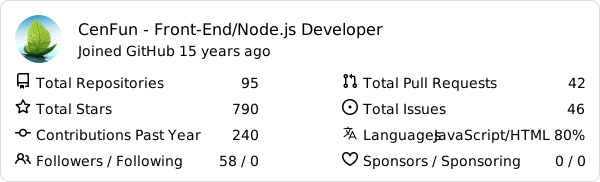
---
### 80 . [Telegram Card](https://github.com/Malith-Rukshan/telegram-card)
Dynamic preview card generator for Telegram channels, groups, and bots. Features responsive design, dark/light theme support, and displays subscriber/member/monthly users/online users counts. Perfect for GitHub profiles and portfolios.
📍 For example :
|  |  |
|------------|-----------|
|  |  |
|  |  |
 | 
---
### 81 . [GitHub PR Stats](https://github.com/f14XuanLv/github-pr-stats)
Dynamic SVG tables displaying your GitHub pull requests with dual modes: detailed PR list and repository aggregate statistics. Features status filtering, star-based sorting, and customizable fields.
📍 For example :
### 📊 PR List Mode - Your Contribution Timeline

### 📈 Repository Stats Mode - Impact Overview

---
### 82 . [Nostalgia Github Banner](https://github.com/czl9707/nostalgia-gh-banner)
Dynamic styled banners! Perfect for one liners!
📍 For example :


---
### 83 . [Wakadash](https://github.com/Anant-mishra1729/WakaDash)
Tool that fetches your weekly WakaTime coding stats and generates charts and badges.
📍 For example :
###


#### Badges
<p align="center">
<img src="https://github.com/Anant-mishra1729/WakaDash/blob/main/media/daily_avg_badge.svg" width="200">
</p>
<p align="center">
<img src="https://github.com/Anant-mishra1729/WakaDash/blob/main/media/best_badge.svg" width="400">
</p>
### 84 . [GitHub Wrapped](https://git-wrapped.com/)
Your 2025 coding journey, visualized.
📍 For example :
<a href="https://git-wrapped.com/profiles/rzashakeri">
<img src="git-wrapped-rzashakeri.png" alt="GitHub Wrapped" width="300">
</a>
### 85 . [GitHub Contribution Card](https://github.com/FrancoStino/github-contribution-card)
Dynamic SVG cards showing your GitHub repository contribution stats
📍 For example :
### 86 . [Wakatime Readme Stats](https://github.com/LauraAllObe/wakatimeReadmeStats)
wakatimeReadmeStats lets you showcase pretty, customizable coding activity cards in your GitHub README.
📍 For example :
<img src="https://github.com/LauraAllObe/wakatimeReadmeStats/raw/main/static/cardGif1.gif" width="230">
<img src="https://github.com/LauraAllObe/wakatimeReadmeStats/raw/main/static/cardGif2.gif" width="230">
<img src="https://github.com/LauraAllObe/wakatimeReadmeStats/raw/main/static/cardGif3.gif" width="230">
### 87 . [HyperWeave](https://github.com/InnerAura/hyperweave)
GitHub profile stats, badges, star charts, icons, and more.
📍 For example :

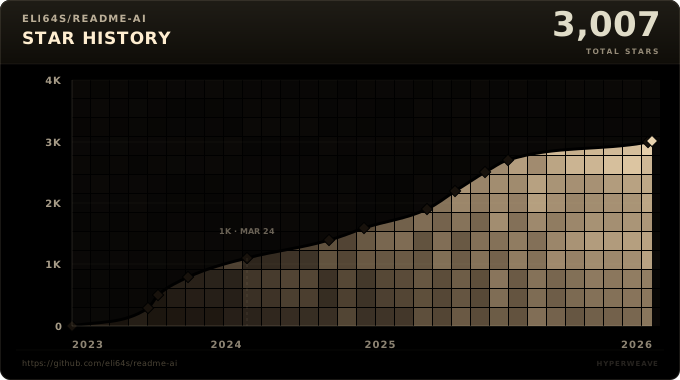


### 88 . [Gitly](https://github.com/Chintanpatel24/gitlyy)
GitHub README stats for your profile and performance overview
📍 For example :
<img src="https://gitlyy.vercel.app/api/pr-stats?username=torvalds&layout=compact"/>
<img src="https://gitlyy.vercel.app/api/contribution?username=torvalds"/>
<img src="https://gitlyy.vercel.app/api/overview?username=torvalds"/>
<img src="https://gitlyy.vercel.app/api/contribution?username=torvalds&layout=pulse"/>
### 89 . [Readme Contribution Stats](https://github.com/amankumarhq/readme-contribution-stats)
Dynamic SVG cards for your GitHub README displaying repositories where you've merged PRs.
📍 For example :
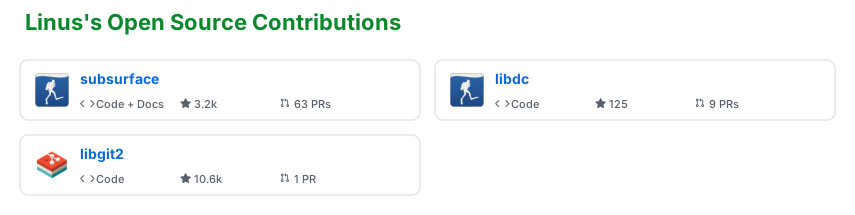


### 90 . [GitHubCard](https://githubcard.com)
A canvas editor with 20+ data widgets—drag, drop, and design unique GitHub profile and repo cards.
📍 For example :

### 91 . [GitHub Starlines](https://github.com/qoomon/starlines)
Create beautiful stargazers histograms of your repositories or gists
📍 For example :

### 92 . [user-statistician](https://github.com/cicirello/user-statistician)
user-statistician generates a detailed visual summary of your activity on GitHub in the form of an SVG, suitable to display on your GitHub Profile README.
📍 For example :
<img src="https://raw.githubusercontent.com/cicirello/user-statistician/samples/images/light.svg" width="350">
### 93 . [GitHub Developer Score](https://github.com/yomi4486/github_stats)
Generates a stats card with a "developer score" for your profile.
📍 For example :

### 94 . [My Badges](https://github.com/my-badges/my-badges)
Google's Moma Badges for GitHub
📍 For example :

### 95 . [GitHub Language Stats](https://github.com/StefVuck/Github-Language-Stats)
Language Stats of your Private AND Public repos for your Readme/Project.
📍 For example :
<img src="https://raw.githubusercontent.com/StefVuck/Github-Language-Stats/refs/heads/main/examples/light-filtered/leaderboard_by_lines.png" width="500">
<img src="https://raw.githubusercontent.com/StefVuck/Github-Language-Stats/refs/heads/main/examples/dark-filtered/bar_by_repos.png" width="500">
### 96 . [Vaunt](https://github.com/marketplace/vaunt-dev)
Vaunt is a fun way to show off your open-source skills! Developers can showcase their skills and achievements, while organizations can drive user contributions and highlight their different contributors.
📍 For example :
<img src="./vaunt-contributors.png" width="350">
<img src="./vaunt-card.png" width="350">
<img src="./vaunt-achievements.png" width="300">
---
### 97 . [Profile-stats](https://github.com/xlebovoz/Profile-stats)
A simple badge to display your followers, stars, and repositories
📍 For example :

### 99 . [git-bonsai](https://github.com/egorthinks/git-bonsai)
🌳 Grow a one-of-a-kind pixel-art bonsai from your GitHub history. Deterministic and procedural: account age sets the trunk, streaks bloom sakura, burnout gaps leave deadwood scars, and your languages pick the species and colors. Ships as a GitHub Action (auto-updating GIF for your profile) and a zero-install [playground](https://egorthinks.github.io/git-bonsai/).
📍 For example:
<p align="center">
<img src="https://raw.githubusercontent.com/egorthinks/git-bonsai/main/assets/bonsai-growth.gif" width="384" alt="A procedurally generated pixel-art bonsai growing from a seed" />
</p>
### 100 . [Living Scene](https://github.com/yuki4266/living-scene)
🌦 Your profile README, synced to your actual weather. A scheduled Action asks Open-Meteo what the sky is doing at your coordinates and redraws an animated SVG banner to match — six weather states, four seasons, and day/night variants that follow the viewer's theme. A cat lives in the footer. No API key, no backend, no dependencies: one Python file and the standard library. Output is deterministic per (weather, season), so a week of clear skies produces zero commits instead of 56 identical ones.
📍 For example:
<p align="center">
<img src="https://raw.githubusercontent.com/yuki4266/living-scene/main/previews/sky-rain.svg" width="384" alt="An animated sky strip with drifting clouds and falling rain" />
<img src="https://raw.githubusercontent.com/yuki4266/living-scene/main/previews/footer-autumn.svg" width="384" alt="An animated autumn garden footer with a cat" />
</p>
### 101 . [Soccer Activity Display](https://github.com/AlexBybye/soccer-activity-display)
A soccer-themed SVG activity graph that turns up to 200 recent public GitHub events into an attack-pulse chart on a football pitch. It analyzes recent working habits instead of copying the contribution calendar: weighted actions, active days, repositories, dominant event type (play style), and the daily pulse are computed server-side, with a football marking the peak-activity day. Selectable club-inspired color presets keep the same chart style while changing only the accent colors. Presets include Bayern, Real Madrid, Inter Milan, Barcelona, Dortmund, and Manchester City.
📍 For example :
<p align="center">
<a href="https://github.com/AlexBybye/soccer-activity-display">
<img src="https://github-readme-attack-pulse.github-readme-attack-pulse.workers.dev/graph?username=AlexBybye&club=bayern" alt="AlexBybye GitHub activity rendered as a soccer attack-pulse graph" width="800">
</a>
</p>
<p align="center">
<img src="https://raw.githubusercontent.com/AlexBybye/soccer-activity-display/main/examples/bayern.svg" alt="Static Bayern palette preview for Soccer Activity Display" width="800">
</p>
Palette examples and the embed parameters are documented in the [Soccer Activity Display README](https://github.com/AlexBybye/soccer-activity-display#palette-previews).
### 102 . [GitHub README Insight Terminal ASCII](https://github.com/seuthootDev/github-readme-insight-terminal-ascii)
Terminal-style ASCII SVGs of your GitHub contribution graph, stats, streak, and neofetch card — embed with a single URL
📍 For example :
<p align="center">
<img src="https://github-readme-insight-terminal-asci.vercel.app/svg?user=seuthootDev&theme=mac&scale=0.6" alt="GitHub README Insight Terminal ASCII" width="720">
</p>
### 103 . [readme-mark](https://github.com/SylphxAI/readme-mark)
Animated banners, badges, typing text, tech icons, and GitHub stats, streak and trophy cards, each from one URL, with no token or signup. A web studio at [mark.sylphx.com](https://mark.sylphx.com) builds the URLs. Existing capsule-render, shields.io, skill-icons, readme-typing-svg and github-readme-stats URLs work with only the host changed.
📍 For example :
<p align="center">
<img src="https://mark.sylphx.com/api/v1/mark/hero.svg?type=waving&color=0:0F172A,50:5B8CFF,100:FF8A3D&height=160&text=Hello%2C%20README&desc=One%20URL%20per%20image" width="100%" alt="readme-mark waving banner" />
</p>
### 103 . [GitCard Studio](https://github.com/creativecodeco/gitcard-studio)
Dynamic SVG cards generator & live API for GitHub stats, language distribution, commit habits matrix, contribution streak, developer rank, and sponsor tiers with a real-time web studio at [gitcard-studio.creativecode.com.co](https://gitcard-studio.creativecode.com.co/).
📍 For example :
<p align="center">
<img src="https://gitcard-studio.creativecode.com.co/api/cards/stats?username=creativecodeco&theme=dark" alt="GitCard Studio Stats Card" width="495" />
</p>
### 104 . [devtypes.com](https://devtypes.com)
Sign in with GitHub and get your four-letter dev type, one of 16, read once from your own public activity and printed as a thermal-style receipt. Copy the ready snippet to embed the ticket (animated SVG or PNG) or the itemised slip in your profile README. The sign-in token is revoked right after the read. Also has variants for Zodiac signs, D&D class, Greek patron deity, and more.
📍 For example :
<p align="center">
<a href="https://devtypes.com/OGBC"><img src="https://devtypes.com/sample/OGBC-slip.png" width="480" alt="devtypes card for the dev type OGBC, the Night Editor" /></a>
</p>
### 105 . [github-metrics](https://github.com/vsmutok/github-metrics)
Your whole GitHub story as one live SVG card: activity, streaks, top languages, repository stats, achievement trophies and LeetCode/Codeforces/CodeChef stats. Ships 32 themes and 3 card styles, every section is toggleable, and it needs nothing but an `<img>` in your README.
📍 For example :
<p align="center">
<img width="630" src="https://ghmetric.vercel.app/api/profile?username=vsmutok&theme=github-light&style=modern" alt="github-metrics card">
</p>
### 106 . [Byteland](https://byteland.dev/readme)
Your GitHub profile as a pixel-art building in a night city. Every repository is a room, and the ones you pushed to in the last 30 days have their lights on. Type a username on the page and copy one line of markdown; no sign-up, no token. The card is drawn on the server from public GitHub data and refreshes itself.
📍 For example :
<p align="center">
<a href="https://byteland.dev/@kaanisthatyou"><img width="600" src="https://byteland.dev/card/kaanisthatyou.svg" alt="Byteland building card"></a>
</p>
### Outdated
<details>
<summary><strong>Click to expand list</strong></summary>
The servers of these projects are down. But they are still interesting for inspiration or forking.
### 102 . [Github Trends](https://github.com/avgupta456/github-trends)
Level up your GitHub profile readme with customizable cards including LOC statistics!
📍 For example :
<p align="center">
<img src="https://user-images.githubusercontent.com/16708871/143486536-83e85294-2839-4cf1-9e14-685c05da918b.png" alt="image" width=720>
</p>
### 103 . [Profile Readme Stats](https://github.com/teoxoy/profile-readme-stats)
Showcase your github stats on your profile README.md
📍 For example :
<p align="center">
<img src="readme.png" width=720 alt="readme.png">
</p>
### 104 . [Readme Pagespeed Insights](https://github.com/ankurparihar/readme-pagespeed-insights)
Google lighthouse stats of your website that you can put in readme
📍 For example :
<p align="center">
<img src="https://raw.githubusercontent.com/ankurparihar/readme-pagespeed-insights/master/assets/banner.svg" width=720 alt="Readme Pagespeed Insights">
</p>
### 105 . [Wrapped](https://github.com/neat-run/wrapped)
GitHub Wrapped, inspired by Spotify Wrapped
📍 For example :
<p align="center">
<img src="wrapped.png" style="max-width: 100%;" max-width="100%" alt="Wrapped">
</p>
### 106 . [Pimp My Readme](https://github.com/joshdsouza8/pimp-my-readme)
Pimp my README is an open source profile builder that you can use to add some cool components to your README profile - Made with <3 by webapp.io :)
📍 For example :
<p align="center">
<a href="https://pimp-my-readme-next.vercel.app">
<img src="https://raw.githubusercontent.com/gist/FuseFairy/985aa15b77de6dee554fec4bb488432b/raw/5b89693334fd36defc0867f4e243c4405d267ae2/pimp-my-readme-1.svg" alt="sliding-text"><br>
<img width=720 src="https://raw.githubusercontent.com/gist/FuseFairy/769ce411f10708b20ee06325b3d75c8e/raw/dbb60adc2f25eb687fc7d75d17836e28b31fed16/pimp-my-readme-2.svg" alt="wavy-banner"><br>
<img width=720 src="https://raw.githubusercontent.com/gist/FuseFairy/3adf6ec5f5f68e80c4b9c36b0645cf39/raw/dd3c10cf1ca28dff0a11aa6dd3b581f22e8981c0/pimp-my-readme-3.svg" alt="technology">
</a>
</p>
### 107 . [Code Statistic](https://github.com/zmh-program/code-statistic)
Dynamically generate your GitHub statistic card! The user card is used to count the languages of all projects under the user and generate statistics, calculate total stars earned, forks acquired, followers, watchers, number of open issues, etc.
### 108 . [Random Memer](https://github.com/techytushar/random-memer)
Returns random meme images scraped from Memedroid
### 109 . [Goodreads Readme](https://github.com/arg3t/goodreads-readme)
This project provides a badge for sharing your current book in your github profile.
📍 For example :
<p align="center">
<img alt="GoodReads" src="https://goodreads-readme.vercel.app/api/book" style="max-width: 100%;">
</p>
### 110 . [Github Readme npm Downloads](https://github.com/maddhruv/github-readme-npm-downloads)
Show npm packages downloads ⏬ in GitHub README
📍 For example :
<table>
<thead>
<tr>
<th>Name</th>
<th>Downloads</th>
</tr>
</thead>
<tbody>
<tr>
<td><a href="https://www.npmjs.com/package/post-merge-install" rel="nofollow">post-merge-install</a></td>
<td>185021</td>
</tr>
<tr>
<td><a href="https://www.npmjs.com/package/types-directory" rel="nofollow">types-directory</a></td>
<td>59207</td>
</tr>
<tr>
<td><a href="https://www.npmjs.com/package/install-types" rel="nofollow">install-types</a></td>
<td>23071</td>
</tr>
<tr>
<td><a href="https://www.npmjs.com/package/engines-ok" rel="nofollow">engines-ok</a></td>
<td>19752</td>
</tr>
<tr>
<td><a href="https://www.npmjs.com/package/npmtotal" rel="nofollow">npmtotal</a></td>
<td>18267</td>
</tr>
</tbody>
</table>
### 111 . [Star History](https://github.com/lucabubi/star-history)
A Stunning star history chart generator for Github Repositories
📍 For example :
<p align="center">
<img src="https://api.star-history.com/svg?repos=mdn/js-examples&type=Date" alt="Red Chart">
</p>
### 112 . [terminal-profile-card](https://github.com/GhadiChender/terminal-profile-card)
🖥️ Neofetch-style terminal card for your profile README — an ASCII portrait beside a system-info pane, rendered to plain SVG that you commit to your repo. Nothing is generated at request time, so there is no hosted endpoint to rate-limit or return a 503 at the top of your profile. Ships two themes and swaps them with `<picture>` and `prefers-color-scheme`; the info pane, colours and character grid are all driven by a TOML config.
📍 For example :
<p align="center">
<img width="720" src="https://raw.githubusercontent.com/GhadiChender/terminal-profile-card/main/examples/dark.svg" alt="terminal profile card">
</p>
### 113 . [GitHub Readme Zodiac](https://github.com/seuthootDev/github-readme-zodiac)
Zodiac-themed SVG profile cards and pinned Gists from your GitHub activity
📍 For example :
<p align="center">
<img src="https://github-readme-zodiac.vercel.app/api/card?username=seuthootDev&width=360" alt="GitHub Readme Zodiac card" width="360">
</p>
### 114 . [GitHub Readme Chinese Zodiac](https://github.com/seuthootDev/github-readme-chinese-zodiac)
Asian zodiac (十二生肖) SVG profile cards and pinned Gists from your GitHub activity
📍 For example :
<p align="center">
<img src="https://github-readme-chinese-zodiac.vercel.app/api/card?username=seuthootDev&birthdate=1995-04-24&width=360" alt="GitHub Readme Chinese Zodiac card" width="360">
</p>
### 111 . [gh-stats](https://gh-stats.com)
One SVG card for your whole profile: a score out of 100, contribution timeline, top collaborators, language breakdown, commit streaks and tags worked out from your repos. Five themes, GitHub dark/light auto-switching, one line of markdown, no signup.
📍 For example :
<p align="center">
<img width="420" src="https://gh-stats.com/api/ShayManor" alt="gh-stats card">
</p>
### 112 . [AI-Atlas](https://getaiatlas.com/?ref=beautify-github-profile)
A live card that maps your AI engineering skills across six fields (Machine Learning, Computer Vision, Data Science, NLP & LLMs, AI Agents, MLOps), scored from the code in your public repositories rather than stars or followers, with a global leaderboard rank. Map your profile once and the card updates whenever you rescan. One line of markdown, free.
📍 For example :
<p align="center">
<img width="420" src="https://getaiatlas.com/api/badge/pop123-ux" alt="AI-Atlas card">
</p>
### 113 . [Contribution FX](https://github.com/Sur1ive/contribution-fx)
Turn your contribution graph into an animated SVG: Game of Life, sorting, ripples, fireworks or gravity. Five palettes with light/dark variants, generated daily by a zero-dependency GitHub Action. Try it with your username in the [playground](https://sur1ive.github.io/contribution-fx/).
📍 For example :
<p align="center">
<img width="720" src="https://raw.githubusercontent.com/Sur1ive/contribution-fx/main/examples/fireworks-light.svg" alt="Contribution FX fireworks effect">
</p>
### 115 . [Terminal Typing SVG](https://github.com/VaidikV/terminal-typing-svg)
Terminal-style typing animations, GitHub stats cards, and contribution heatmaps rendered as SVG via a Cloudflare Worker.
📍 For example :
### 116 . [Readme X Cards](https://github.com/seuthootDev/readme-x-cards)
X (Twitter) profile, latest post and multi-post cards for your README as SVG. Six themes, light/dark mode via `<picture>`, no token or sign-up. Build the snippet on the [generator page](https://readme-x-cards.vercel.app).
📍 For example :
<p align="center">
<img width="450" src="https://readme-x-cards.vercel.app/api/profile?user=Seuthoot&theme=aurora" alt="Readme X Cards profile card">
</p>
</details>
</details>
## ✅ Icons 👇
<details>
<summary><strong>Click to expand list</strong></summary>
### 1 . [Skill Icons](https://github.com/tandpfun/skill-icons)
Showcase your skills on your Github readme or resumé with ease ✨
📍 For example : <br>
<img src="https://skillicons.dev/icons?i=all" alt="Skill Icons">
### 2 . [Profile Technology Icons](https://github.com/marwin1991/profile-technology-icons)
📋 😄 Add icons to your GitHub profile using this generator 😄 📋
📍 For example :
<p align="center">
<img width=720 src="https://github.com/marwin1991/profile-technology-icons/raw/main/static/demo.gif" data-target="animated-image.originalImage" alt="Profile Technology Icons">
</p>
### 3 . [Simple Icons](https://simpleicons.org/)
2246 Free SVG icons for popular brands
📍 For example :
<p align="center">
<img height="32" width="32" src="https://cdn.simpleicons.org/simpleicons" />
<img height="32" width="32" src="https://cdn.simpleicons.org/simpleicons/gray" />
<img height="32" width="32" src="https://cdn.simpleicons.org/simpleicons/hotpink" />
<img height="32" width="32" src="https://cdn.simpleicons.org/simpleicons/0cf" />
<img height="32" width="32" src="https://cdn.simpleicons.org/simpleicons/0cf9" />
<img height="32" width="32" src="https://cdn.simpleicons.org/simpleicons/00ccff" />
<img height="32" width="32" src="https://cdn.simpleicons.org/simpleicons/00ccff99" />
<img height="32" width="32" src="https://cdn.simpleicons.org/simpleicons/orange/pink" />
<img height="32" width="32" src="https://cdn.simpleicons.org/simpleicons/_/eee" />
<img height="32" width="32" src="https://cdn.simpleicons.org/simpleicons/eee/_" />
</p>
### 4 . [icon-marquee](https://github.com/gian-gg/icon-marquee)
Scrolling marquees and static rows of tech icons, served as SVG — drop one into your README with a plain `<img>` tag
📍 For example :
<p align="center">
<img src="https://icon-marquee.giann.dev/v1/marquee?i=js,ts,react,nextjs,svelte,vue,tailwind,bun,nodejs,docker,postgres,redis,go,rust,python&width=1000" alt="icon-marquee">
</p>
---
</details>
## ⚙️ Profile Generator 👇
<details>
<summary><strong>Click to expand list</strong></summary>
### 1 . [Github Profile Readme Generator](https://rahuldkjain.github.io/github-profile-readme-generator)
Generate GitHub profile README easily with the latest add-ons like visitors count, GitHub stats, etc using minimal UI.
📍 For example :
<p align="center">
<img src="https://raw.githubusercontent.com/rahuldkjain/github-profile-readme-generator/master/src/images/github-profile-readme-generator.gif">
</p>
### 2 . [readme md generator](https://github.com/kefranabg/readme-md-generator)
📄 CLI that generates beautiful README.md files
📍 For example :
<p align="center">
<img width=720 src="https://user-images.githubusercontent.com/9840435/60266090-9cf9e180-98e7-11e9-9cac-3afeec349bbc.jpg" alt="readme md generator">
</p>
### 3 . [Profile Readme Generator](https://github.com/maurodesouza/profile-readme-generator)
🎨 Beautify your github profile with this amazing tool, creating the readme your way in a simple and fast way 🚀 The best profile readme generator you will find ⚡
📍 For example :
<p align="center">
<img width="720" alt="Profile Readme Generator" src="https://profile-readme-generator.com/assets/app.png" style="max-width: 100%;">
</p>
### 4 . [Profileme Dev](https://github.com/danielcranney/profileme-dev)
Create an awesome GitHub profile in minutes
📍 For example :
<p align="center">
<img src="https://raw.githubusercontent.com/danielcranney/readme-generator/main/public/screenshot.png" class="overflow-hidden rounded-md shadow-dark-900/5" alt="Screenshot of ProfileMe.dev" width=720>
</p>
### 5 . [Github Profile Readme Maker](https://github.com/VishwaGauravIn/github-profile-readme-maker)
Best Profile Generator, Create your perfect GitHub Profile ReadMe in the best possible way. Lots of features and tools included, all for free !
📍 For example : <br>
<img src="https://github.com/VishwaGauravIn/Images/raw/main/screencapture-gprm.png?raw=true" alt="" style="max-width: 100%;">
### 6 . [Github Profilinator](https://github.com/rishavanand/github-profilinator)
This tool contains mini GUI components that you can hook together to automatically generate markdown code for a perfect readme.
📍 For example :
<p align="center">
<img src="https://raw.githubusercontent.com/rishavanand/github-profilinator/master/src/images/demo.gif" alt="Github Profilinator">
</p>
### 7 . [Github Profile Readme Creator](https://github.com/rajk3770/Github-Profile-Readme-Creator)
Generate user-friendly, intuitive and dynamic markdown for your profile README, in less than a minute!
📍 For example :
<p align="center">
<img src="https://github.com/rajk3770/Github-Profile-Readme-Creator/raw/master/screenshots/Demo.gif" alt="Demo" style="max-width: 100%;">
</p>
### 8 . [github Profile Readme Generator](https://github.com/rahulbanerjee26/githubProfileReadmeGenerator)
Generate a cool README/About me page for your Github Profile
📍 For example :
<p align="center">
<img width=720 src="https://github.com/rahulbanerjee26/githubProfileReadmeGenerator/raw/main/screencast_ghub_profile_gen_v1.gif" alt="Screencast of Github AboutMe/Profile ReadMe Generator" title="Go to web app" >
</p>
### 9 . [Github Profile Readme Generator](https://arturssmirnovs.github.io/github-profile-readme-generator/)
GitHub profile readme generator allows you to create nice and simple GitHub profile readme files that will be included in your profile previews.
📍 For example :
<p align="center">
<img width=720 alt="Github readme generator" src="https://arturssmirnovs.github.io/github-profile-readme-generator/images/gif.gif?v=123">
</p>
### 10 . [coolreadme.xyz](https://coolreadme.xyz)
Generate beautiful, dynamic GitHub profile cards in seconds — Netflix, X (Twitter), Twitch, Steam, TikTok styles plus animated pet streak cards (cat, dog, fox, owl, penguin) that level up through 9 stages from your real GitHub contributions. No signup, no API keys, free.
📍 For example :
<p align="center">
<img width="720" src="https://coolreadme.xyz/producthunt/defaults.png" alt="coolreadme.xyz — every README has the same 3 cards (anuraghazra/github-readme-stats, DenverCoder1/streak-stats, shields.io). coolreadme replaces them with live, animated cards." />
</p>
<p align="center">
<img src="https://coolreadme.xyz/api/cat-card?user=yerdaulet-damir&streak=247&longest=247&total=1840" alt="cat streak card — God tier" width="49%" />
<img src="https://coolreadme.xyz/api/cinematic?user=yerdaulet-damir&status=BUILDING+AI+AGENTS&focus=Agentic+workflows+%26+open-source&accent=%23A78BFA" alt="cinematic profile card" width="49%" />
</p>
---
</details>
## 😉 Emojis
<details>
<summary><strong>Click to expand list</strong></summary>
### 1 . [Animated Fluent Emojis](https://github.com/Tarikul-Islam-Anik/Animated-Fluent-Emojis)
All the Microsoft animated fluent emojis are available in one place and ready to use in your next project or README file.
📍 For example :
<p align="center">
<img
src="https://raw.githubusercontent.com/Tarikul-Islam-Anik/Microsoft-Teams-Animated-Emojis/master/Emojis/Smilies/Cat%20with%20Tears%20of%20Joy.png"
alt="Cat with Tears of Joy"
width="25"
height="25"
/>
<img src="https://raw.githubusercontent.com/Tarikul-Islam-Anik/Animated-Fluent-Emojis/master/Emojis/Smilies/Blue%20Heart.png" alt="Blue Heart" width="25" height="25" />
</p>
### 2 . [Markdown Emojis](https://github.com/markdown-templates/markdown-emojis)
🔥 All the emojis 🎉
</details>
### If you like, you can also help me develop this repository so that from now on we have more beautiful github profiles 💙
# Give A Star ⭐
You can also give this repository a star to show more people and they can use this repository