discover · compare · collections · requirements · contribute · feed · watching · stats · help with your tokens
nikolaeu/numi · source
Snapshot 0 · 2026-11-04T12:47:24Z · JavaScript · MIT
Content fingerprint
90b53ad3c729231947cb64760e64c61ec743d937f928cf7ac66fe4291b98c941GitHub description at capture
Beautiful calculator app for macOS, Linux & Windows
README at capture
# Numi [Numi](https://numi.app) is a handy calculator app for macOS. It allows you to describe tasks naturally and instantly get an answer. For example, `$20 in euro - 5% discount` or `today + 2 weeks`. 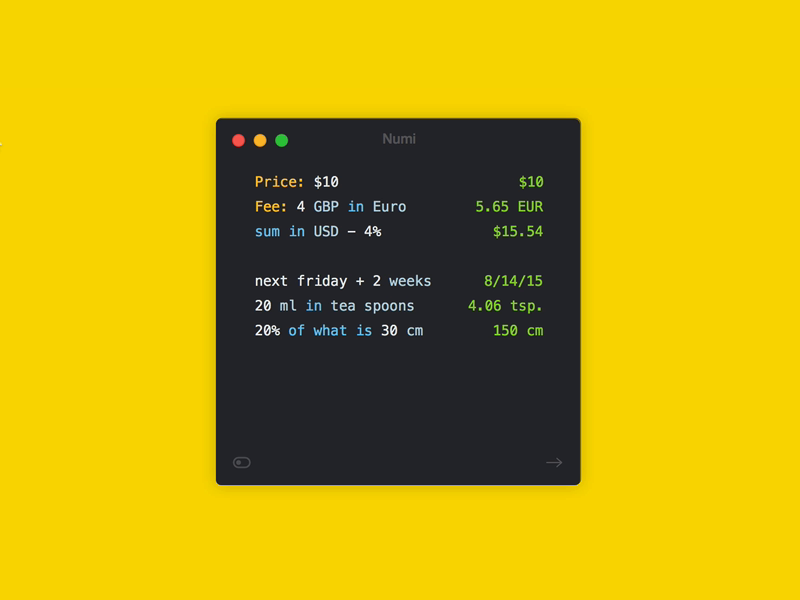 ## Installation Desktop version for macOS can be downloaded from the [app website](https://numi.app) or from releases page on GitHub. - [Numi for MacOS](https://cdn.numi.app/mac-v3/Numi.dmg) - [Numi for Windows](https://cdn.numi.app/electron/latest/numi-setup.exe) Terminal version can be installed using provided shell command (same command used to update binary). ``` curl -sSL https://s.numi.app/cli | sh ``` Alternative way of installing using [Homebrew](https://brew.sh/): `brew install nikolaeu/numi/numi-cli`. Alfred extension can be [downloaded](https://cdn.numi.app/extensions/numi.alfredworkflow) directly, requires terminal version to work. ## Usage Terminal version can be used this way: `numi-cli "20 inches in cm"` Most features of the Numi for macOS are supported in terminal. However, these are the features that **have not yet been implemented**: - ~Localization support~ - ~Tokens (sum, prev, avg)~ - ~Dates~ - Timezone conversion - CSS - Variables - Plugins/extension