discover · compare · collections · requirements · contribute · feed · watching · stats · help with your tokens
maxence-charriere/go-app · source
Snapshot 0 · 2026-11-04T12:47:24Z · Go · MIT
Content fingerprint
d51b70c8cf20a3c88742ca0c3b622046d46d129c94f641d92489f958696358f1GitHub description at capture
A package to build progressive web apps with Go programming language and WebAssembly.
README at capture
<h1 align="center">
<a href="https://go-app.dev">
<img alt="go-app" width="150" height="150" src="https://raw.githubusercontent.com/maxence-charriere/go-app-docs/main/docs/web/icon.svg">
</a>
</h1>
<p align="center">
<a href="https://github.com/maxence-charriere/go-app/actions"><img src="https://github.com/maxence-charriere/go-app/actions/workflows/build.yml/badge.svg?branch=master" alt="GitHub actions"></a>
<a href="https://GitHub.com/maxence-charriere/go-app/releases/"><img src="https://img.shields.io/github/release/maxence-charriere/go-app.svg" alt="GitHub release"></a>
<a href="https://pkg.go.dev/github.com/maxence-charriere/go-app/v11/pkg/app"><img src="https://img.shields.io/badge/dev-reference-007d9c?logo=go&logoColor=white&style=flat" alt="pkg.go.dev docs"></a>
<a href="https://twitter.com/jonhymaxoo"><img alt="Twitter URL" src="https://img.shields.io/badge/twitter-@jonhymaxoo-35A9F8?logo=twitter&style=flat"></a>
</p>
Go-app is a package for **building progressive web apps (PWAs)** with [Go](https://go.dev) and [WebAssembly (Wasm)](https://webassembly.org).
Write your UI in Go using **reusable components** and a [declarative syntax](https://go-app.dev/declarative-syntax). Handle user interactions in Go and serve your app with the standard [`net/http`](https://pkg.go.dev/net/http) package.
Apps built with go-app are **SEO-friendly** and support **offline use**. On supported browsers and devices, users can **install your app and run it in its own window**.
## Documentation (built with go-app)
[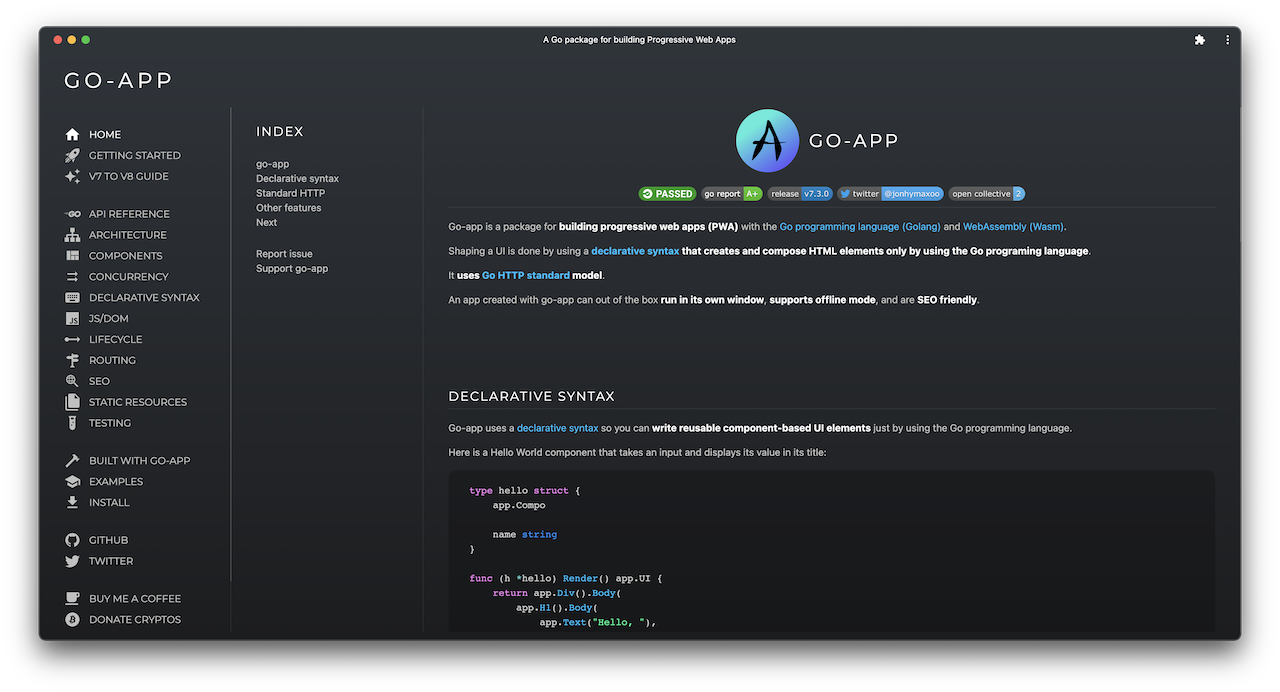](https://go-app.dev)
## Install
Requires [Go 1.26 or newer](https://go.dev/dl/).
From your project directory, initialize a Go module if you do not already have one. Replace `example.com/myapp` with your module path:
```sh
go mod init example.com/myapp
```
Add go-app to your project:
```sh
go get github.com/maxence-charriere/go-app/v11/pkg/app
```
## Components
Describe your UI with Go functions using go-app's [declarative syntax](https://go-app.dev/declarative-syntax). Each component embeds `app.Compo` and defines a `Render` method that returns its UI.
Create a `main.go` file with the following component, then add the `main` function from the next section. The component displays a greeting that updates as you type your name:
```go
package main
import (
"log"
"net/http"
"github.com/maxence-charriere/go-app/v11/pkg/app"
)
type hello struct {
app.Compo
name string
}
func (h *hello) Render() app.UI {
return app.Div().Body(
app.H1().Body(
app.Text("Hello, "),
app.If(h.name != "", func() app.UI {
return app.Text(h.name)
}).Else(func() app.UI {
return app.Text("World!")
}),
),
app.Input().
Type("text").
Value(h.name).
Placeholder("What is your name?").
AutoFocus(true).
OnInput(h.ValueTo(&h.name)),
)
}
```
## Serving the app
Serve your app with Go's standard [`net/http`](https://pkg.go.dev/net/http) package. The `app.Handler` type implements `http.Handler` and can be used with an existing Go server.
Add this function to `main.go` to register the component at `/` and serve the app on port `8000`:
```go
func main() {
// Register the component.
app.Route("/", func() app.Composer { return &hello{} })
// Start the app in the browser; on the server, continue below.
app.RunWhenOnBrowser()
// Serve the app over HTTP.
http.Handle("/", &app.Handler{
Name: "Hello",
Description: "A Hello World example",
})
if err := http.ListenAndServe(":8000", nil); err != nil {
log.Fatal(err)
}
}
```
## Build and run
From your project directory, build the WebAssembly app and the server, then run the server:
```sh
mkdir -p web
GOOS=js GOARCH=wasm go build -o web/app.wasm
go build -o server
./server
```
Open [localhost:8000](http://localhost:8000) in your browser. After changing the code, rebuild both binaries and restart the server.
## Getting started
Follow the [Getting Started guide](https://go-app.dev/getting-started) to build and run your first app.
## Built with go-app
- [Murlok](https://murlok.io/): World of Warcraft character builds and guides.
- [GoApp Docs](https://go-app.dev/): The documentation website, built with go-app.
- [liwasc](https://pojntfx.github.io/liwasc/): Network discovery, port scanning, and Wake-on-LAN.
## Support the project
If go-app is useful to you, consider [sponsoring its development](https://github.com/sponsors/maxence-charriere).