discover · compare · collections · requirements · contribute · feed · watching · stats · help with your tokens
luin/medis · source
Snapshot 0 · 2026-11-04T12:47:24Z · JavaScript · MIT
Content fingerprint
342a63bf63ea8e465a49bd0d3bcd19495544b5eb2985380c87b89890c5ef6ad0GitHub description at capture
💻 Medis is a beautiful, easy-to-use Mac database management application for Redis.
README at capture
# Medis
### Notice: We just released Medis 2! 🚀🚀🚀
Compared to Medis (this repo), Medis 2 provides more delightful features, such as **tree view** (yes, finally!), streams, alert mode, **dark mode**, and more. Besides that, Medis 2 is rewritten from the beginning with native technology, making it more morden, beautiful, and fast!
What's more, **Medis 2 is free 💰 to download**! Don't hesitate, download it from the App Store now and try it out!
[](https://apps.apple.com/us/app/medis-2-gui-for-redis/id1579200037?mt=12)
_(or searching "Medis 2" on macOS App Store if the above link doesn't work for you. Also, you can download the app directly from the [official website](https://getmedis.com/))_
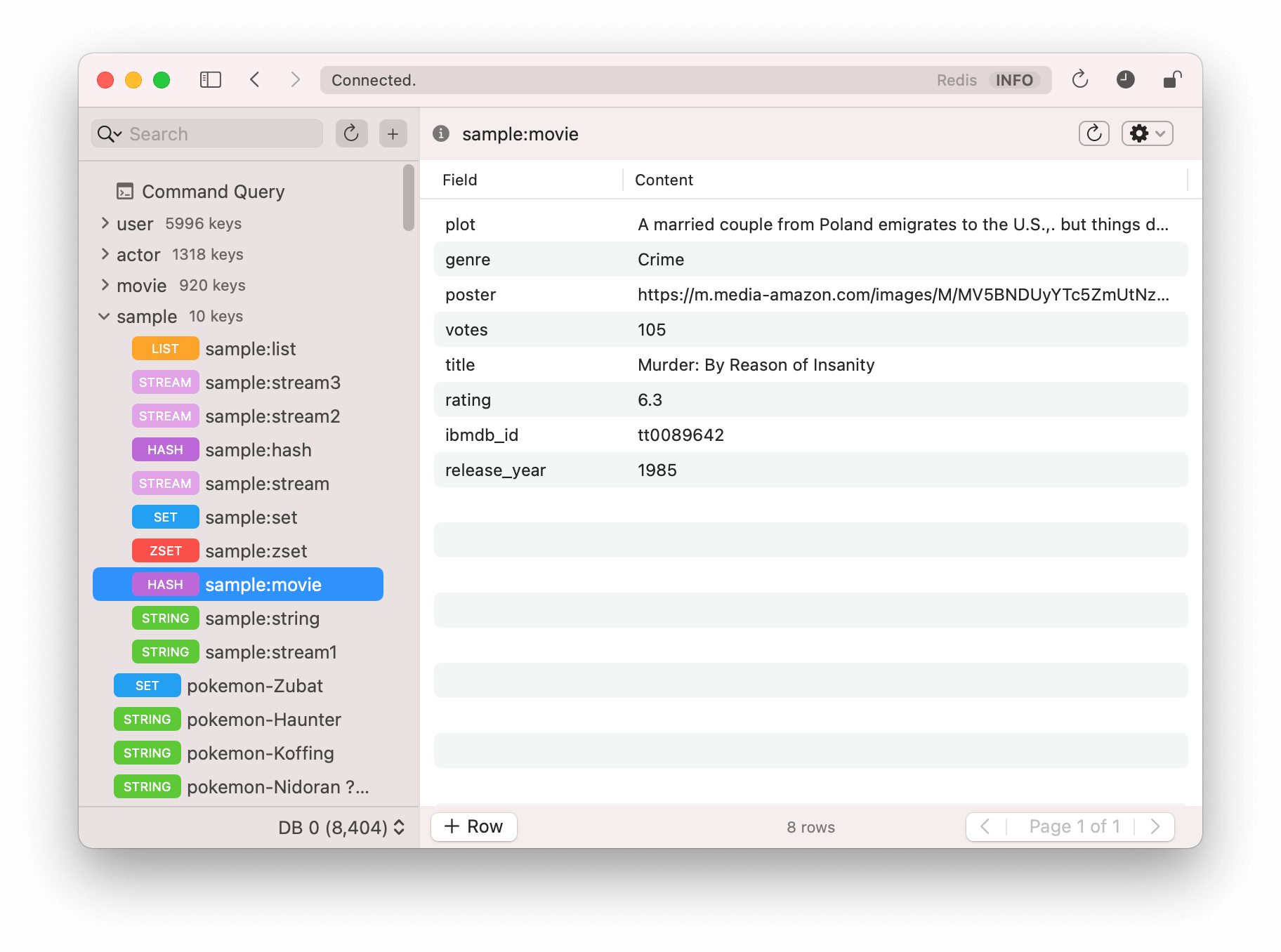
---
Medis is a beautiful, easy-to-use Redis management application built on the modern web with [Electron](https://github.com/atom/electron), [React](https://facebook.github.io/react/), and [Redux](https://github.com/rackt/redux). It's powered by many awesome Node.js modules, especially [ioredis](https://github.com/luin/ioredis) and [ssh2](https://github.com/mscdex/ssh2).
[](http://commitizen.github.io/cz-cli/)
Medis starts with all the basic features you need:
- Keys viewing/editing
- SSH Tunnel for connecting with remote servers
- Terminal for executing custom commands
- Config viewing/editing
It also supports many advanced features:
- JSON/MessagePack format viewing/editing and built-in highlighting/validator
- Working with millions keys and key members without blocking the redis server
- Pattern manager for easy selecting a sub group of keys.
**Note**: Medis only supports Redis >= 2.8 version because `SCAN` command was introduced since 2.8. `SCAN` is very useful to get key list without blocking the server, which is crucial to the production environment. Because the latest stable is 5.0 and 2.6 is a very old version, Medis doesn't support it.
<hr />
## Download Medis on Windows
You can download compiled installer of Medis for Windows from the below page
[download page](https://github.com/classfellow/medis/releases/tag/win)
## Download Medis on Mac
You can download compiled versions of Medis for Mac OS X from [the release page](https://github.com/luin/medis/releases).
## Running Locally
1. Install dependencies
```
$ npm install
```
2. Compile assets:
```
$ npm run pack
```
3. Run with Electron:
```
$ npm start
```
## Connect to Heroku
Medis can connect to Heroku Redis addon to manage your data. You just need to call `heroku redis:credentials --app APP` to get your redis credential:
```shell
$ heroku redis:credentials --app YOUR_APP
redis://x:PASSWORD@HOST:PORT
```
And then input `HOST`, `PORT` and `PASSWORD` to the connection tab.
## I Love This. How do I Help?
- Simply star this repository :-)
- Help us spread the world on Facebook and Twitter
- Contribute Code! We're developers! (See Roadmap below)
- Medis is available on the Mac App Store as a paid software. I'll be very grateful if you'd like to buy it to encourage me to continue maintaining Medis. There are no additional features comparing with the open-sourced version, except the fact that you can enjoy auto updating that brought by the Mac App Store. <br> [](https://apps.apple.com/us/app/medis-2-gui-for-redis/id1579200037?mt=12)
## Roadmap
- Windows and Linux version (with electron-packager)
- Support for SaaS Redis services
- Lua script editor
- Cluster management
- GEO keys supporting
## Contributors
<table><tr><td width="20%"><a href="https://github.com/luin"><img src="https://avatars1.githubusercontent.com/u/635902?v=3" /></a><p align="center">luin</p></td><td width="20%"><a href="https://github.com/kvnsmth"><img src="https://avatars0.githubusercontent.com/u/127?v=3" /></a><p align="center">kvnsmth</p></td><td width="20%"><a href="https://github.com/dpde"><img src="https://avatars2.githubusercontent.com/u/485645?v=3" /></a><p align="center">dpde</p></td><td width="20%"><a href="https://github.com/ogasawaraShinnosuke"><img src="https://avatars1.githubusercontent.com/u/5368888?v=3" /></a><p align="center">ogasawaraShinnosuke</p></td><td width="20%"><a href="https://github.com/naholyr"><img src="https://avatars1.githubusercontent.com/u/214067?v=3" /></a><p align="center">naholyr</p></td></tr><tr><td width="20%"><a href="https://github.com/hlobil"><img src="https://avatars2.githubusercontent.com/u/484499?v=3" /></a><p align="center">hlobil</p></td><td width="20%"><a href="https://github.com/Janpot"><img src="https://avatars1.githubusercontent.com/u/2109932?v=3" /></a><p align="center">Janpot</p></td></table>
## License
MIT