discover · compare · collections · requirements · contribute · feed · watching · stats · help with your tokens
konvajs/react-konva · source
Snapshot 0 · 2026-11-04T12:47:24Z · TypeScript · MIT
Content fingerprint
d68e0efcca393b46e93a75b673d3a91e880b17f9de8760ba29fb65be93fbae7bGitHub description at capture
React components for the Konva 2d canvas library. Build interactive graphics, design editors, and whiteboards with JSX.
README at capture
<p align="center">
<img src="https://konvajs.org/img/icon.png" alt="Konva logo" height="60" />
</p>
# React Konva
[](https://opencollective.com/konva)
[](http://badge.fury.io/js/react-konva)
[](https://github.com/konvajs/react-konva/actions/workflows/test.yml)
React Konva provides declarative React components for the [Konva](https://konvajs.org/) 2D canvas scene graph. Use it to build design editors, whiteboards, diagrams, annotations, and other interactive graphics.
React Konva is MIT licensed. It supports Konva shapes and events. It does not support React Native.
- [React tutorial](https://konvajs.org/docs/react/index.html)
- [Live demos](https://konvajs.org/docs/sandbox.html)
- [Konva API](https://konvajs.org/api/Konva.html)
- [Star the project](https://github.com/konvajs/react-konva)
[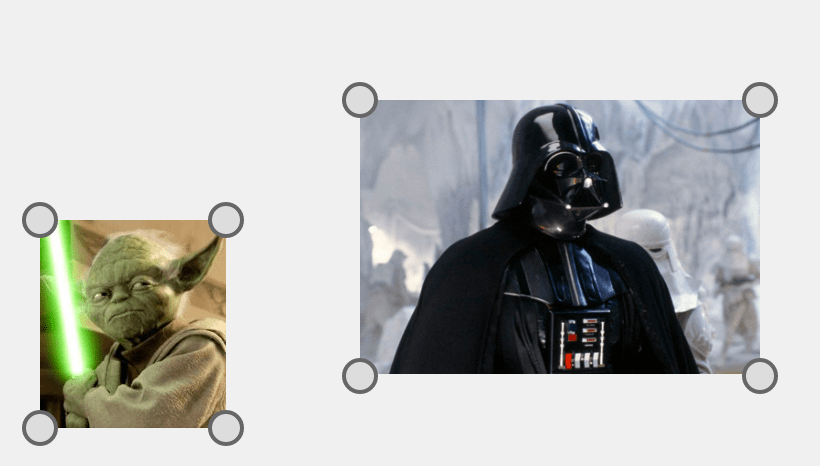](https://konvajs.org/docs/react/Transformer.html)
## Install
React Konva 19.3 requires React and React DOM `^19.3.0`.
For React 19.2, install the latest React Konva 19.2 release.
For React 18, install the latest React Konva 18 release.
```bash
npm install react-konva konva
```
## Quick example
```javascript
import {useState} from 'react';
import {Stage, Layer, Rect} from 'react-konva';
export default function App() {
const [color, setColor] = useState('#00a8e8');
return (
<Stage width={600} height={400}>
<Layer>
<Rect
x={50} y={50} width={120} height={80}
fill={color} draggable
onClick={() => setColor(color === '#00a8e8' ? '#ff7a00' : '#00a8e8')}
/>
</Layer>
</Stage>
);
}
```
> **Building a full design editor?** [Polotno](https://polotno.com/?utm_source=konvajs&utm_medium=readme&utm_content=react-konva) is a commercial design editor SDK built on Konva by the Konva maintainers. It ships templates, text editing, and export, so you integrate an editor instead of building one: `npm install polotno`.
`react-konva` follows the Konva API. See the [Konva overview](https://konvajs.org/docs/overview.html) for the scene graph, properties, and events.
## Core API
`react-konva` supports Konva shapes with the same names. Event props use React names such as `onClick`, `onTouchMove`, and `onDragEnd`.
### Getting reference to Konva objects
Use `ref` to access the underlying Konva node.
```javascript
import React, { useEffect, useRef } from 'react';
import { Circle } from 'react-konva';
const MyShape = () => {
const circleRef = useRef();
useEffect(() => {
// log Konva.Circle instance
console.log(circleRef.current);
}, []);
return <Circle ref={circleRef} radius={50} fill="black" />;
};
```
### React features inside Stage
Components inside `Stage` use React hooks and inherit context from the surrounding React tree.
`Stage` creates a separate canvas root. Place error and Suspense boundaries inside
`Stage`, with Konva elements as fallbacks.
See the [React compatibility matrix](docs/react-compatibility.md) for hook support and renderer limits.
### Strict mode
By default, `react-konva` updates only props that change between renders.
Manual changes, such as a dragged position, persist until the corresponding prop changes.
Strict mode restores all supplied props to their rendered values on each update.
For example, a circle with `x={0}` and `y={0}` returns to that position after a drag and a React update.
This mode is separate from React's `StrictMode`.
To enable strict mode globally:
```javascript
import { useStrictMode } from 'react-konva';
useStrictMode(true);
```
To enable strict mode for one node:
```javascript
<Rect width={50} height={50} fill="black" _useStrictMode />
```
### Minimal bundle
The default package includes all Konva shapes and filters.
For a smaller bundle, use the core entry point and import individual shapes:
```javascript
import { Stage, Layer, Rect } from 'react-konva/lib/ReactKonvaCore';
import 'konva/lib/shapes/Rect';
```
Demo: [https://codesandbox.io/s/6l97wny44z](https://codesandbox.io/s/6l97wny44z)
## Usage with Next.js
Konva 10+ works with Next.js without extra canvas setup. Use a
[Client Component](https://nextjs.org/docs/app/api-reference/directives/use-client) (`'use client'`).
Konva 9 and earlier need extra setup, such as installing `canvas` or
[disabling SSR](https://nextjs.org/docs/app/guides/lazy-loading#skipping-ssr) for the canvas component.
## Event synchronization
With Konva 10.5+, React state updates from native input commit before the event finishes.
To batch MobX reactions too, pass `runInAction`:
```tsx
import { runInAction } from 'mobx';
<Stage eventBatchFunc={runInAction} width={600} height={400}>
{/* Existing layers, shapes, and handlers */}
</Stage>
```
The wrapper must call its callback exactly once, synchronously. Older Konva versions ignore this prop.
With Konva 10.9+, react-konva also batches Transformer updates automatically across each canvas commit.
See the [release notes](RELEASE_NOTES.md) for geometry timing and compatibility details.
## Development and tests
Use Node.js 24 LTS for development.
```sh
npm install
npx playwright install chromium
npm test
```
`npm test` covers development and production builds, performance counts, server rendering, package exports, and types.
Set `BROWSER=firefox` or `BROWSER=webkit` to use another installed Playwright browser.
See the [benchmark guide](benchmarks/README.md) for performance checks and timing comparisons.
## [CHANGELOG](https://github.com/konvajs/react-konva/releases)