discover · compare · collections · requirements · contribute · feed · watching · stats · help with your tokens
imutkarsht/Chess_analyzer · source
Snapshot 0 · 2026-11-04T12:47:28Z · Python · GPL-3.0
Content fingerprint
4320959cc2dd318e36a4edefb814579147694578a9628188fd90dcb364d08d49GitHub description at capture
♟️ Free, local-first chess analysis desktop app powered by Stockfish & PyQt6. Offline game review, move classifications (Brilliant, Blunder), opening explorer, and AI coaching. A privacy-focused alternative to Chess.com & Lichess.
README at capture
<p align="center">
<img src="assets/images/logo.png" alt="Chess Analyzer Pro logo" width="150">
</p>
# Chess Analyzer Pro
> Professional-grade, local-first chess analysis for your desktop — Stockfish, PyQt6, SQLite.
[](https://github.com/imutkarsht/Chess_analyzer/actions/workflows/test.yml)



<p align="center">
<a href="https://ik.imagekit.io/hghxc7q4v/Chess%20Analyzer/v2.1/showcasevideo.mp4" target="_blank">
<img src="https://ik.imagekit.io/hghxc7q4v/Chess%20Analyzer/app/dark/native/analysis_loaded.png" alt="Chess Analyzer Pro analysis view" width="90%">
<br>
<sub>▶ Watch the showcase video</sub>
</a>
</p>
Load a game from a PGN file, pasted text, or your Chess.com and Lichess history. Chess Analyzer
Pro plays it through Stockfish, classifies every move, charts the evaluation, and explains what
went wrong — all on your machine. No account, no upload, no internet required.
Documentation and downloads: **[chessanalyzer.xyz](https://chessanalyzer.xyz/)**
## Table of Contents
- [Features](#features)
- [Screenshots](#screenshots)
- [Installation](#installation)
- [Quick Start](#quick-start)
- [Configuration](#configuration)
- [Documentation](#documentation)
- [Contributing](#contributing)
- [License](#license)
- [Acknowledgements](#acknowledgements)
## Features
- **Multi-source game loading** — drag in a PGN file, paste PGN text, or pull recent games from
Chess.com and Lichess by date range, archive, or direct game URL.
- **Fully local data** — every game, analysis, and setting lives in a local SQLite database. No
account, no upload, no internet needed; repeat loads are instant and export to CSV.
- **Deep metrics and statistics** — tactical motifs, phase-by-phase accuracy, advantage
conversion, termination breakdowns, and rating trends, with drill-down into any position.
- **AI Coach** — move-by-move explanations and full-game summaries grounded in deterministic
engine facts, on any OpenAI-compatible provider, with an offline fallback.
- **Highly configurable settings** — schema-driven, searchable settings for engine tuning,
themes, pieces, shortcuts, cache retention, and backup, split into Basic and Advanced.
- **Stockfish analysis and classification** — live move-by-move updates with pause/resume,
multi-PV, Chess960, and nine move categories from Brilliant down to Miss.
- **Opening explorer** — a bundled openings database and custom Polyglot books, with optional
live Lichess data, win/draw/loss bars, and an independent analysis board.
- **Playable variations** — branch from the best move, a refutation, or any engine line, with
persistent variation trees and a branch graph.
Every feature is documented in [docs/How_to_use.md](docs/How_to_use.md).
## Screenshots
| Deep Analysis & Live Lines | Opening Explorer |
| :-: | :-: |
| 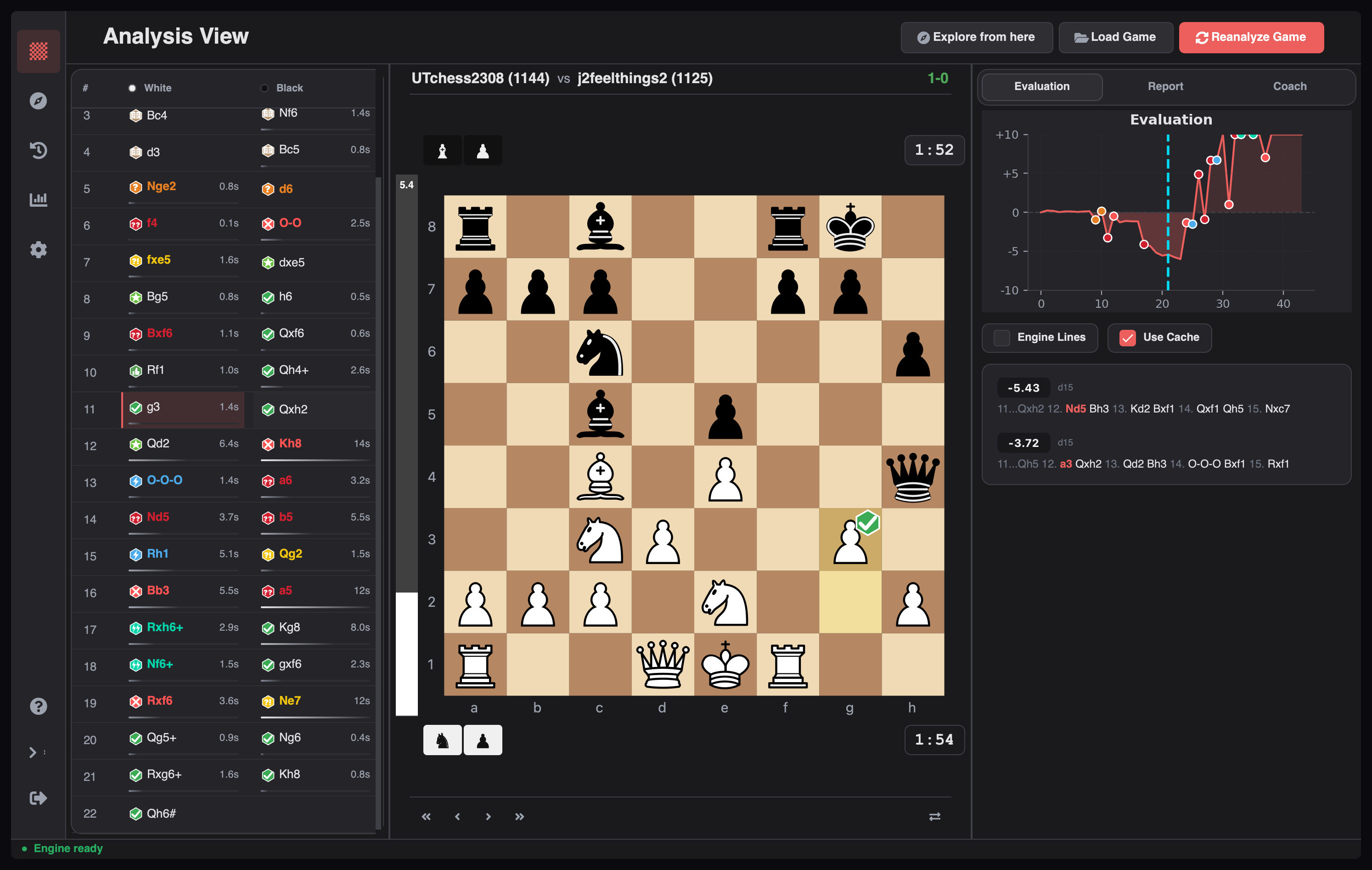 | 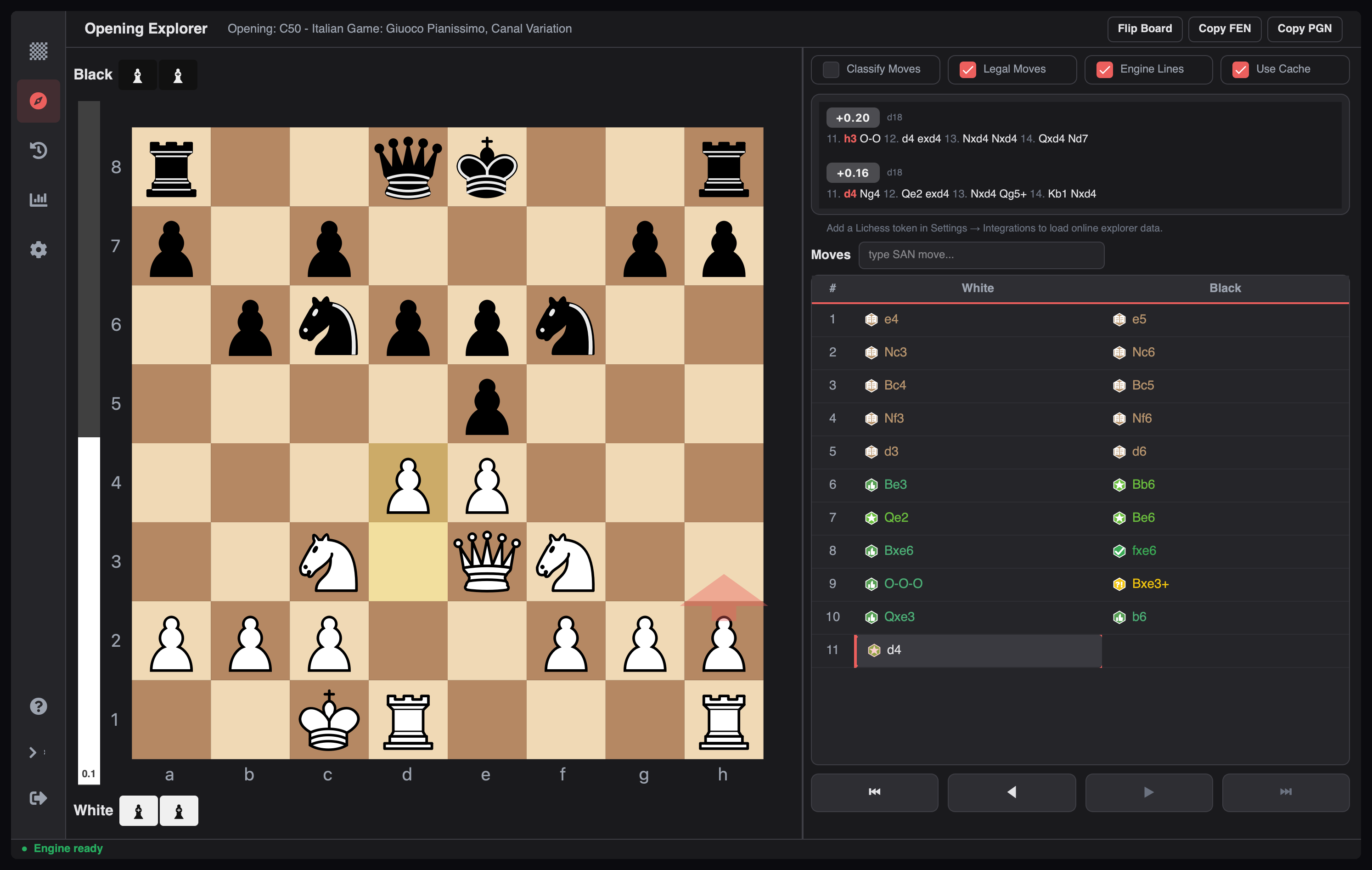 |
| Performance Dashboard | AI Coach Summary |
| :-: | :-: |
| 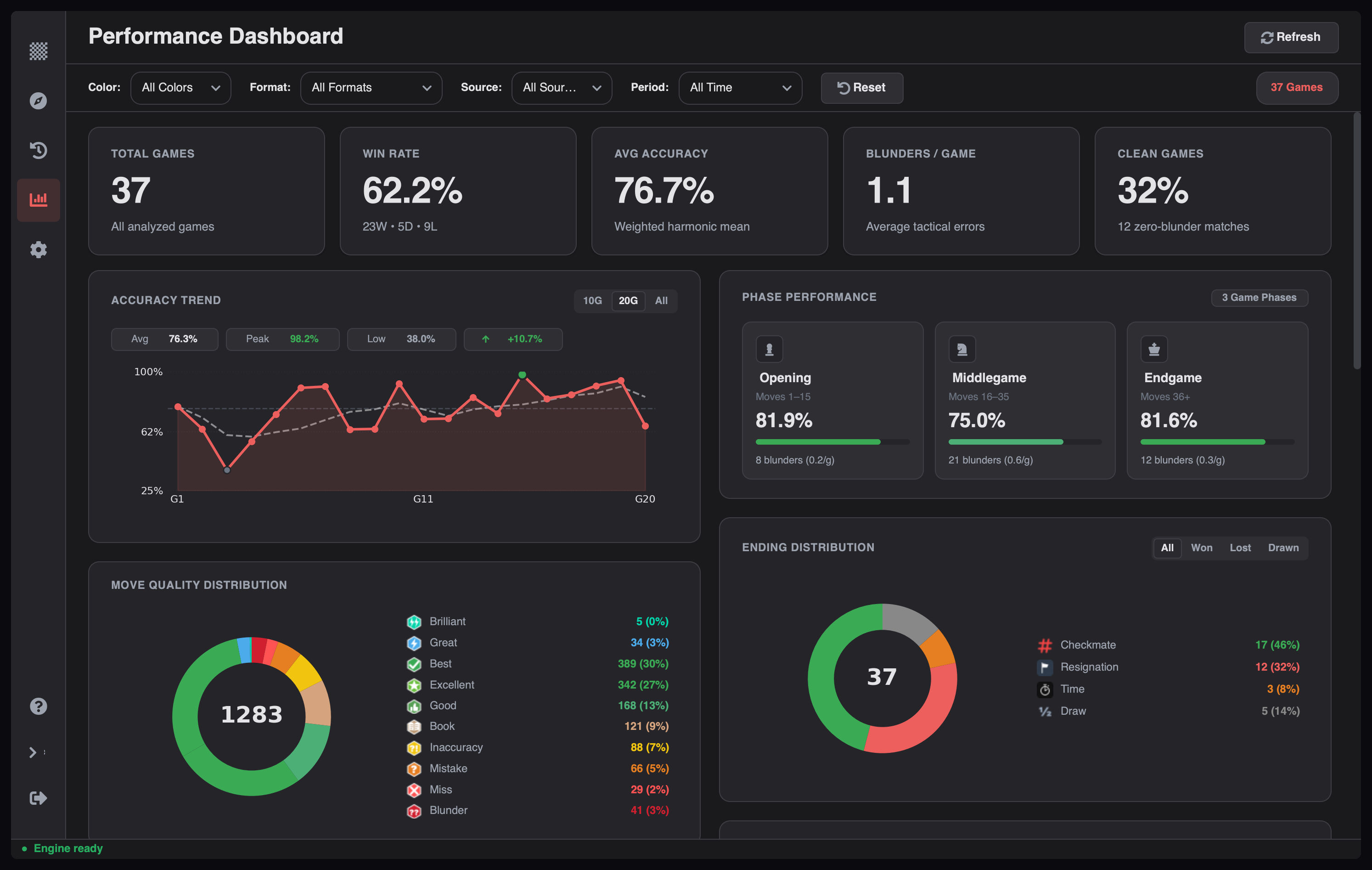 | 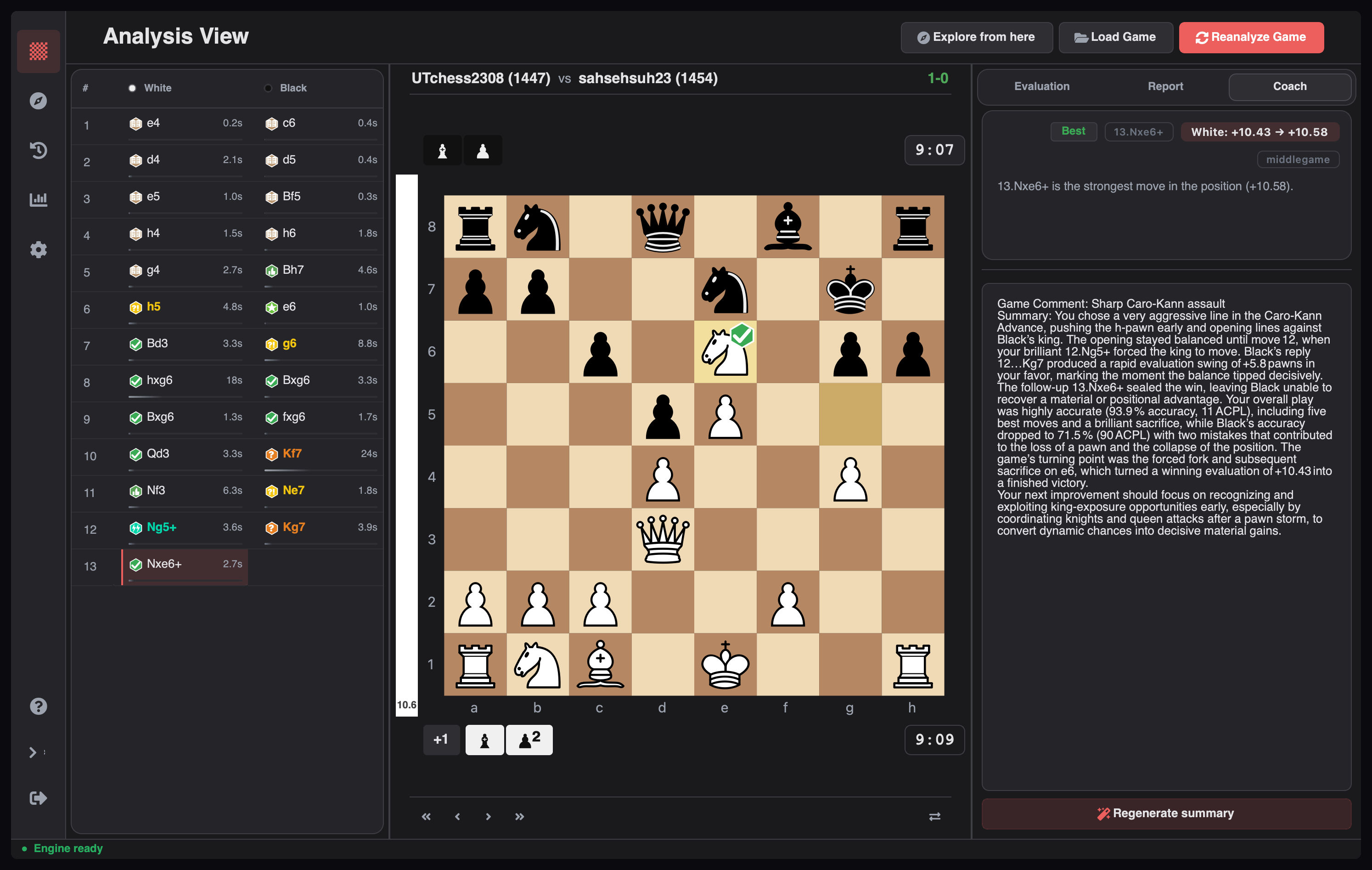 |
| Playable Variations | Game History |
| :-: | :-: |
| 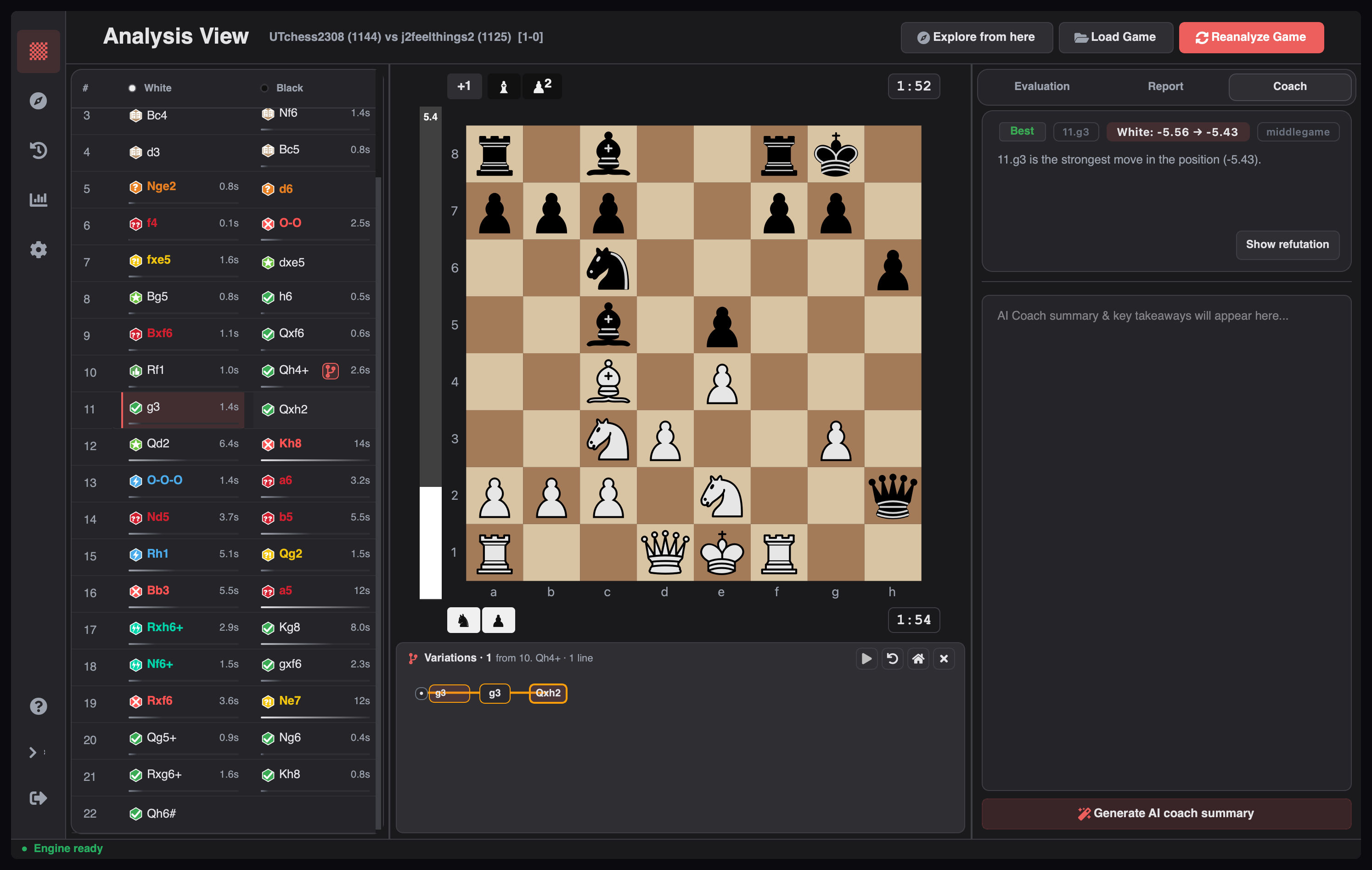 | 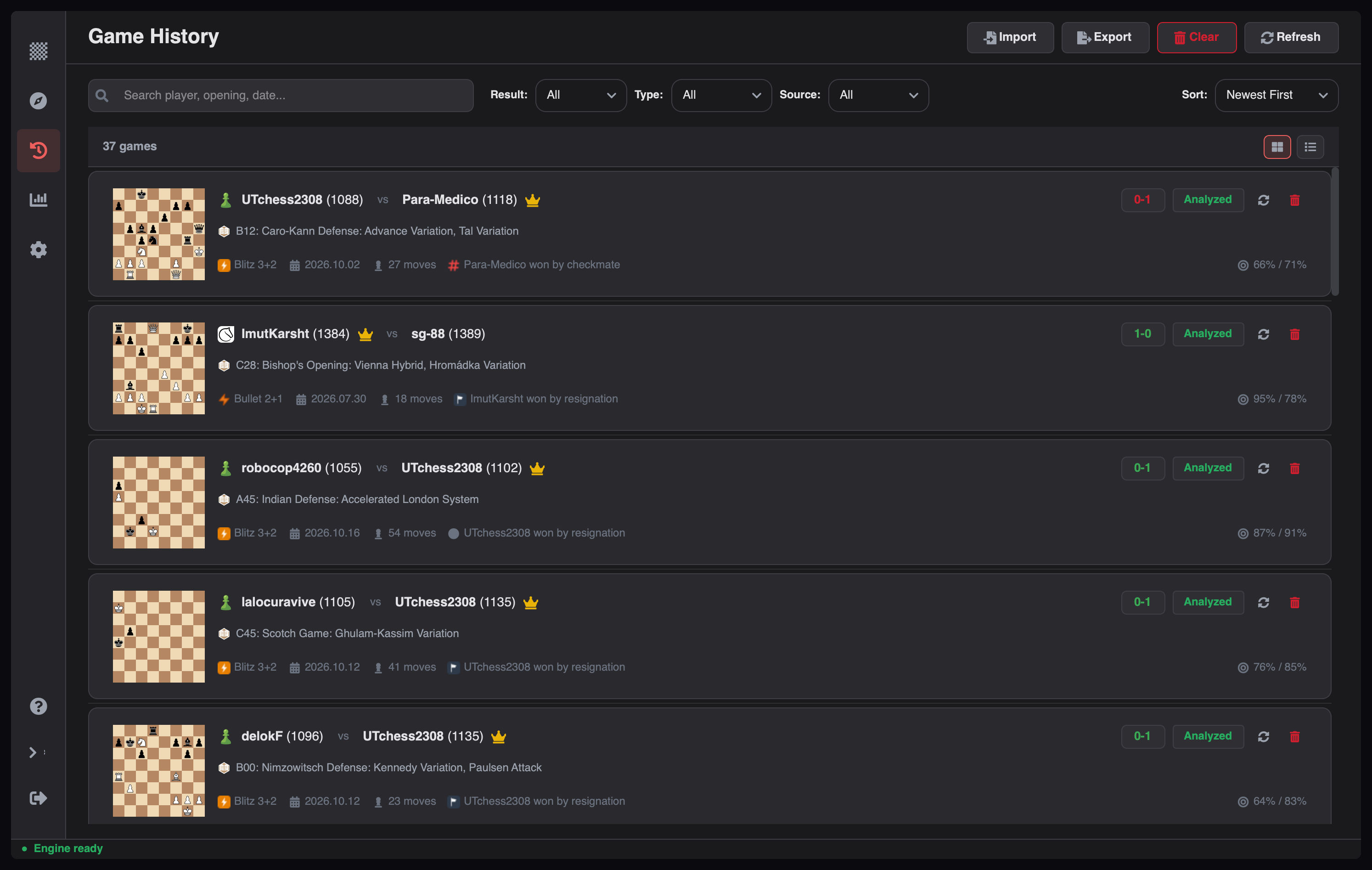 |
| Interactive Landing Hub | Load Game |
| :-: | :-: |
| 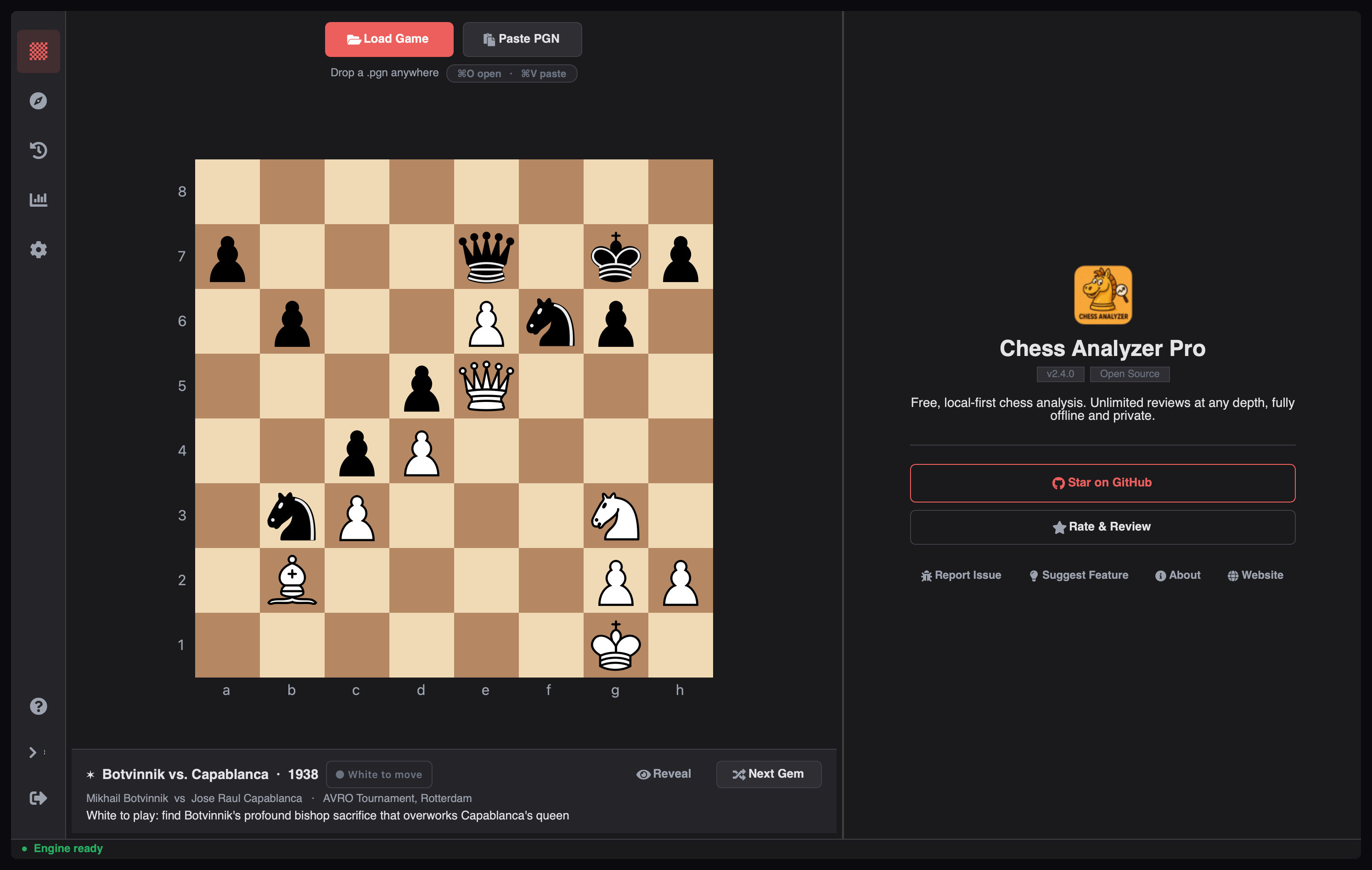 | 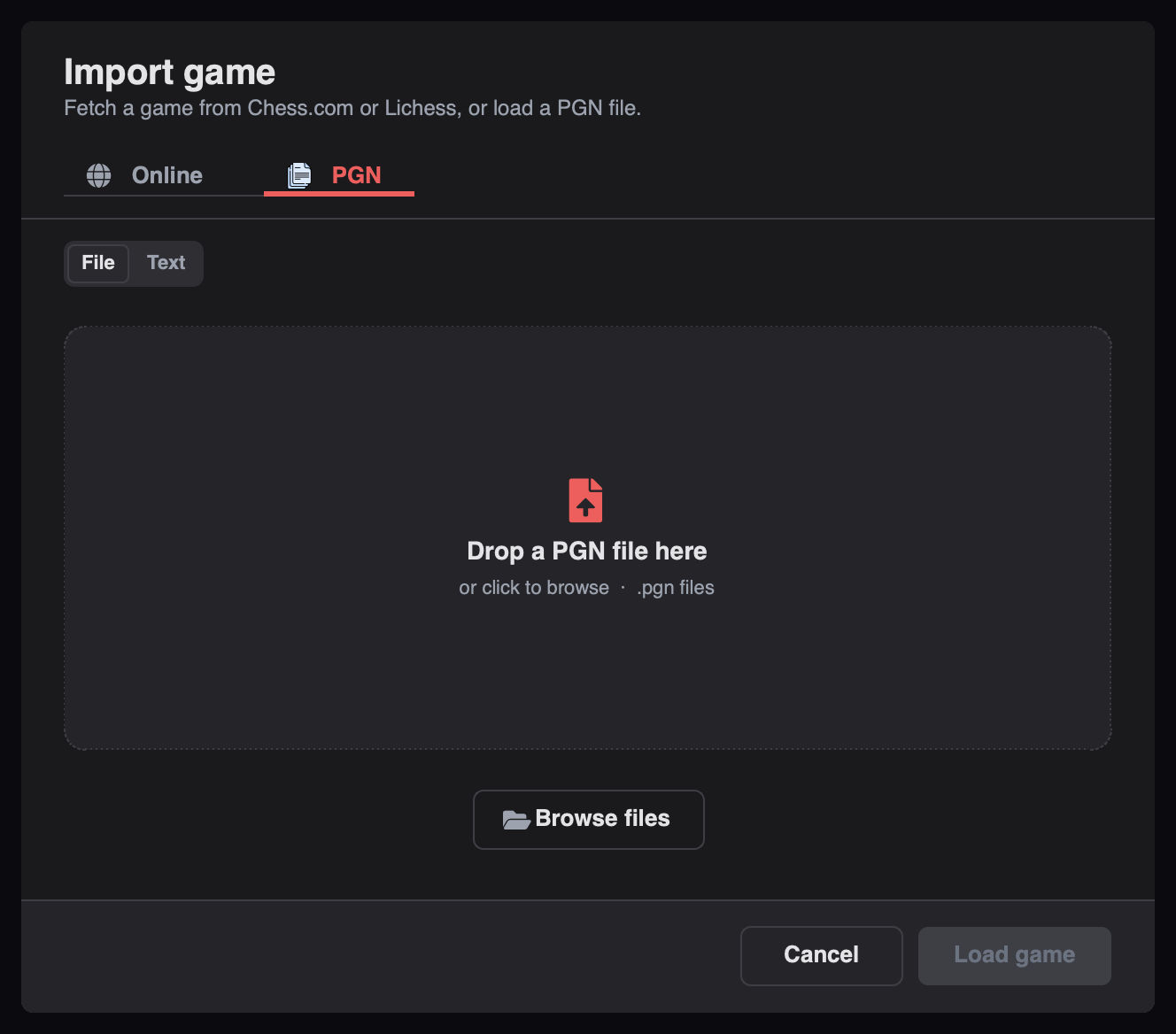 |
## Installation
**Prerequisites:** Python 3.10+ and [Stockfish](https://stockfishchess.org/download/). If
Stockfish isn't installed, the in-app Setup Wizard can download a matching binary for your
platform.
```bash
git clone https://github.com/imutkarsht/Chess_analyzer.git
cd Chess_analyzer
uv venv .venv
source .venv/bin/activate # Windows: .venv\Scripts\activate
uv pip install -r requirements.txt
```
Pre-built installers (`.dmg`, `.exe`, `.AppImage`) are on the
[Releases page](https://github.com/imutkarsht/Chess_analyzer/releases).
## Quick Start
```bash
python main.py
```
1. **Set up the engine** — the Setup Wizard launches on first run, auto-detects Stockfish, or
downloads it. Change the path later in **Settings → Chess Engine**.
2. **Load a game** — press `Ctrl+O` and choose a PGN file, paste PGN text, or fetch recent
games from Chess.com or Lichess.
3. **Analyze** — click **Analyze Game**. Evaluations, classifications, and engine lines stream
in live as the game is processed.
4. **Explore** — review the evaluation graph, move list, variation tree, performance dashboard,
and Coach tab.
## Configuration
Settings are schema-driven: searchable categories, a Basic/Advanced split, and validated defaults
from [`src/config/settings_schema.py`](src/config/settings_schema.py).
- **Engine** — Stockfish path, threads, hash, and Multi-PV. Defaults are tuned for laptop
thermals (`multi_pv=2`, 1 thread, 128 MB hash); raise threads up to `min(cpu_count, 4)` if
your machine can take it.
- **Appearance** — dark/light mode, live accent colours, board themes, piece sets with custom
SVG import, sound effects, and keyboard shortcut presets.
- **Integrations** — Chess.com and Lichess usernames/tokens, plus LLM profiles for Groq,
LM Studio, MiniMax, or any OpenAI-compatible endpoint.
- **Data** — analysis cache retention, validated backup and restore, and maintenance tools.
API keys and tokens are stored in your OS credential store (macOS Keychain, Windows Credential
Locker, Linux Secret Service), never in plaintext `config.json`. Games and analysis never leave
your machine.
## Documentation
| Document | Contents |
| --- | --- |
| [How to Use](docs/How_to_use.md) | Feature walkthrough, settings reference, data file locations |
| [Architecture](docs/architecture.md) | Layers, runtime flows, module reference, extension recipes |
| [Onboarding](docs/onboarding_doc.md) | Local setup and your first change |
| [Contributing](CONTRIBUTING.md) | Development setup, component rules, test quality |
| [Changelog](CHANGELOG.md) | Release history |
| [Credits](CREDITS.md) | Third-party assets, licenses, algorithms |
| [Security](SECURITY.md) | Vulnerability reporting |
## Contributing
Contributions are welcome and **issue-first**: every pull request must close or reference an
existing issue. If your fix or feature has no issue yet, open one and let a maintainer confirm
the approach before you write code.
```bash
pip install -r requirements-dev.txt
ruff check .
pytest tests/
```
The full workflow — linting, coverage, and test-quality requirements — is in
[CONTRIBUTING.md](CONTRIBUTING.md).
## License
Released under the [GNU General Public License, version 3](LICENSE), including
the section 7 attribution terms recorded in that file. Corresponding
source for every release is available at
[github.com/imutkarsht/Chess_analyzer](https://github.com/imutkarsht/Chess_analyzer).
Games, analyses, PGNs and reports you produce with the app are yours — the
licence covers the program, not its output.
The chess piece graphics in [`assets/pieces/`](assets/pieces/) are third-party
work by Colin M.L. Burnett, used under their GPLv2+ option. Full attribution
and all other third-party notices are in
[THIRD-PARTY-NOTICES.md](THIRD-PARTY-NOTICES.md) and [CREDITS.md](CREDITS.md).
## Acknowledgements
- [Stockfish](https://stockfishchess.org/) for the engine.
- [python-chess](https://python-chess.readthedocs.io/) for board and PGN handling.
- [PyQt6](https://www.riverbankcomputing.com/software/pyqt/) for the desktop UI.
- [Lichess openings](https://github.com/lichess-org/chess-openings) for the opening dataset.
- Chess piece graphics by Colin M.L. Burnett, via
[Wikimedia Commons](https://commons.wikimedia.org/wiki/Category:SVG_chess_pieces) (CC BY-SA 3.0).