discover · compare · collections · requirements · contribute · feed · watching · stats · help with your tokens
hackiftekhar/IQKeyboardManager · source
Snapshot 0 · 2026-11-04T12:47:22Z · Swift · MIT
Content fingerprint
a773a7448b078a2cdecef61f62b2c362e1a7ebaa01c57eb8b61567767c860253GitHub description at capture
Codeless drop-in universal library allows to prevent issues of keyboard sliding up and cover UITextField/UITextView. Neither need to write any code nor any setup required and much more.
README at capture
<p align="center">
<img src="https://raw.githubusercontent.com/hackiftekhar/IQKeyboardManager/master/Screenshot/Social.png" alt="Icon"/>
</p>
[](https://github.com/hackiftekhar/IQKeyboardManager/blob/master/LICENSE.md)
[](https://travis-ci.org/hackiftekhar/IQKeyboardManager)

[](http://cocoadocs.org/docsets/IQKeyboardManagerSwift)
[](https://github.com/hackiftekhar/IQKeyboardManager/tags)
## IQKeyboardManager Objective-C version source code is moved to https://github.com/hackiftekhar/IQKeyboardManagerObjC
## Introduction
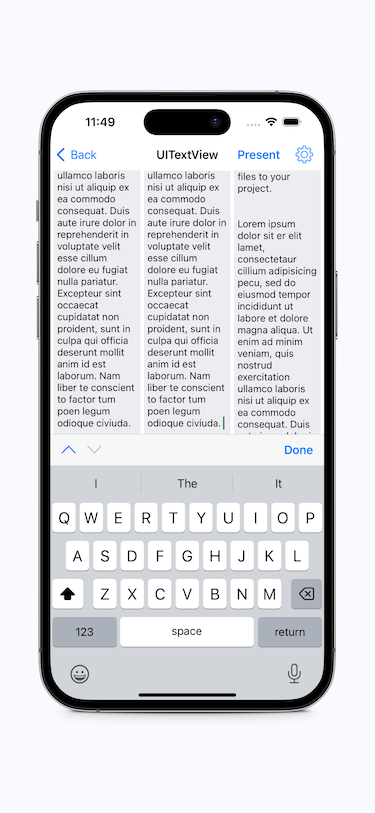
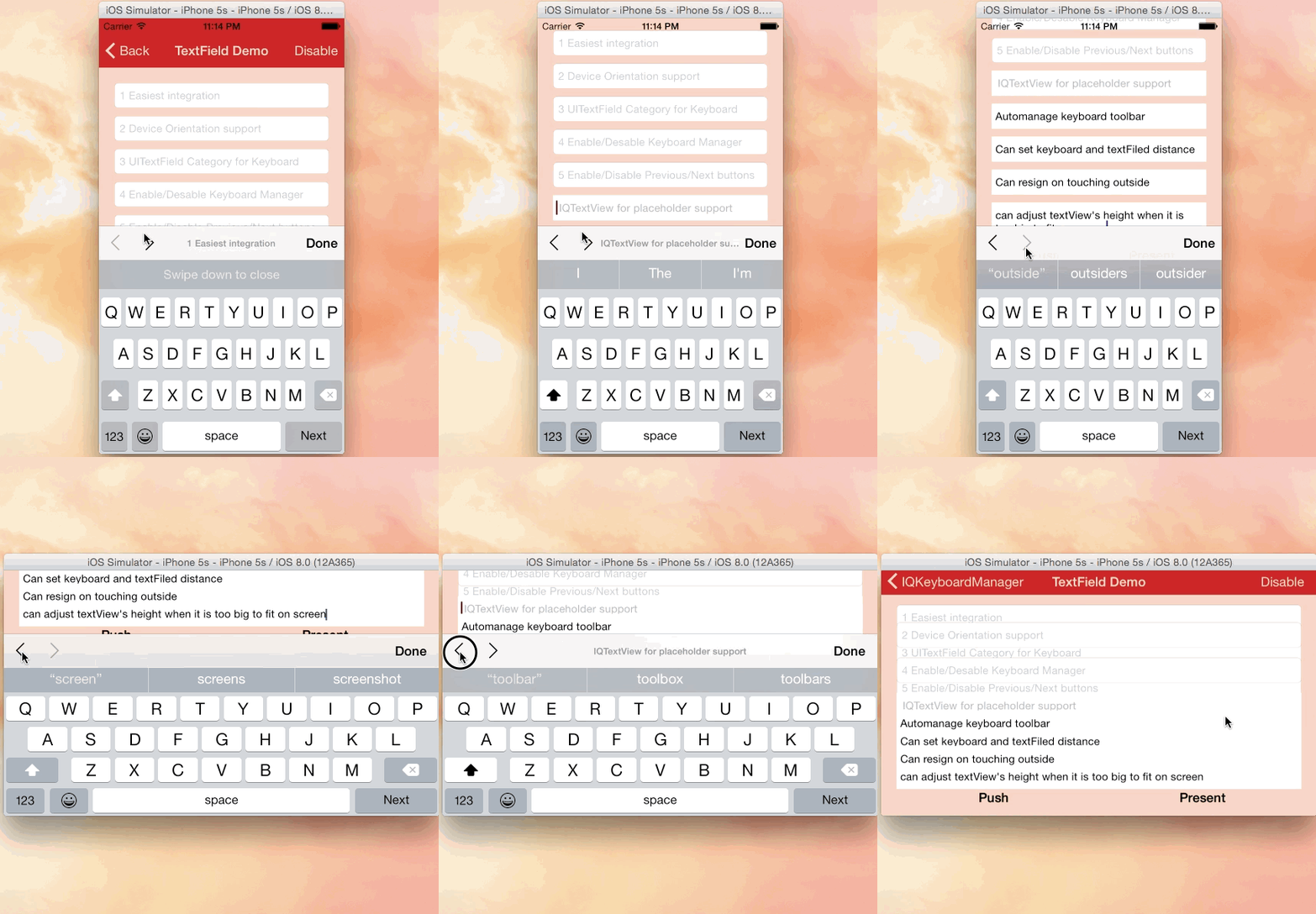
While developing iOS apps, we often run into issues where the iPhone keyboard slides up and covers the `UITextField/UITextView`. `IQKeyboardManager` allows you to prevent this issue of keyboard sliding up and covering `UITextField/UITextView` without needing you to write any code or make any additional setup. To use `IQKeyboardManager` you simply need to add source files to your project.
## Key Features
1. **One Line of Code** - Just enable and it works
2. **Works Automatically** - No manual setup required
3. **No More UIScrollView** - Automatically handles scroll views
4. **No More Subclasses** - Works with standard UIKit components
5. **No More Manual Work** - Handles all edge cases automatically
6. **Modular Architecture** - Include only what you need via subspecs
### What's Included
- ✅ Automatic keyboard avoidance for UITextField/UITextView
- ✅ Support for UIScrollView, UITableView, UICollectionView
- ✅ All interface orientations
- ✅ Configurable keyboard distance
- ✅ Class-level enable/disable control
### Optional Features (via Subspecs)
- 📦 Toolbar with Previous/Next/Done buttons
- 📦 Return key handling customization
- 📦 Tap-to-resign keyboard
- 📦 Keyboard appearance configuration
- 📦 UITextView with placeholder supportv
## Subspecs
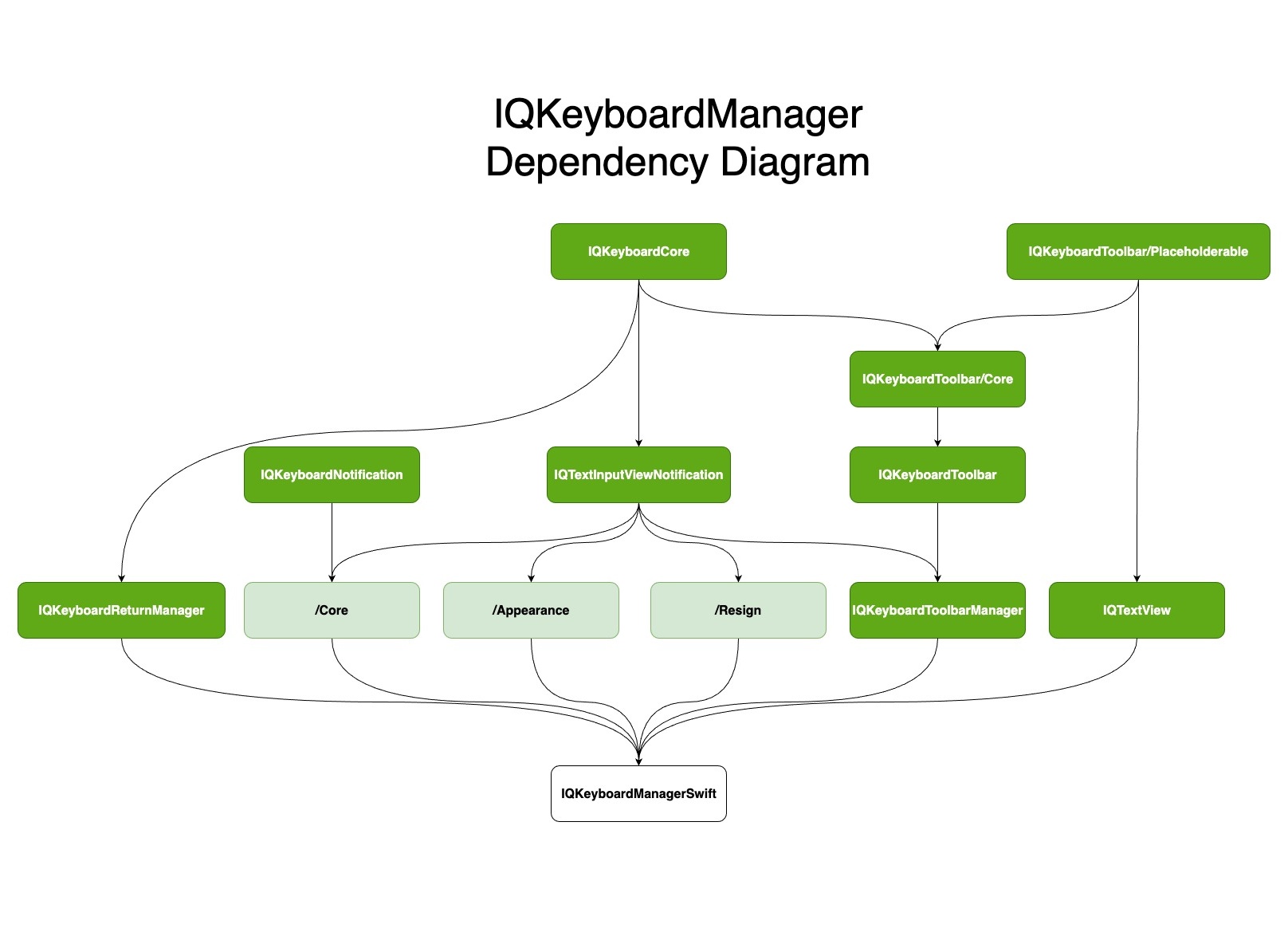
Now IQKeyboardManagerSwift uses a modular architecture with subspecs.
By default, all subspecs are included, but you can include only what you need:
### Available Subspecs
- **Core** (always included): Basic keyboard distance management
- **Appearance**: Keyboard appearance configuration
- **IQKeyboardReturnManager**: Return key handling
- **IQKeyboardToolbarManager**: Toolbar functionality (Previous/Next/Done buttons)
- **IQTextView**: UITextView with placeholder support
- **Resign**: Tap-to-resign keyboard functionality
### Including Specific Subspecs
```ruby
# Include toolbar example
pod 'IQKeyboardManagerSwift/IQKeyboardToolbarManager'
```
## Screenshot
[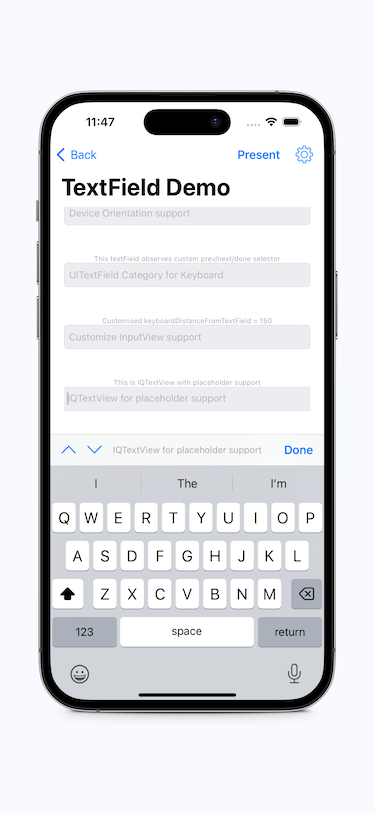](http://youtu.be/6nhLw6hju2A)
[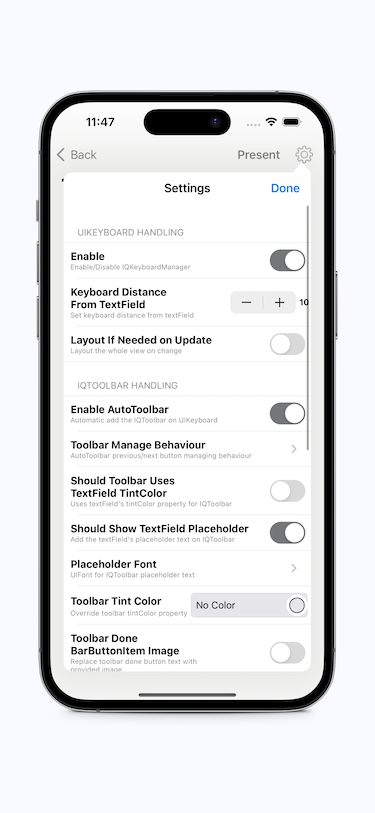](http://youtu.be/6nhLw6hju2A)
[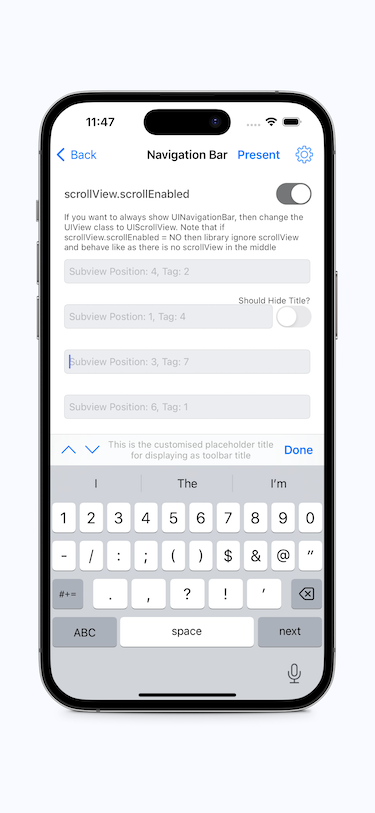](http://youtu.be/6nhLw6hju2A)
[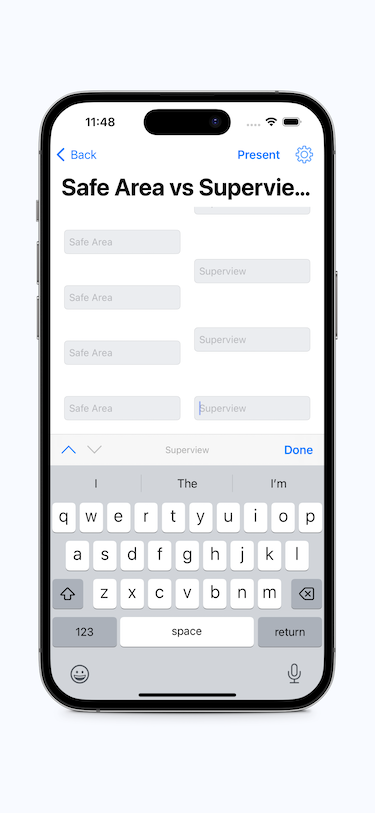](http://youtu.be/6nhLw6hju2A)
[](http://youtu.be/6nhLw6hju2A)
## GIF animation
[](http://youtu.be/6nhLw6hju2A)
## Video
<a href="http://youtu.be/WAYc2Qj-OQg" target="_blank"><img src="http://img.youtube.com/vi/WAYc2Qj-OQg/0.jpg"
alt="IQKeyboardManager Demo Video" width="480" height="360" border="10" /></a>
## Tutorial video by @rebeloper ([#1135](https://github.com/hackiftekhar/IQKeyboardManager/issues/1135))
@rebeloper demonstrated two videos on how to implement **IQKeyboardManager** at it's core:
<a href="https://www.youtube.com/playlist?list=PL_csAAO9PQ8aTL87XnueOXi3RpWE2m_8v" target="_blank"><img src="https://raw.githubusercontent.com/hackiftekhar/IQKeyboardManager/master/Screenshot/ThirdPartyYoutubeTutorial.jpg"
alt="Youtube Tutorial Playlist"/></a>
https://www.youtube.com/playlist?list=PL_csAAO9PQ8aTL87XnueOXi3RpWE2m_8v
## Warning
- **If you're planning to build SDK/library/framework and want to handle UITextField/UITextView with IQKeyboardManager then you're totally going the wrong way.** I would never suggest to add **IQKeyboardManager** as **dependency/adding/shipping** with any third-party library. Instead of adding **IQKeyboardManager** you should implement your own solution to achieve same kind of results. **IQKeyboardManager** is totally designed for projects to help developers for their convenience, it's not designed for **adding/dependency/shipping** with any **third-party library**, because **doing this could block adoption by other developers for their projects as well (who are not using IQKeyboardManager and have implemented their custom solution to handle UITextField/UITextView in the project).**
- If **IQKeyboardManager** conflicts with other **third-party library**, then it's **developer responsibility** to **enable/disable IQKeyboardManager** when **presenting/dismissing** third-party library UI. Third-party libraries are not responsible to handle IQKeyboardManager.
## Requirements
| | Minimum iOS Target | Minimum Xcode Version |
|------------------------|--------------------|-----------------------|
| IQKeyboardManagerSwift | iOS 13.0 | Xcode 13 |
| Demo Project | | Xcode 15 |
#### Swift versions support
| Swift | Xcode | IQKeyboardManagerSwift |
|-------------------|-------|------------------------|
| 5.9, 5.8, 5.7 | 16 | >= 7.0.0 |
| 5.9, 5.8, 5.7, 5.6| 15 | >= 7.0.0 |
| 5.5, 5.4, 5.3, 5.2, 5.1, 5.0, 4.2| 11 | >= 6.5.7 |
| 5.1, 5.0, 4.2, 4.0, 3.2, 3.0| 11 | >= 6.5.0 |
| 5.0,4.2, 4.0, 3.2, 3.0| 10.2 | >= 6.2.1 |
| 4.2, 4.0, 3.2, 3.0| 10.0 | >= 6.0.4 |
| 4.0, 3.2, 3.0 | 9.0 | 5.0.0 |
Installation
==========================
#### CocoaPods
To install it, simply add the following line to your Podfile: ([#236](https://github.com/hackiftekhar/IQKeyboardManager/issues/236))
```ruby
pod 'IQKeyboardManagerSwift'
```
*Or you can choose the version you need based on Swift support table from [Requirements](README.md#requirements)*
```ruby
pod 'IQKeyboardManagerSwift', '8.0.0'
```
#### Carthage
To integrate `IQKeyboardManger` or `IQKeyboardManagerSwift` into your Xcode project using Carthage, add the following line to your `Cartfile`:
```ogdl
github "hackiftekhar/IQKeyboardManager"
```
Run `carthage update --use-xcframeworks` to build the frameworks and drag `IQKeyboardManagerSwift.xcframework` into your Xcode project based on your need. Make sure to add only one framework, not both.
#### Swift Package Manager (SPM)
To install `IQKeyboardManagerSwift` package via Xcode
* Go to File -> Swift Packages -> Add Package Dependency...
* Then search for https://github.com/hackiftekhar/IQKeyboardManager.git
* And choose the version you want
#### Source Code
***IQKeyboardManagerSwift:*** Source code installation is not supported (since 7.2.0) because now the library depends on some other independent libraries. Due to this you may face compilation issues.
#### Basic Usage
### Minimal Setup (Core Only)
In `AppDelegate.swift`, import and enable IQKeyboardManager:
```swift
import IQKeyboardManagerSwift
@UIApplicationMain
class AppDelegate: UIResponder, UIApplicationDelegate {
var window: UIWindow?
func application(_ application: UIApplication,
didFinishLaunchingWithOptions launchOptions: [UIApplication.LaunchOptionsKey: Any]?) -> Bool {
// Enable keyboard management
IQKeyboardManager.shared.isEnabled = true
return true
}
}
```
That's it! The keyboard will now automatically adjust to avoid covering text fields.
### With Toolbar (Requires IQKeyboardToolbarManager Subspec)
```swift
import IQKeyboardManagerSwift
func application(_ application: UIApplication,
didFinishLaunchingWithOptions launchOptions: [UIApplication.LaunchOptionsKey: Any]?) -> Bool {
// Enable keyboard management
IQKeyboardManager.shared.isEnabled = true
// Enable toolbar (@Deprecated: Please use IQKeyboardToolbarManager pod independently)
IQKeyboardManager.shared.enableAutoToolbar = true
return true
}
```
### With All Features
```swift
import IQKeyboardManagerSwift
func application(_ application: UIApplication,
didFinishLaunchingWithOptions launchOptions: [UIApplication.LaunchOptionsKey: Any]?) -> Bool {
// Core functionality
IQKeyboardManager.shared.isEnabled = true
IQKeyboardManager.shared.keyboardDistance = 20.0
// Toolbar (if using IQKeyboardToolbarManager subspec)
IQKeyboardManager.shared.enableAutoToolbar = true
// Tap to resign (if using Resign subspec)
IQKeyboardManager.shared.resignOnTouchOutside = true
// Appearance (if using Appearance subspec)
IQKeyboardManager.shared.keyboardConfiguration.overrideKeyboardAppearance = true
IQKeyboardManager.shared.keyboardConfiguration.keyboardAppearance = .dark
return true
}
```
Migration Guide
==========================
- [IQKeyboardManager 2.0.0 Migration Guide](https://github.com/hackiftekhar/IQKeyboardManager/blob/master/Documentation/MIGRATION%20GUIDE%201.0%20TO%202.0.md)
- [IQKeyboardManager 3.0.0 Migration Guide](https://github.com/hackiftekhar/IQKeyboardManager/blob/master/Documentation/MIGRATION%20GUIDE%202.0%20TO%203.0.md)
- [IQKeyboardManager 4.0.0 Migration Guide](https://github.com/hackiftekhar/IQKeyboardManager/blob/master/Documentation/MIGRATION%20GUIDE%203.0%20TO%204.0.md)
- [IQKeyboardManager 5.0.0 Migration Guide](https://github.com/hackiftekhar/IQKeyboardManager/blob/master/Documentation/MIGRATION%20GUIDE%204.0%20TO%205.0.md)
- [IQKeyboardManager 6.0.0 Migration Guide](https://github.com/hackiftekhar/IQKeyboardManager/blob/master/Documentation/MIGRATION%20GUIDE%205.0%20TO%206.0.md)
- [IQKeyboardManager 7.0.0 Migration Guide](https://github.com/hackiftekhar/IQKeyboardManager/blob/master/Documentation/MIGRATION%20GUIDE%206.0%20TO%207.0.md)
- [IQKeyboardManager 8.0.0 Migration Guide](https://github.com/hackiftekhar/IQKeyboardManager/blob/master/Documentation/MIGRATION%20GUIDE%207.0%20TO%208.0.md)
Other Links
==========================
- [Known Issues](https://github.com/hackiftekhar/IQKeyboardManager/wiki/Known-Issues)
- [Manual Management Tweaks](https://github.com/hackiftekhar/IQKeyboardManager/wiki/Manual-Management)
- [Properties and functions usage](https://github.com/hackiftekhar/IQKeyboardManager/wiki/Properties-&-Functions)
## Dependency Diagram
[](https://raw.githubusercontent.com/hackiftekhar/IQKeyboardManager/master/Screenshot/IQKeyboardManagerDependency.jpg)
LICENSE
---
Distributed under the MIT License.
Contributions
---
Any contribution is more than welcome! You can contribute through pull requests and issues on GitHub.
Author
---
If you wish to contact me, email at: hack.iftekhar@gmail.com