discover · compare · collections · requirements · contribute · feed · watching · stats · help with your tokens
ga0/netgraph · source
Snapshot 0 · 2026-11-04T12:47:23Z · Go · MIT
Content fingerprint
c784437bbff6c5bf8e4b677096063c87b78de1d7062f8cc0b9c98160bcc4f897GitHub description at capture
A cross platform http sniffer with a web UI
README at capture

[](https://goreportcard.com/report/github.com/ga0/netgraph)
[](https://codecov.io/gh/ga0/netgraph)

# Netgraph
Netgraph is a packet sniffer tool that captures all HTTP requests/responses, and display them in web page.
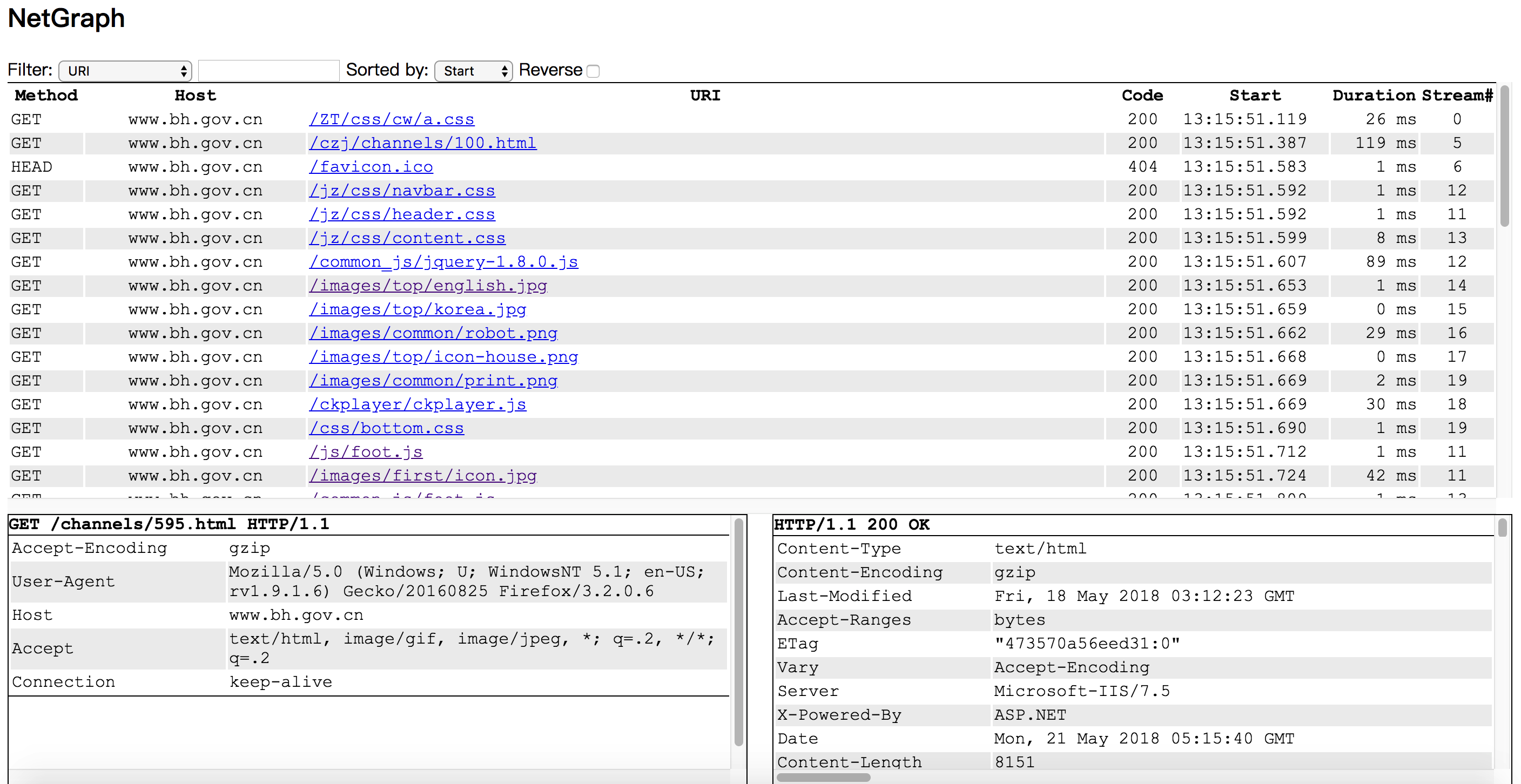
You can run Netgraph in your linux server without desktop environment installed, and monitor http requests/responses in your laptop's browser.
## Compile, Install, Run
1. go get github.com/ga0/netgraph
2. run $GOPATH/bin/netgraph -i INTERFACE -p PORT
3. open the netgraph web page in your browser (for example: http://localhost:9000, 9000 is the PORT set in step 2)
Windows user need to install winpcap library first.
## Options
-bpf string
Set berkeley packet filter (default "tcp port 80")
-i string
Listen on interface, auto select one if no interface is provided
-input-pcap string
Open a pcap file
-o string
Write HTTP requests/responses to file, set value "stdout" to print to console
-output-pcap string
Write captured packet to a pcap file
-output-request-only
Write only HTTP request to file, drop response. Only used when option "-o" is present. (default true)
-p int
Web server port. If the port is set to '0', the server will not run. (default 9000)
-s Save HTTP event in server
-v Show verbose message (default true)
Example: print captured requests to stdout:
$ ./netgraph -i en0 -o=stdout
2018/07/26 10:33:24 open live on device "en0", bpf "tcp port 80"
[2018-07-26 10:33:34.873] #0 Request 192.168.1.50:60448->93.184.216.34:80
GET / HTTP/1.1
Host: www.example.com
Connection: keep-alive
Pragma: no-cache
Cache-Control: no-cache
Upgrade-Insecure-Requests: 1
User-Agent: Mozilla/5.0 (Macintosh; Intel Mac OS X 10_13_6) AppleWebKit/537.36 (KHTML, like Gecko) Chrome/67.0.3396.99 Safari/537.36
Accept: text/html,application/xhtml+xml,application/xml;q=0.9,image/webp,image/apng,*/*;q=0.8
Accept-Encoding: gzip, deflate
Accept-Language: zh-CN,zh;q=0.9,en;q=0.8,zh-TW;q=0.7
content(0)
## License
[MIT](https://opensource.org/licenses/MIT)