discover · compare · collections · requirements · contribute · feed · watching · stats · help with your tokens
erincatto/box2d · source
Snapshot 0 · 2026-11-04T12:47:23Z · C · MIT
Content fingerprint
49bee2e2c091343e0fcaba9dbff3d243c8496fc4d7f8f25849a7f499ca41011aGitHub description at capture
Box2D is a 2D physics engine for games
README at capture
# Box2D
Box2D is a 2D physics engine for games.

[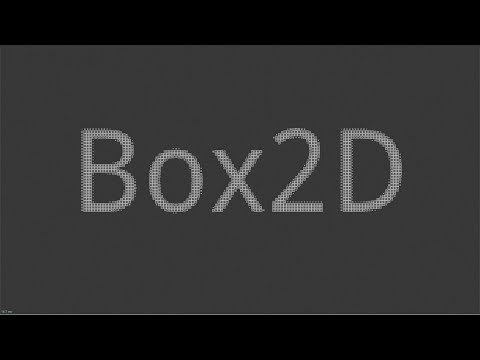](https://www.youtube.com/watch?v=dAoM-xjOWtA)
## Build Status
[](https://github.com/erincatto/box2d/actions)
## Features
### Collision
- Continuous collision detection
- Contact events
- Convex polygons, capsules, circles, rounded polygons, segments, and chains
- Multiple shapes per body
- Collision filtering
- Ray casts, shape casts, and overlap queries
- Sensor system
### Physics
- Robust _Soft Step_ rigid body solver
- Continuous physics for fast translations and rotations
- Island based sleep
- Revolute, prismatic, distance, motor, weld, and wheel joints
- Joint limits, motors, springs, and friction
- Joint and contact forces
- Body movement events and sleep notification
### Character movement
- Geometric mover with robust plane solver
- Dynamic mover with custom joint support
### System
- Data-oriented design
- Written in portable C17
- Extensive multithreading and SIMD
- Optimized for large piles of bodies
- Low cost double-precision support for large worlds
- Recording and replay
- Cross platform determinism
- Snapshot and restore
### Samples
- OpenGL with GLFW
- Graphical user interface with imgui
- Many samples to demonstrate features and performance
## Building All Platforms
- Install [CMake](https://cmake.org/)
- Install [git](https://git-scm.com/)
- Ensure these run from the command line
## Building with CMake presets
The presets in `CMakePresets.json` give one build flow on every platform and are picked up
automatically by Visual Studio, VS Code, and CLion (open the folder and choose a preset). From the
command line:
- Windows: `cmake --preset windows` then `cmake --build --preset windows-release`
- Linux: `cmake --preset linux-release` then `cmake --build --preset linux-release`
- macOS: `cmake --preset macos` then `cmake --build --preset macos-release`
Use the `*-debug` build presets for a debug build (not recommended for the replay viewer). The
presets use the default native toolchain (the installed Visual Studio on Windows, Make on Linux,
Xcode on macOS), so no specific compiler version is required.
## Building for Visual Studio
- Install [Visual Studio](https://visualstudio.microsoft.com/)
- Run `build_vs2026.bat` for Visual Studio 2026, or use the `windows` preset above for other
versions
- Open and build the generated solution in the `build` folder
## Building for Linux
- Run `build.sh` from a bash shell
- Results are in the build sub-folder
## Building for Xcode
- mkdir build
- cd build
- cmake -G Xcode ..
- Open `box2d.xcodeproj`
- Select the samples scheme
- Build and run the samples
## Building and installing
- mkdir build
- cd build
- cmake ..
- cmake --build . --config Release
- cmake --install . (might need sudo)
Installing also provides a pkg-config file, so `pkg-config --modversion box2d` reports the installed
version and `pkg-config --cflags --libs box2d` gives the build flags.
## Building with zig
Fetch and link Box2D from a Zig project:
- `zig fetch --save git+https://github.com/erincatto/box2d`
In `build.zig`:
```zig
const box2d_dep = b.dependency("box2d", .{});
exe.root_module.addImport("box2d", box2d_dep.module("box2d"));
```
In Zig code, start using box2d
```zig
const box2d = @import("box2d");
pub fn main() void {
var world_def = box2d.b2DefaultWorldDef();
world_def.gravity.y = -10.0;
const world_id = box2d.b2CreateWorld(&world_def);
defer box2d.b2DestroyWorld(world_id);
box2d.b2World_Step(world_id, 1.0 / 60.0, 4);
}
```
## Building with Swift Package Manager
Add box2d as a dependency in your `Package.swift`:
```swift
.package(url: "https://github.com/erincatto/box2d.git", branch: "main")
```
And add the product to your target:
```swift
.target(
name: "MyGame",
dependencies: [.product(name: "box2d", package: "box2d")]
),
```
In Swift code, the C API is imported directly:
```swift
import box2d
var worldDef = b2DefaultWorldDef()
let worldId = b2CreateWorld(&worldDef)
```
C structs are passed as `inout` arguments using `&`.
## Replay viewer
The samples app doubles as a viewer for Box2D recordings (`.b2rec` files). Any preset above builds
it. Pass a recording on the command line to open it directly:
- Windows: `build\bin\Release\samples.exe path\to\session.b2rec`
- Linux: `build/bin/samples path/to/session.b2rec`
- macOS: `build/bin/Release/samples path/to/session.b2rec`
On Windows you can also drag a `.b2rec` file onto `samples.exe`. The viewer runs from any directory.
Without an argument, open a recording from the **Replay** menu. See
[docs/recording.md](docs/recording.md) for how to make a recording.
## Compatibility
The Box2D library and samples build and run on Windows, Linux, and Mac.
You will need a compiler that supports C17 to build the Box2D library.
You will need a compiler that supports C++20 to build the samples.
Box2D uses SSE2, AVX2, and Neon (AArch64) SIMD math to improve performance. This can be disabled by
defining `BOX2D_DISABLE_SIMD`. SSE2 is automatically used as a fallback when the CPU doesn't support
AVX2.
## Documentation
- [Manual](https://box2d.org/documentation/)
## Community
- [Discord](https://discord.gg/NKYgCBP)
## Contributing
Please do not submit pull requests. Instead, please file an issue for bugs or feature requests. For
support, please visit the Discord server.
## Giving feedback
Please file an issue or start a chat on discord. You can also use [GitHub
Discussions](https://github.com/erincatto/box2d/discussions).
## License
Box2D is developed by Erin Catto and uses the [MIT
license](https://en.wikipedia.org/wiki/MIT_License).
## Sponsorship
Support development of Box2D through [Github Sponsors](https://github.com/sponsors/erincatto).
Please consider starring this repository and subscribing to my [YouTube
channel](https://www.youtube.com/@erin_catto).
## LLM Usage
LLMs are used in the following areas:
- unit tests
- samples app
- migrating code between Box2D and Box3D
- build configuration
- code reviews
- benchmarking
Elsewhere all code is developed and written by me.
## External ports, wrappers, and bindings (unsupported)
- Beef bindings - https://github.com/EnokViking/Box2DBeef
- C++ bindings - https://github.com/HolyBlackCat/box2cpp
- WASM - https://github.com/Birch-san/box2d3-wasm