discover · compare · collections · requirements · contribute · feed · watching · stats · help with your tokens
dockur/proxmox-backup · source
Snapshot 0 · 2026-11-04T12:47:28Z · Shell · MIT
Content fingerprint
8151d4d84620ef4bef5c468c29231eb20187f8059deeb54924aa2daa36797814GitHub description at capture
Proxmox Backup Server inside a Docker container.
README at capture
<h1 align="center">Proxmox Backup Server<br />
<div align="center">
<a href="https://github.com/dockur/proxmox-backup/"><img src="https://github.com/dockur/proxmox/raw/master/.github/logo.png" title="Logo" style="max-width:100%;" width="128" /></a>
</div>
<div align="center">
[![Build]][build_url]
[![Version]][tag_url]
[![Size]][tag_url]
[![Package]][pkg_url]
[![Pulls]][hub_url]
</div></h1>
Proxmox Backup Server inside a Docker container.
## Features ✨
- Runs Proxmox Backup Server inside Docker
- Provides the familiar Proxmox Backup web interface
- Stores encrypted and deduplicated backups
- Supports persistent backup datastores
- Allows backup and restore of Proxmox VE guests
- Supports scheduled backups and pruning
- Works on both AMD64 and ARM64 systems
## Usage 🐳
##### Docker Compose:
```yaml
services:
pbs:
hostname: pbs
container_name: pbs
image: dockurr/proxmox-backup
environment:
TZ: "UTC"
PASSWORD: "root"
ports:
- 8007:8007
tmpfs:
- /run
volumes:
- ./config:/etc/proxmox-backup
- ./data:/var/lib/proxmox-backup
restart: always
stop_grace_period: 2m
```
##### Docker CLI:
```bash
docker run -it --rm --name pbs --hostname pbs -e "PASSWORD=root" -e "TZ=America/New_York" -p 8007:8007 --tmpfs /run -v "${PWD:-.}/config:/etc/proxmox-backup" -v "${PWD:-.}/data:/var/lib/proxmox-backup" --stop-timeout 120 docker.io/dockurr/proxmox-backup
```
##### GitHub Codespaces:
[](https://codespaces.new/dockur/proxmox-backup)
## Screenshot 📸
<div align="center">
<a href="https://github.com/dockur/proxmox-backup"><img src="https://raw.githubusercontent.com/dockur/proxmox-backup/master/.github/screenshot.png" title="Screenshot" style="max-width:100%;" width="256" /></a>
</div>
## FAQ 💬
### How do I use it?
Very simple! These are the steps:
- Start the container and connect to [port 8007](http://127.0.0.1:8007/) using your web browser.
- Login using the username `root` and the password you specified in the `PASSWORD` environment variable.
Enjoy your time with your brand new Proxmox Backup Server, and don't forget to star this repo!
### How do I change the location of the configuration data?
To change the location of the configuration data, include the following two bind mounts in your compose file:
```yaml
volumes:
- ./config:/etc/proxmox-backup
- ./data:/var/lib/proxmox-backup
```
Replace the example paths `./config` and `./data` with the desired folders or named volumes.
### Is the Raspberry Pi 5 supported?
Yes, but the Raspberry Pi 5 uses a 16k page-size kernel by default, which is incompatible with Proxmox Backup Server and can result in a `400 Bad Request: EINVAL: Invalid argument` error when creating backups.
To fix this:
1. Edit `/boot/firmware/config.txt` on the host system.
2. Add the following line at the end:
```ini
kernel=kernel8.img
```
3. Reboot the Raspberry Pi.
This switches the system to the 4k page-size kernel, which is compatible with Proxmox Backup Server.
### Are there containers available for other Proxmox products?
Yes, see our [Proxmox VE](https://github.com/dockur/proxmox), [Proxmox Datacenter Manager](https://github.com/dockur/proxmox-dm) and [Proxmox Mail Gateway](https://github.com/dockur/proxmox-mail) containers.
## Acknowledgements 🙏
Special thanks to [feddar](https://github.com/feddar) and [wofferl](https://github.com/wofferl), this project would not exist without their invaluable work.
## Stars 🌟
[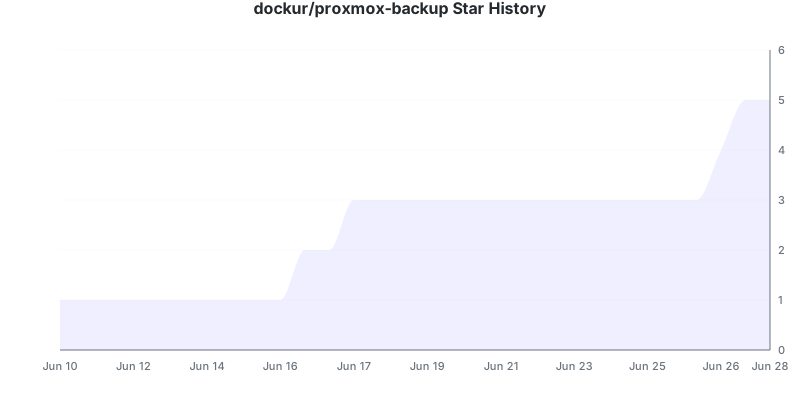](https://github.com/dockur/proxmox-backup/stargazers)
## Disclaimer ⚖️
*The product names, logos, brands, and other trademarks referred to within this project are the property of their respective trademark holders. This project is not affiliated, sponsored, or endorsed by Proxmox Server Solutions GmbH.*
[build_url]: https://github.com/dockur/proxmox-backup/
[hub_url]: https://hub.docker.com/r/dockurr/proxmox-backup/
[tag_url]: https://hub.docker.com/r/dockurr/proxmox-backup/tags
[pkg_url]: https://github.com/dockur/proxmox-backup/pkgs/container/proxmox-backup
[Build]: https://github.com/dockur/proxmox-backup/actions/workflows/build.yml/badge.svg
[Size]: https://img.shields.io/docker/image-size/dockurr/proxmox-backup/latest?color=066da5&label=size
[Pulls]: https://img.shields.io/docker/pulls/dockurr/proxmox-backup.svg?style=flat&label=pulls&logo=docker
[Version]: https://img.shields.io/docker/v/dockurr/proxmox-backup/latest?arch=amd64&sort=semver&color=066da5
[Package]: https://img.shields.io/badge/dynamic/json?url=https%3A%2F%2Fipitio.github.io%2Fbackage%2Fdockur%2Fproxmox-backup%2Fproxmox-backup.json&query=%24.downloads&logo=github&style=flat&color=066da5&label=pulls