discover · compare · collections · requirements · contribute · feed · watching · stats · help with your tokens
a1studmuffin/SpaceshipGenerator · source
Snapshot 0 · 2026-11-04T12:47:24Z · Python ·
Content fingerprint
5ecb188abd2767f318df572630ac4dd3e44b9c3a5681f13de18ccf43cc3fde04GitHub description at capture
A Blender script to procedurally generate 3D spaceships
README at capture
# Spaceship Generator
A Blender script to procedurally generate 3D spaceships from a random seed.
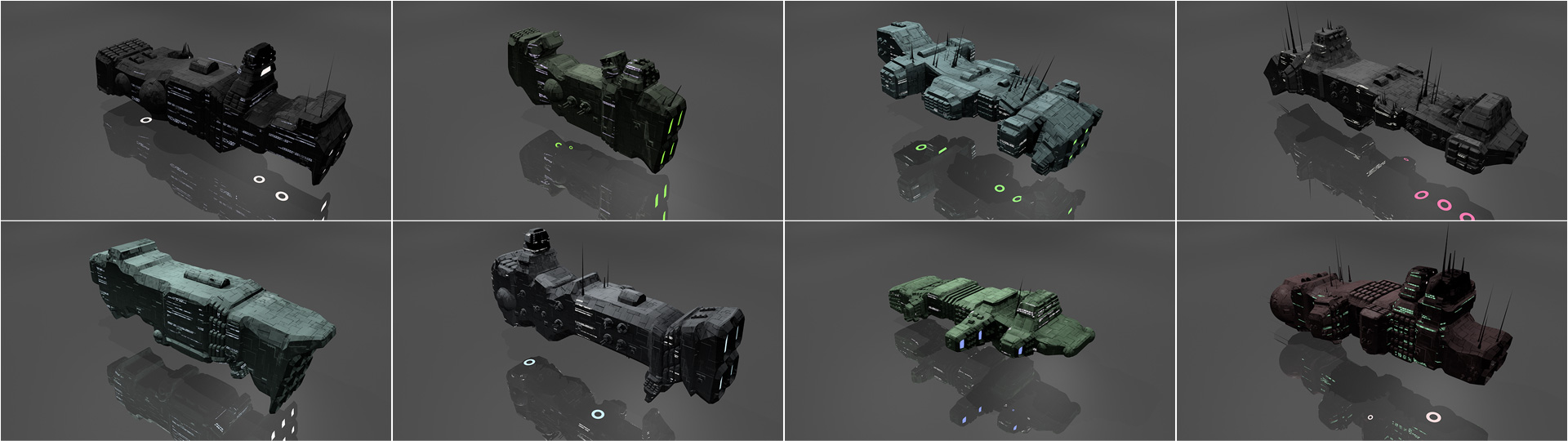
Usage
-----
* Install Blender 2.80 or greater: http://blender.org/download/
* Download newest `add_mesh_SpaceshipGenerator.zip` from the [Releases](https://github.com/a1studmuffin/SpaceshipGenerator/releases) section
* Under Edit > Preferences... > Add-ons > Install... open the downloaded ZIP file
* Under Edit > Preferences... > Add-ons enable the "Add Mesh: Spaceship Generator" script (search for "spaceship")
* Add a spaceship in the 3D View under Add > Mesh > Spaceship
* Expand the Spaceship tab that appears in the bottom left of the viewport to adjust procedural generation settings
How it works
------------
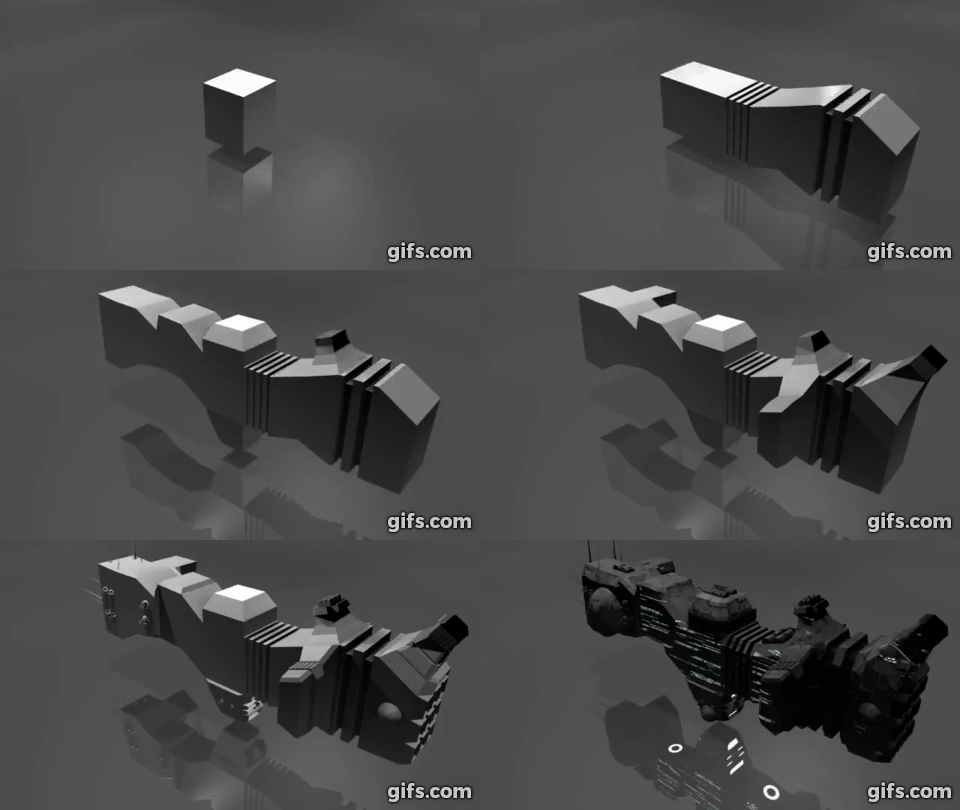
Watch on YouTube: https://www.youtube.com/watch?v=xJZyXqJ6nog
* Start with a box.
* Build the hull: Extrude the front/rear faces several times, adding random translation/scaling/rotation along the way.
* Add asymmetry to the hull: Pick random faces and extrude them out in a similar manner, reducing in scale each time.
* Add detail to the hull: Categorize each face by its orientation and generate details on it such as engines, antenna, weapon turrets, lights etc.
* Sometimes apply horizontal symmetry.
* Add a Bevel modifier to angularize the shape a bit.
* Apply materials to the final result.
* Take over the universe with your new infinite fleet of spaceships.
Extreme examples
----------------
The following screenshots were created using extreme values for the number of hull segments and asymmetry segments to show how the algorithm works.
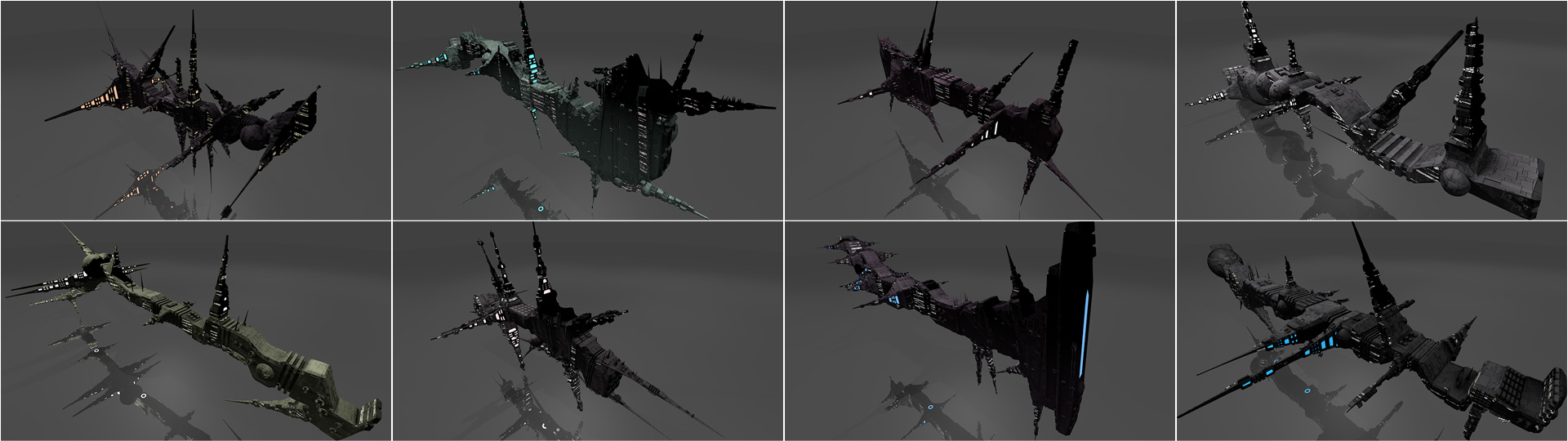
Tips and Tricks
---------------
* By default the script will delete all objects starting with `Spaceship` before generating a new spaceship. To disable this feature, remove or comment out the call to `reset_scene()` around line 735 in the main function.
* You can provide a seed to the `generate_spaceship()` function to always generate the same spaceship. For example, `generate_spaceship('michael')`.
* The `generate_spaceship()` function takes many more parameters that affect the generation process. Try playing with them!
* You can replace the textures with your own ones. All textures are applied using global-space cube UVs. `hull_normal.png` is a normal map that adds extra surface "greebles". `hull_lights_diffuse.png` is an additive diffuse texture to set the color of the window lights. `hull_lights_emit.png` is an emissive texture to make the windows glow in darkness.
Credits
-------
Written for fun as part of the [/r/proceduralgeneration](https://www.reddit.com/r/proceduralgeneration/) June 2016 [monthly challenge](https://www.reddit.com/r/proceduralgeneration/comments/4mn9gj/monthly_challenge_7_june_2016_procedural/).
Released under the [MIT License].
Authored and maintained by Michael Davies.
> GitHub [@a1studmuffin](https://github.com/a1studmuffin)
> Twitter [@butterparty](https://twitter.com/butterparty)
Special thanks to [@panzi](https://github.com/panzi) for bugfixes, a proper GUI and build script. Also to [@mjrthemes](https://github.com/mjrthemes) for bugfixing, and [@LendoK](https://github.com/LendoK) for the 2.80 port.
[MIT License]: http://mit-license.org/