discover · compare · collections · requirements · contribute · feed · watching · stats · help with your tokens
UnnoTed/wireguird · source
Snapshot 0 · 2026-11-04T12:47:26Z · Go · MIT
Content fingerprint
e0b4b80b8f503ecfbd3271c814c99756cc036b43f3233bccf51f63fd8c5fddb4GitHub description at capture
wireguard gtk gui for linux
README at capture
# wireguird ##### a linux gtk gui client for [Wireguard](https://www.wireguard.com/) ________________ Features: - System tray icon goes red when connected, black when disconnected. - Looks the same and does almost the same things as the official Wireguard's Windows gui client. - Lists tunnels from `/etc/wireguard` - Controls Wireguard ~~*through*~~ `wg-quick` ## Preview (video) [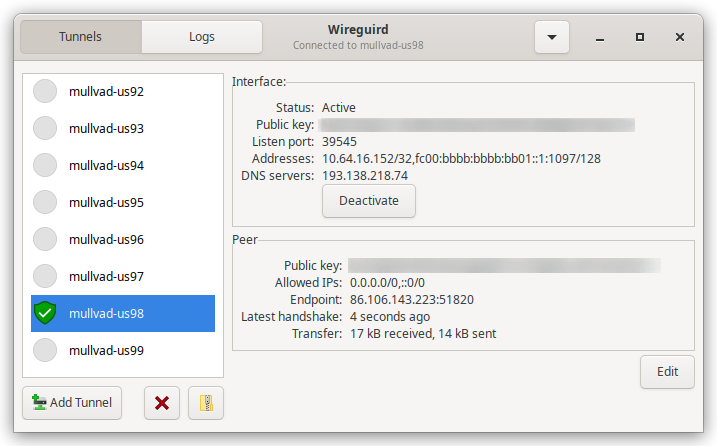](https://streamable.com/dpthpr) ## Download v0.2.0 tested on: Ubuntu `18.04 LTS`, `20.04 LTS` and `21.04` [wireguird_amd64.deb (1.8mb)](https://github.com/UnnoTed/wireguird/releases/download/v0.2.0/wireguird_amd64.deb) v1.0.0 tested on: Ubuntu `22.04 LTS` and `22.10`, Linux Mint `21.1` [wireguird_amd64.deb (2.6mb)](https://github.com/UnnoTed/wireguird/releases/download/v1.0.0/wireguird_amd64.deb) v1.1.0 tested on: Ubuntu `23.04` [wireguird_amd64.deb (2.6mb)](https://github.com/UnnoTed/wireguird/releases/download/v1.1.0/wireguird_amd64.deb) ```sh wget https://github.com/UnnoTed/wireguird/releases/download/v1.1.0/wireguird_amd64.deb sudo dpkg -i ./wireguird_amd64.deb ``` ## Compile deb dependencies: `sudo apt install wireguard-tools libgtk-3-dev libayatana-appindicator3-dev golang-go resolvconf` ```sh git clone https://github.com/UnnoTed/wireguird cd wireguird go install github.com/goreleaser/goreleaser/v2@latest goreleaser release --snapshot --clean ```