discover · compare · collections · requirements · contribute · feed · watching · stats · help with your tokens
DIYgod/RSSHub-Radar · source
Snapshot 0 · 2026-11-04T12:47:25Z · TypeScript · AGPL-3.0
Content fingerprint
5f31118dc4dea29278c21075eaf53de0379345a221f00ec9f791a38c988c7f74GitHub description at capture
🧡 Browser extension that simplifies finding and subscribing RSS and RSSHub
README at capture
<p align="center"> <img src="https://i.loli.net/2019/04/23/5cbeb7e41414c.png" alt="RSSHub" width="100"> </p> <h1 align="center">RSSHub Radar</h1> > Browser extension that simplifies finding and subscribing RSS and RSSHub. > > Everything is RSSible [](https://chromewebstore.google.com/detail/kefjpfngnndepjbopdmoebkipbgkggaa) [](https://chromewebstore.google.com/detail/kefjpfngnndepjbopdmoebkipbgkggaa) [](https://chromewebstore.google.com/detail/kefjpfngnndepjbopdmoebkipbgkggaa) [](https://addons.mozilla.org/firefox/addon/rsshub-radar/) [](https://addons.mozilla.org/firefox/addon/rsshub-radar/) [](https://addons.mozilla.org/firefox/addon/rsshub-radar/) [](https://microsoftedge.microsoft.com/addons/detail/rsshub-radar/gangkeiaobmjcjokiofpkfpcobpbmnln) [](https://microsoftedge.microsoft.com/addons/detail/rsshub-radar/gangkeiaobmjcjokiofpkfpcobpbmnln) [](https://microsoftedge.microsoft.com/addons/detail/rsshub-radar/gangkeiaobmjcjokiofpkfpcobpbmnln) [](https://apps.apple.com/us/app/rsshub-radar/id1610744717) Tested for compatibility with the following browsers (other Chromium-based browsers should also work): <a href="https://chromewebstore.google.com/detail/kefjpfngnndepjbopdmoebkipbgkggaa"><img src="https://raw.githubusercontent.com/alrra/browser-logos/main/src/chrome/chrome_128x128.png" width="48" /></a> <a href="https://microsoftedge.microsoft.com/addons/detail/gangkeiaobmjcjokiofpkfpcobpbmnln"><img src="https://raw.githubusercontent.com/alrra/browser-logos/main/src/edge/edge_128x128.png" width="48" /></a> <a href="https://addons.mozilla.org/firefox/addon/rsshub-radar/"><img src="https://raw.githubusercontent.com/alrra/browser-logos/main/src/firefox/firefox_128x128.png" width="48" /></a> <a href="https://apps.apple.com/us/app/rsshub-radar/id1610744717?l=zh&mt=12"><img src="https://raw.githubusercontent.com/alrra/browser-logos/main/src/safari/safari_128x128.png" width="48" /></a> <a href="https://chromewebstore.google.com/detail/kefjpfngnndepjbopdmoebkipbgkggaa"><img src="https://i.imgur.com/ofOUkIB.png" width="48" /></a> <a href="https://chromewebstore.google.com/detail/kefjpfngnndepjbopdmoebkipbgkggaa"><img src="https://i.imgur.com/9RH7UNb.png" width="48" /></a> <a href="https://chromewebstore.google.com/detail/kefjpfngnndepjbopdmoebkipbgkggaa"><img src="https://raw.githubusercontent.com/alrra/browser-logos/main/src/vivaldi/vivaldi_128x128.png" width="48" /></a> ## Introduction [Telegram group](https://t.me/rsshub) | [Telegram channel](https://t.me/awesomeRSSHub) RSSHub Radar is a spin-off project of [RSSHub](https://github.com/DIYgod/RSSHub), a browser extension that simplifies finding and subscribing RSS and RSSHub. - Discover and subscribe to the RSS feeds associated with the current page effortlessly. - Explore and subscribe to the RSSHub supported by the current page promptly. - Easily identify the RSSHubs supported by the current website quickly. - Supports one-click RSS subscription for various platforms including Tiny Tiny RSS, Miniflux, FreshRSS, Feedly, Inoreader, Feedbin, The Old Reader, Feeds.Pub, Local Reader... 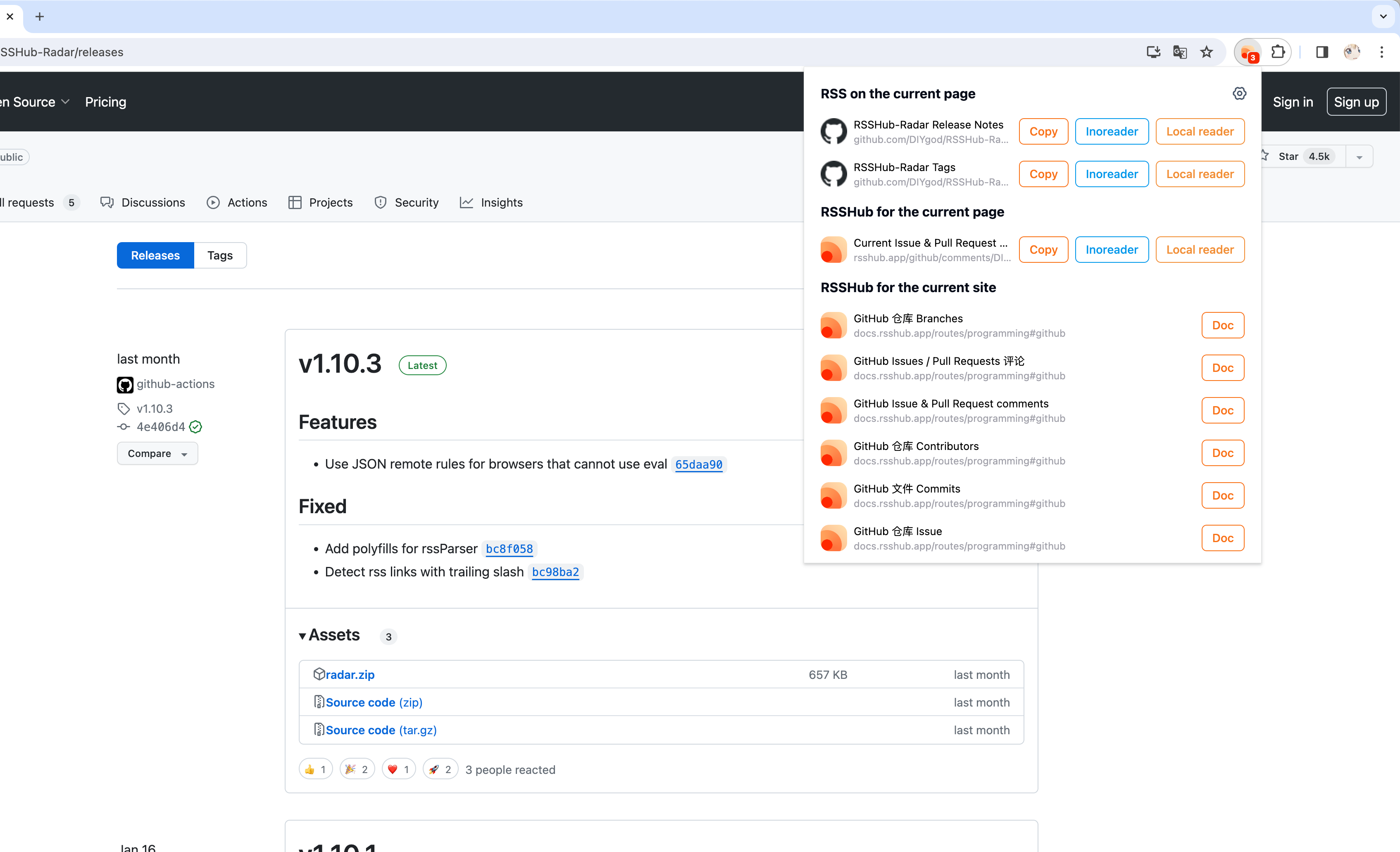 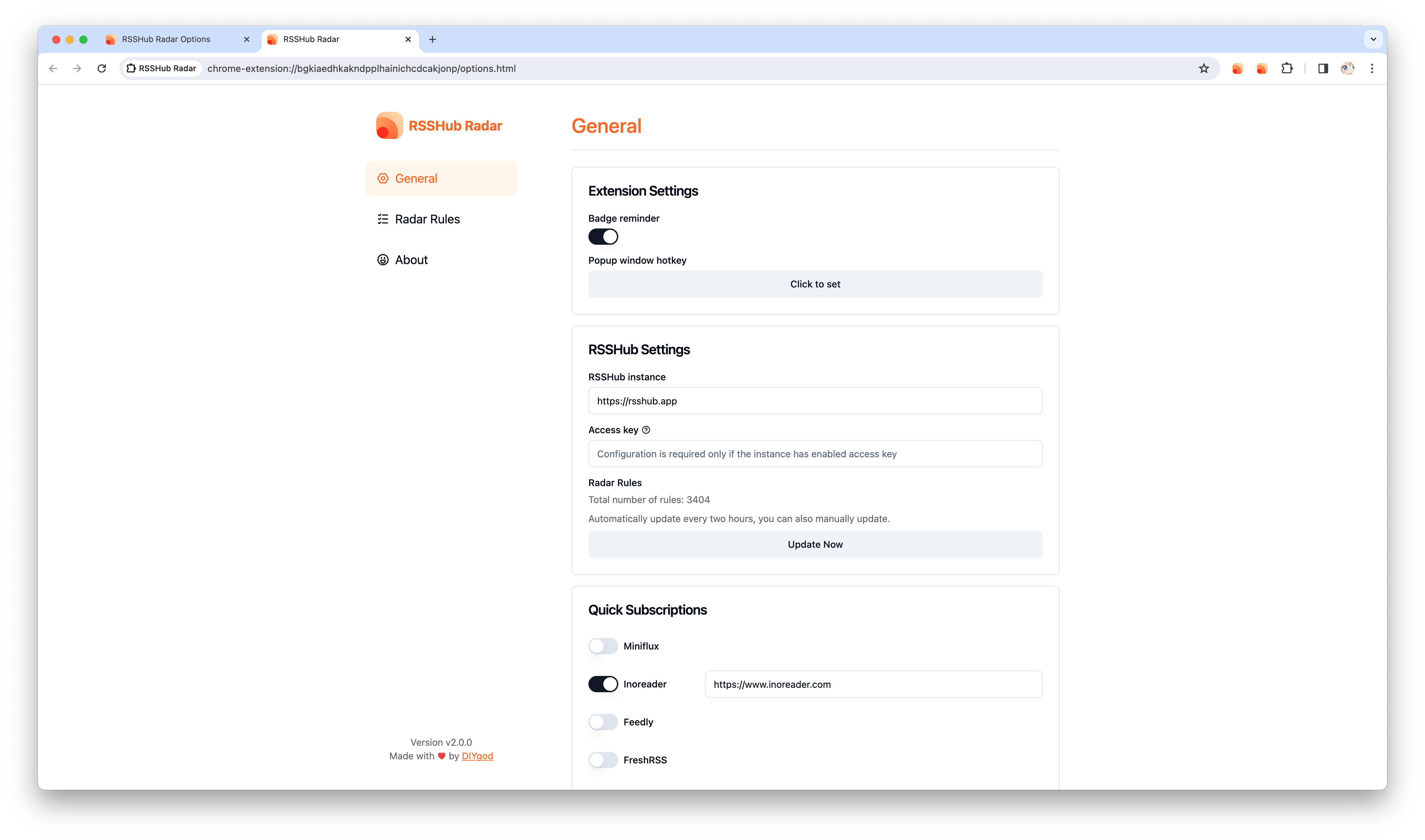 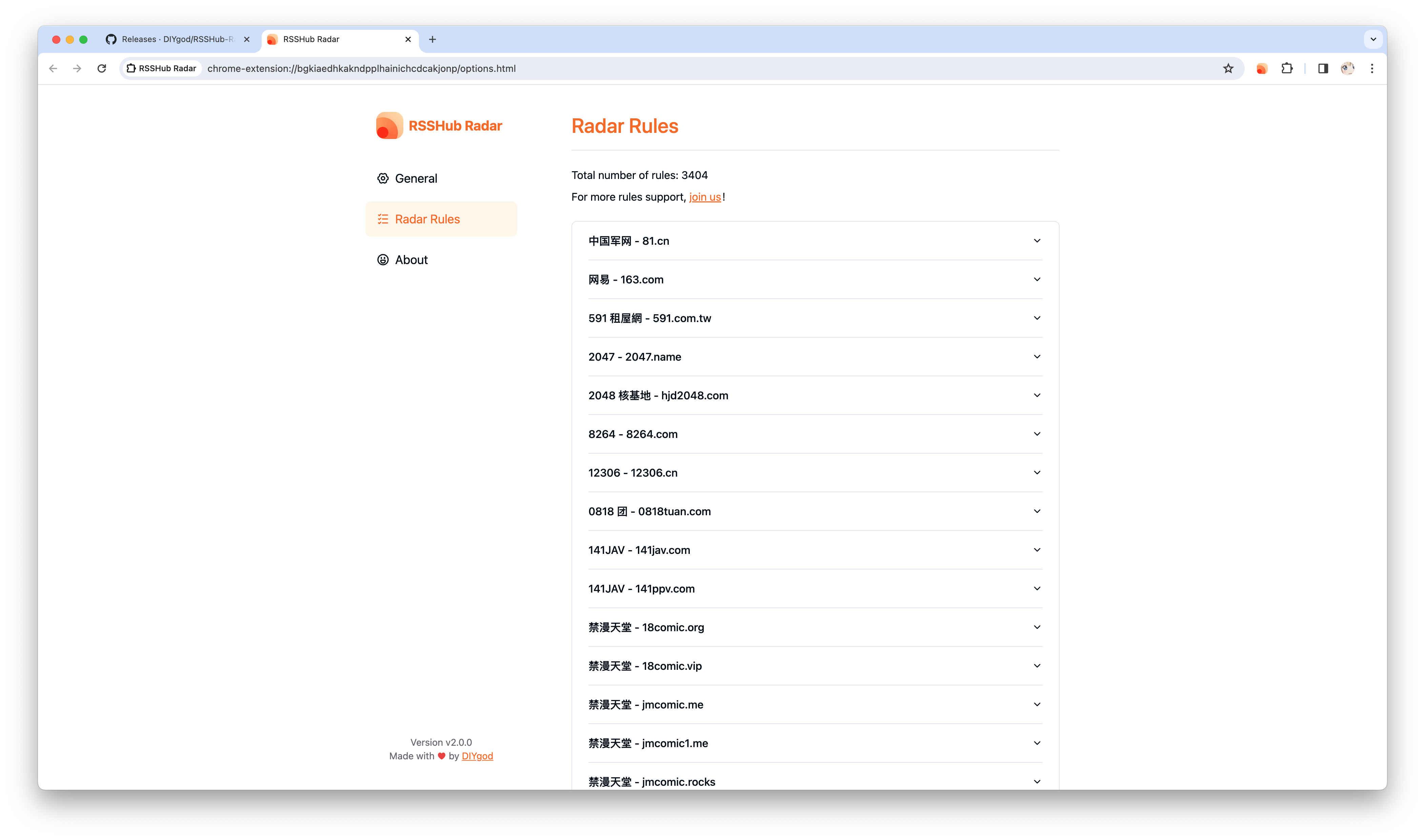 ## Install ### Webstore <a href="https://chromewebstore.google.com/detail/kefjpfngnndepjbopdmoebkipbgkggaa"><img src="https://raw.githubusercontent.com/alrra/browser-logos/main/src/chrome/chrome_128x128.png" width="48" /></a> <a href="https://microsoftedge.microsoft.com/addons/detail/gangkeiaobmjcjokiofpkfpcobpbmnln"><img src="https://raw.githubusercontent.com/alrra/browser-logos/main/src/edge/edge_128x128.png" width="48" /></a> <a href="https://addons.mozilla.org/firefox/addon/rsshub-radar/"><img src="https://raw.githubusercontent.com/alrra/browser-logos/main/src/firefox/firefox_128x128.png" width="48" /></a> <a href="https://apps.apple.com/us/app/rsshub-radar/id1610744717?l=zh&mt=12"><img src="https://raw.githubusercontent.com/alrra/browser-logos/main/src/safari/safari_128x128.png" width="48" /></a> ### Manual installation First download the corresponding version of `chrome-mv3-prod.zip` from the [releases](https://github.com/DIYgod/RSSHub-Radar/releases) page and unzip it **Chrome install extension:** Open `chrome://extensions/` Open the upper right corner `Developer mode` Click `Load unpacked extension` in the upper left corner Select the unzipped extension directory containing `manifest.json` **Firefox install extension:** Open `about:debugging` Click `Load Temporary Extension` in the upper right corner Select the `manifest.json` file in the unzipped extension directory ## Join us ### Reproduce the Firefox release build (Mozilla reviewers) Build environment: macOS on Apple Silicon, Node.js **24.22.1**, and pnpm **12.16.1**. Install Node.js from https://nodejs.org/en/download and install the exact pnpm version with `npm install --global pnpm@12.16.1`. Extract the source ZIP for the submitted version into an empty directory, then run these commands from its root: ```sh pnpm install --frozen-lockfile pnpm zip:firefox ``` The unpacked extension is written to `.output/firefox-mv3/`. The uploadable extension is `.output/rsshub-radar-2.3.1-firefox.zip` (also copied to `build/firefox-mv3-prod.zip`), and its matching source package is `.output/rsshub-radar-2.3.1-sources.zip`. Compare the extracted extension files with the submitted unsigned ZIP. No credentials, `.env` file, private packages, or downloaded RSSHub rules are needed to build. Use the included lockfile; installing with npm or updating dependencies can change the generated code. Firefox builds exclude browsing and interaction analytics even when `WXT_UMAMI_ID`, `WXT_UMAMI_URL`, or `WXT_UMAMI_SAMPLE_RATE` are set in the build environment. Feed lists use a bundled icon instead of loading site favicons or sending visited domains to a favicon service. Feed and route detection runs locally. The extension downloads rule data from the configured RSSHub instance; that request does not contain the current page URL. Opening or previewing a feed contacts its URL, and a subscription button sends the selected feed link to the reader chosen by the user. Those actions occur only when the user invokes them. To test without an account, load `.output/firefox-mv3/manifest.json` via `about:debugging` → **This Firefox** → **Load Temporary Add-on**. Open a page with an RSS/Atom link, then open RSSHub Radar to inspect and copy its feed link. Also check direct RSS URLs, feed previews, and the General, Rules, and About options pages. Browsing, opening the popup, copying links, and visiting options must not send analytics requests. ### Start the Development Server Also refer to: https://wxt.dev/guide/installation ``` pnpm i pnpm dev ``` or use npm ``` npm install npm run dev ``` Get the `.output/chrome-mv3` directory, the installation method refers to [manual installation](#manual installation) ### Submit New RSSHub Radar Rules [See documentation](https://docs.rsshub.app/joinus/new-rss/submit-route) ([GitHub source](https://github.com/RSSNext/rsshub-docs/blob/main/src/joinus/new-rss/submit-route.md)) ## Author **RSSHub Radar** © [DIYgod](https://github.com/DIYgod), Released under the [AGPL-3.0](./LICENSE) License.<br> Authored and maintained by DIYgod with help from contributors ([list](https://github.com/DIYgod/RSSHub-radar/contributors)). > Blog [@DIYgod](https://diygod.cc) · GitHub [@DIYgod](https://github.com/DIYgod) · Twitter [@DIYgod](https://twitter.com/DIYgod) · Telegram Channel [@awesomeDIYgod](https://t.me/awesomeDIYgod)