discover · compare · collections · requirements · contribute · feed · watching · stats · help with your tokens
CodeWithCJ/SparkyFitness · source
Snapshot 0 · 2026-11-04T12:47:27Z · TypeScript ·
Content fingerprint
ea5c746965533e37095f7b8a5365e6d46d5088d94220ffb880aff61739c2f0b5GitHub description at capture
SparkyFitness: Built for Families. Powered by AI. Track food, fitness, water, and health — together.
README at capture
<p align="center"> <b>English</b> · <a href="docs/readme/README_zh-CN.md">简体中文</a> · <a href="docs/readme/README_zh-TW.md">繁體中文</a> · <a href="docs/readme/README_ja.md">日本語</a> · <a href="docs/readme/README_ko.md">한국어</a> · <a href="docs/readme/README_hi.md">हिन्दी</a> · <a href="docs/readme/README_th.md">ไทย</a> · <a href="docs/readme/README_fr.md">Français</a> · <a href="docs/readme/README_de.md">Deutsch</a> · <a href="docs/readme/README_es.md">Español</a> · <a href="docs/readme/README_it.md">Italiano</a> · <a href="docs/readme/README_ru.md">Русский</a> · <a href="docs/readme/README_pt-BR.md">Português (Brasil)</a> · <a href="docs/readme/README_nl.md">Nederlands</a> · <a href="docs/readme/README_pl.md">Polski</a> · <a href="docs/readme/README_ar.md">العربية</a> · <a href="docs/readme/README_fa.md">فارسی</a> · <a href="docs/readme/README_tr.md">Türkçe</a> · <a href="docs/readme/README_vi.md">Tiếng Việt</a> · <a href="docs/readme/README_id.md">Bahasa Indonesia</a> </p> # SparkyFitness A self-hosted, privacy-first alternative to MyFitnessPal, Flo, Hevy, Shotsy & more. Track nutrition, exercise, body metrics, and health data while keeping full control of your data. <img width="5120" height="2880" alt="image" src="https://github.com/user-attachments/assets/d8b09f48-cb4d-41a6-b678-ac93e551f257" /> SparkyFitness is a self-hosted fitness tracking platform made up of: - A backend server (API + data storage) - A web-based frontend - Native mobile apps for iOS and Android - Companion apps for Apple Watch and Wear OS It stores and manages health data on infrastructure you control, without relying on third party services. ## Core Features - Nutrition, exercise, hydration, sleep, fasting, mood and body measurement tracking - Goal setting and daily check-ins - [Apple Watch and Wear OS apps](https://codewithcj.github.io/SparkyFitness/mobile-app/watch-apps): goals, water, weight, fasting, medications, workouts and watch face complications - Interactive charts and long-term reports - Multiple user profiles and family access - Light and dark themes - OIDC, TOTP, Passkey, MFA etc. ## How SparkyFitness Compares **SparkyFitness is source-available, not open source** — the [license](LICENSE) is non-commercial and requires permission for commercial use. Most apps do one thing. One good nutrition app runs $40–$100 a year; covering everything SparkyFitness covers means three or four subscriptions, per person, and still no single report across them. SparkyFitness does it in one app, free, for the whole household. <sub>US list prices, 14 Aug 2026. [Full cost breakdown →](https://codewithcj.github.io/SparkyFitness/features/comparison)</sub> | | **SparkyFitness** | wger | MyFitnessPal | Cronometer | Hevy | Zero | Flo | Garmin Connect | Google Health | | --- | :---: | :---: | :---: | :---: | :---: | :---: | :---: | :---: | :---: | | Self-hosted, your data stays yours | ⭐ | ✅ | ❌ | ❌ | ❌ | ❌ | ❌ | ❌ | ❌ | | No subscription, no ads | ✅ | ✅ | ❌ | 🟡 | 🟡 | ❌ | ❌ | ✅ | 🟡 | | Nutrition, strength, sleep, fasting, cycle & meds in one place\* | ⭐ | 🟡 | 🟡 | 🟡 | ❌ | ❌ | ❌ | 🟡 | 🟡 | | Full history & custom date-range reports | ✅ free | 🟡 | 💰 | 💰 | 💰 | 💰 | 💰 | ✅ | 💰 | | Wearable & health-platform sync | ✅ 8+ services | ❌ | ✅ | ⭐ | ✅ | 🟡 | 🟡 | 🟡 | ✅ | | Family sharing with granular permissions | ⭐ 7 permissions | ❌ | ❌ | 🟡 | ❌ | ❌ | ❌ | 🟡 | 🟡 | | CSV import & free data export | ✅ | 🟡 | 💰 | ✅ | ✅ | 🟡 | 🟡 | 🟡 | ❌ | | MCP server + bring your own LLM | ⭐ | 🟡 | ❌ | ❌ | ❌ | ❌ | ❌ | ❌ | ❌ | ⭐ standout • ✅ supported • 🟡 partial • 💰 paid tier only • ❌ not supported <sub>\* Sleep stages, HRV and blood glucose are imported from your watch, phone or meter. SparkyFitness stores, analyses and charts them rather than measuring them itself.</sub> > **This table is written by the project being compared, so read it that way.** Checked 14 Aug 2026 against official docs, repos and store listings; some of it is already out of date. If a cell is wrong or unfair to another project, [open an issue](https://github.com/CodeWithCJ/SparkyFitness/issues) — corrections that make SparkyFitness look *worse* are just as welcome. **[See the full comparison →](https://codewithcj.github.io/SparkyFitness/features/comparison)** — 17 apps across self-hosted, nutrition, specialist and device-ecosystem categories, plus where each of them beats us. ## Health & Device Integrations SparkyFitness can sync data from multiple health and fitness platforms: - **Apple Health** (iOS) - **Google Health Connect** (Android) - **Google Health API** - **Fitbit** - **Garmin Connect** - **Withings** - **Polar Flow** - **Oura** - **Hevy** - **OpenFoodFacts** - **USDA** - **Fatsecret** - **Nutritionix** - **Mealie** - **Tandoor** - **Strava** (partially tested) - **COROS** - **Norish** - **Yazio** (uses unofficial API) - **Swiss Food Database** - **Canadian Nutrient File (Health Canada)** - **Swedish Food Agency (Livsmedelsverket)** - **Free Exercise DB** (Github) - **Wger** - **Intervals.ICU** Integrations automatically sync activity data such as steps, workouts, and sleep, along with health metrics like weight and body measurements, to your SparkyFitness server. ## Optional AI Features (Beta) SparkyAI provides a conversational interface for logging data and reviewing progress. - Log food, exercise, body stats, and steps via chat - Upload food images for automatic meal logging - Retains conversation history for follow ups Note: AI features are currently in beta. ## Installation Choose one of the two ways to run SparkyFitness: ### 1. Self-Hosted Get a SparkyFitness server running in minutes using Docker Compose: ```bash # 1. Create a new folder mkdir sparkyfitness && cd sparkyfitness # 2. Download docker-compose.yml curl -L -o docker-compose.yml https://raw.githubusercontent.com/CodeWithCJ/SparkyFitness/main/docker/docker-compose.prod.yml # 3. Set up your .env configuration (Choose one option): # Option A (Recommended): Generate custom .env with 1-click secure keys in browser: # 👉 https://codewithcj.github.io/SparkyFitness/install/env-generator # Option B: Minimal template — 5 values, everything else uses the defaults # docker-compose already applies. Fine for most self-hosted installs. curl -L -o .env https://raw.githubusercontent.com/CodeWithCJ/SparkyFitness/main/docker/.env.simple.example # Option C: Full reference — every supported variable, commented out with its # default. Start here for SSO, SMTP, an external database or a reverse proxy. # curl -L -o .env https://raw.githubusercontent.com/CodeWithCJ/SparkyFitness/main/docker/.env.example # 4. Replace the placeholders (skip if you used Option A — the generator # already filled these in). The server refuses to start while they are left # as-is, and the database would otherwise initialize with a published password. # SPARKY_FITNESS_DB_PASSWORD any strong password # SPARKY_FITNESS_API_ENCRYPTION_KEY openssl rand -hex 32 (64 hex chars) # BETTER_AUTH_SECRET openssl rand -base64 32 (44 chars) # SPARKY_FITNESS_FRONTEND_URL the URL you will open the app at # 5. Start the app docker compose pull && docker compose up -d # Access application at http://localhost:3004 ``` _Note: For complete configuration options, reverse proxies, and alternative install methods, visit the [Documentation Site](https://codewithcj.github.io/SparkyFitness/)._ ### 2. Cloud (for non-technical users) If you are not a technical user and prefer not to run SparkyFitness on your own server, you can deploy a hosted instance in the cloud using one of the following providers. <a href="https://www.pikapods.com/pods?run=sparkyfitness"> <img src="https://www.pikapods.com/static/run-button.svg" height="70" width="150" alt="Run on PikaPods"> </a> <br> <a href="https://zenith.hosting/host/sparkyfitness?ref=gh"> <img src="https://cdn.zenith.hosting/buttons/deploy-with-zenith.svg" height="70" width="150" alt="Deploy with Zenith"> </a> > **Note:** These are independent third-party services. We encourage you to explore features provided by each provider to determine the one that best fits your needs. ## 🎥 Video Tutorial [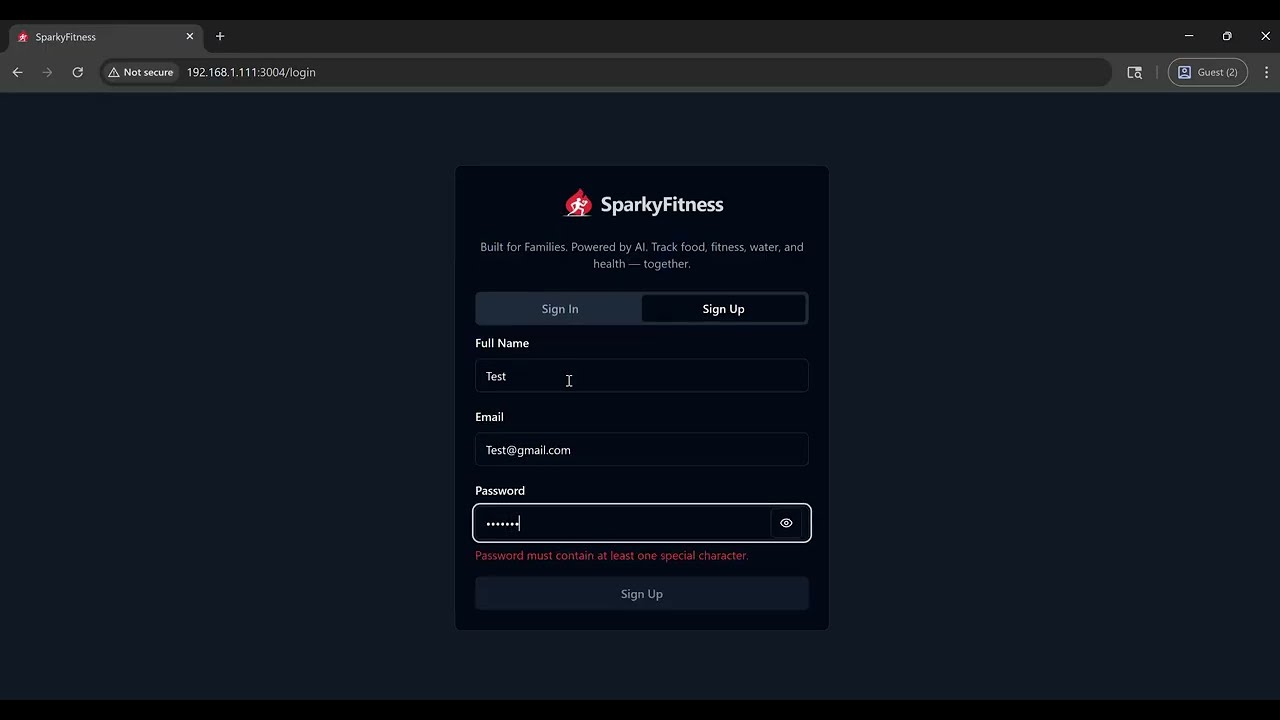](https://www.youtube.com/watch?v=B13IiL2DeQc) Quick 2-minute tutorial showing how to install SparkyFitness (self-hosted fitness tracker). ## Documentation For full installation guides, configuration options, and development docs, please visit our [Documentation Site](https://codewithcj.github.io/SparkyFitness/). ### Quick Links - **[Installation Guide](https://codewithcj.github.io/SparkyFitness/install/docker-compose)** - Deployment and configurations - **[Interactive .env Generator](https://codewithcj.github.io/SparkyFitness/install/env-generator)** - Client-side `.env` configuration builder - **[Features Overview](https://codewithcj.github.io/SparkyFitness/features)** - Complete feature documentation - **[Development Workflow](https://codewithcj.github.io/SparkyFitness/developer/getting-started)** - Developer guide and contribution process - **[iOS App Info](https://github.com/CodeWithCJ/SparkyFitness/wiki/Apple-Health-Integration)** and **[Android App Info](https://github.com/CodeWithCJ/SparkyFitness/wiki/Android-Mobile-App)** ### Need Help? - Post in Github issues/discussion. - For faster response and get help from other community memebers **[Join our Discord](https://discord.gg/vcnMT5cPEA)** ## Star History <a href="https://www.star-history.com/?repos=CodeWithCJ%2FSparkyFitness&type=date&legend=top-left"> <picture> <source media="(prefers-color-scheme: dark)" srcset="https://api.star-history.com/chart?repos=CodeWithCJ/SparkyFitness&type=date&theme=dark&legend=top-left&sealed_token=MWviIBzQInvKCol1ejXZDjNri3pRWX0dc2AWIPURcTYtRhXm-_L4OXbnWeawEjkcHYOSex4XLfBuGzfQ-W636dNfgksXVYkUHNdKLXK1HQHxuMGo53u9FmU6bnHR4mDNyjq1zcue5kbzagAjRpsFfkQ_F6hQSL92j112pU3AGXiDWk8ZCGcdrKkyAK7o" /> <source media="(prefers-color-scheme: light)" srcset="https://api.star-history.com/chart?repos=CodeWithCJ/SparkyFitness&type=date&legend=top-left&sealed_token=MWviIBzQInvKCol1ejXZDjNri3pRWX0dc2AWIPURcTYtRhXm-_L4OXbnWeawEjkcHYOSex4XLfBuGzfQ-W636dNfgksXVYkUHNdKLXK1HQHxuMGo53u9FmU6bnHR4mDNyjq1zcue5kbzagAjRpsFfkQ_F6hQSL92j112pU3AGXiDWk8ZCGcdrKkyAK7o" /> <img alt="Star History Chart" src="https://api.star-history.com/chart?repos=CodeWithCJ/SparkyFitness&type=date&legend=top-left&sealed_token=MWviIBzQInvKCol1ejXZDjNri3pRWX0dc2AWIPURcTYtRhXm-_L4OXbnWeawEjkcHYOSex4XLfBuGzfQ-W636dNfgksXVYkUHNdKLXK1HQHxuMGo53u9FmU6bnHR4mDNyjq1zcue5kbzagAjRpsFfkQ_F6hQSL92j112pU3AGXiDWk8ZCGcdrKkyAK7o" /> </picture> </a> ## Translations **[Weblate Translations](https://weblate.sparkyfitness.com/engage/sparkyfitness)** <a href="http://weblate.sparkyfitness.com/engage/sparkyfitness/"><img src="http://weblate.sparkyfitness.com/widget/sparkyfitness/svg-badge.svg" alt="Translation status"></a> <a href="https://weblate.sparkyfitness.com/engage/sparkyfitness"> <img src="http://weblate.sparkyfitness.com/widget/sparkyfitness/multi-auto.svg" alt="Translation status" /> </a> ## Repository activity  ## Contributors <a href="https://github.com/CodeWithCJ/SparkyFitness/graphs/contributors"> <img src="https://contrib.rocks/image?repo=CodeWithCJ/SparkyFitness" width="100%" alt="SparkyFitness contributors"/> </a> ## ⚠️ Known Issues / Beta Features ⚠️ SparkyFitness is under active development. Breaking changes may occur between releases. - Auto-updating containers is not recommended - Always review release notes before upgrading The following features are currently in beta and may not have been thoroughly tested. Expect potential bugs or incomplete functionality: - AI Chatbot - Family & Friends access - API documentation