discover · compare · collections · requirements · contribute · feed · watching · stats · help with your tokens
BuilderIO/mitosis · source
Snapshot 0 · 2026-11-04T12:47:26Z · TypeScript · MIT
Content fingerprint
573574aeb00c07bd3f7321f80986066c1208c3b05223683635e476cd0080d72aGitHub description at capture
Write components once, run everywhere. Compiles to React, Vue, Qwik, Solid, Angular, Svelte, and more.
README at capture
<br>
<br>
<p align="center">
<picture>
<source media="(prefers-color-scheme: dark)" srcset="https://cdn.builder.io/api/v1/image/assets%2FYJIGb4i01jvw0SRdL5Bt%2F44413839f214431290930e447572b843">
<img width="400" alt="Mitosis logo" src="https://cdn.builder.io/api/v1/image/assets%2FYJIGb4i01jvw0SRdL5Bt%2F570f689e59824cb78cf5773350ab4144">
</picture>
</p>
<p align="center">
Write components once, compile to every framework
</p>
<br>
<p align="center">
<a href="https://github.com/prettier/prettier"><img alt="code style: prettier" src="https://img.shields.io/badge/code_style-prettier-ff69b4.svg" /></a>
<a href="https://github.com/BuilderIO/mitosis/pulls"><img alt="PRs Welcome" src="https://img.shields.io/badge/PRs-welcome-brightgreen.svg" /></a>
<a href="https://github.com/BuilderIO/mitosis/blob/main/LICENSE"><img alt="License" src="https://img.shields.io/github/license/BuilderIO/mitosis" /></a>
<a href="https://www.npmjs.com/package/@builder.io/mitosis"><img alt="Types" src="https://img.shields.io/npm/types/@builder.io/mitosis" /></a>
<a href="https://www.npmjs.com/package/@builder.io/mitosis" rel="nofollow"><img src="https://img.shields.io/npm/v/@builder.io/mitosis.svg?sanitize=true"></a>
</p>
## Overview
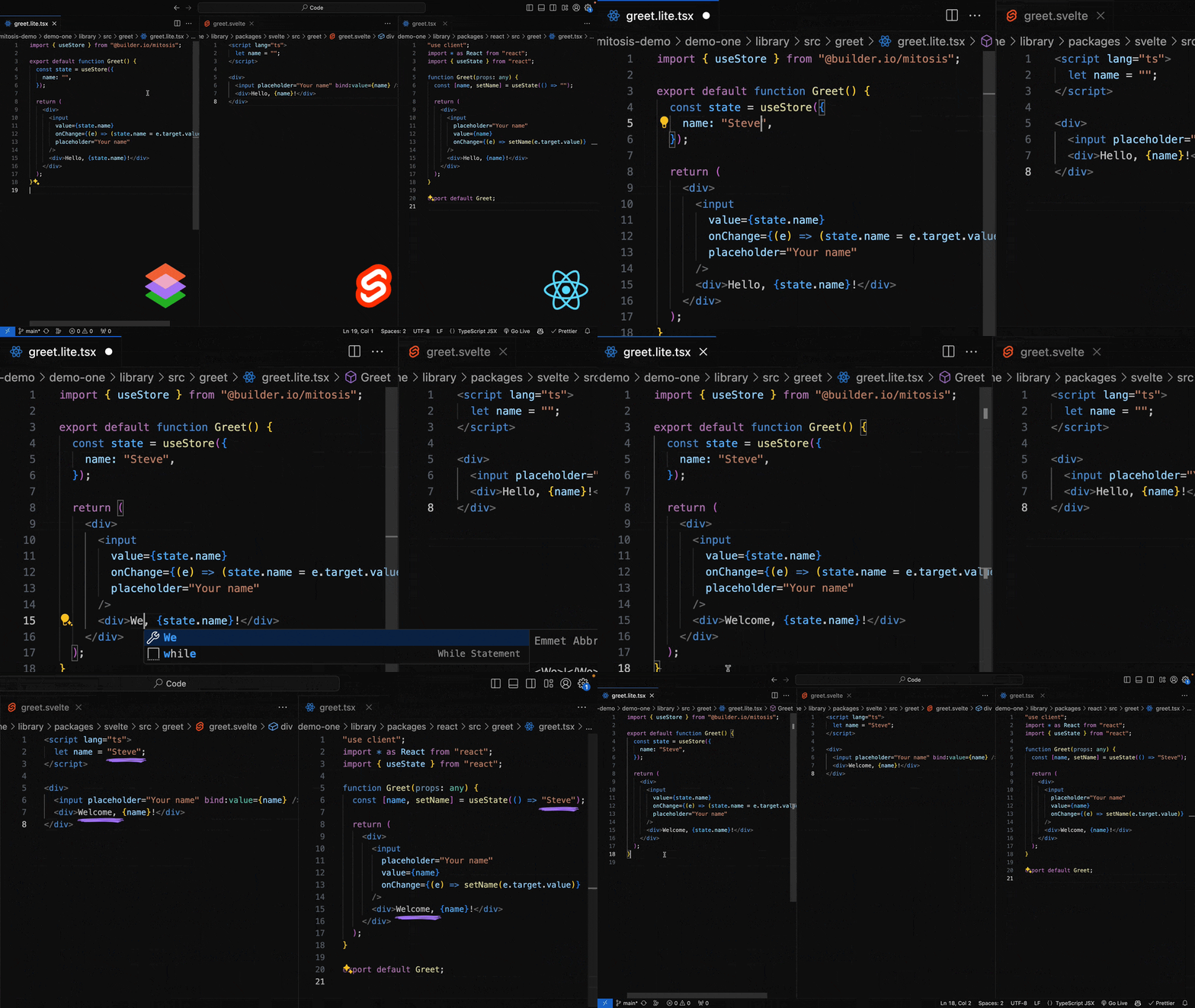
[Mitosis](https://mitosis.builder.io/docs/overview/) provides a unified development experience across all frameworks, enabling you to build components in a single codebase and compile them to React, Vue, Angular, Svelte, Solid, Alpine, Qwik, and more.
Using Mitosis, you can:
- Maintain a consistent design system across multiple frameworks ([example](https://github.com/db-ux-design-system/core-web))
- Sync your [design systems from Figma to code](https://mitosis.builder.io/docs/figma/) and publish them to npm across frameworks
- Avoid the [pitfalls of web components](https://mitosis.builder.io/docs/overview/) by compiling to native framework code
_PS: We are actively looking for folks interested in becoming contributors to Mitosis. If interested, look at our list of [good first issues](https://github.com/BuilderIO/mitosis/contribute) or reach out on our [Discord](https://discord.gg/yxjk5vn6pn)_
## Quickstart
To create a new Mitosis project from scratch, run the following `create` command:
```bash
npm create @builder.io/mitosis@latest
```
Once completed, make sure to read the `README.md` generated in your new project. It will explain the structure of your project, and provide a walkthrough on how to build/test your components.
Read the full [getting started docs](https://mitosis.builder.io/docs/quickstart/) for more.
### Integration with Figma
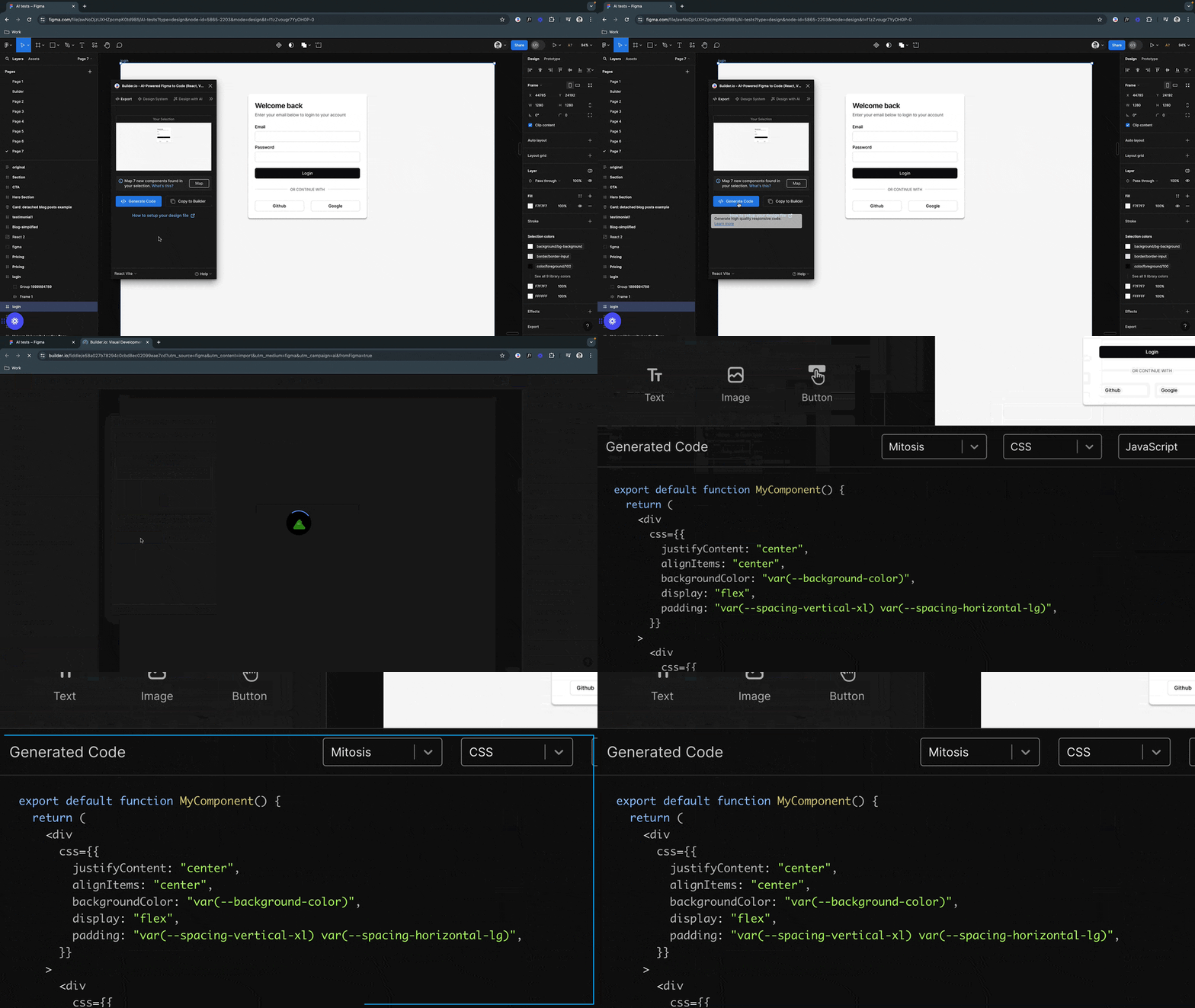
To make generating Mitosis components easier, as well as to keep your design system in code in sync with your design system in Figma, Mitosis integrates with Figma.
Learn more about our [Figma integration](https://mitosis.builder.io/docs/figma).
## Resources
- [Documentation](https://mitosis.builder.io/docs)
- [Playground](https://mitosis.builder.io/playground)
- [Figma integration](https://mitosis.builder.io/docs/figma/)
- [Mitosis Discord](https://discord.gg/yxjk5vn6pn)
## Contribute
Interested in contribute? Head over to the [CONTRIBUTING](CONTRIBUTING.md) docs and see how you can get setup & started!
Once you're ready, checkout our [issues](https://github.com/BuilderIO/mitosis/contribute) page and grab your first issue!
<br>
<br>
<p align="center">
<a href="https://www.builder.io/m/developers">
<picture>
<source media="(prefers-color-scheme: dark)" srcset="https://user-images.githubusercontent.com/844291/230786554-eb225eeb-2f6b-4286-b8c2-535b1131744a.png">
<img width="250" alt="Made with love by Builder.io" src="https://user-images.githubusercontent.com/844291/230786555-a58479e4-75f3-4222-a6eb-74c5af953eac.png">
</picture>
</a>
</p>